 Salman Naseem




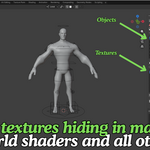



Stop Guessing Where a Texture Is Used
Open any file with more than a handful of materials and try to answer a simple question:
which objects use this specific texture? Blender does not answer that directly. You end up clicking through material slots one by one, hoping you do not miss one hiding in the compositor or inside a Geometry Nodes modifier.
Texture Audit answers that question in one scan. It reads every material, every world shader, the scene compositor, and every Geometry Nodes setup in the file, including nested node groups, and lists each texture with exactly what uses it.
Find What You Cannot See
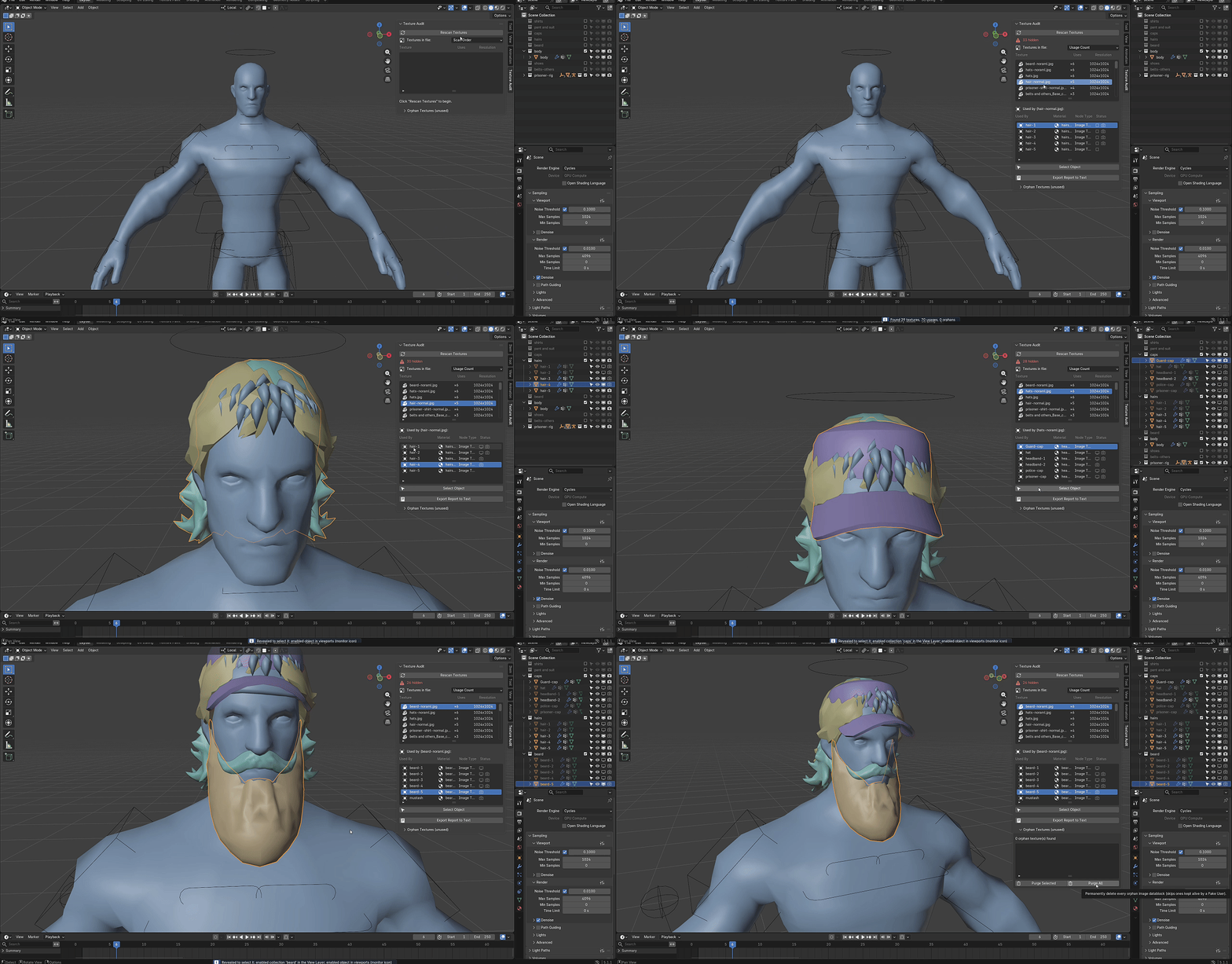
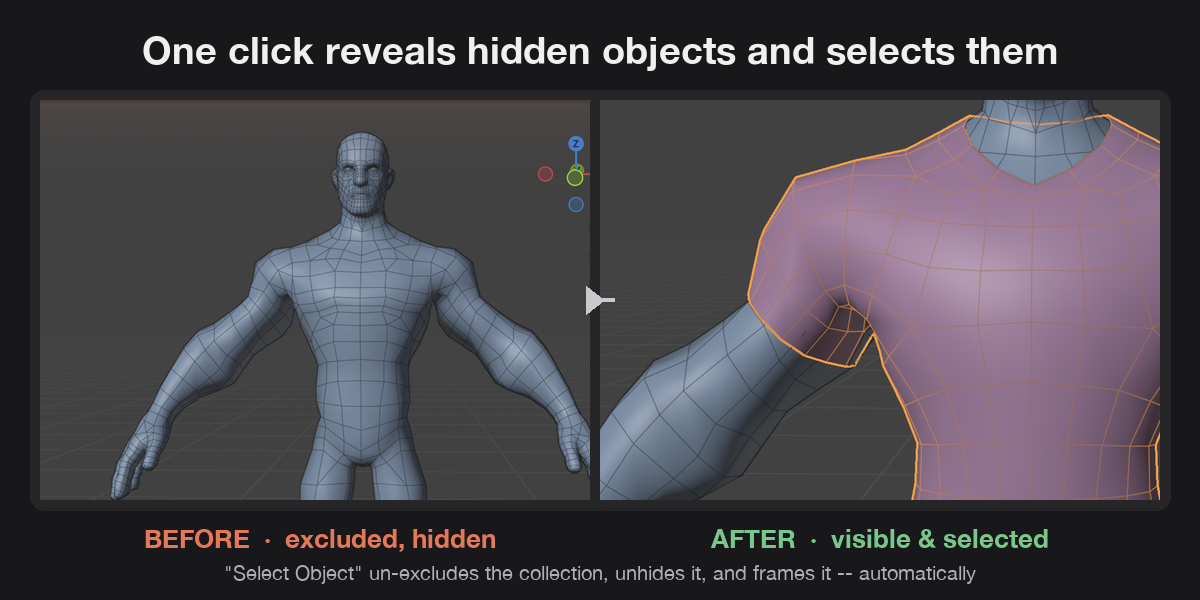
Some of the hardest texture problems are not about the texture at all. The object using it might be excluded from the View Layer, hidden, or locked from selection, so you cannot even find it to check. Texture Audit's "Select Object" button fixes this in one click: it un-excludes the collection, unhides the object, clears any selection lock, and frames it in the viewport. You go from "where is this thing" to looking straight at it.
See File Health at a Glance
A single summary line at the top of the panel tells you how many textures are missing, how many images are orphaned with no real users, and how many objects in the file are currently hidden or excluded. No digging required.
Fix Problems Without Leaving the Panel
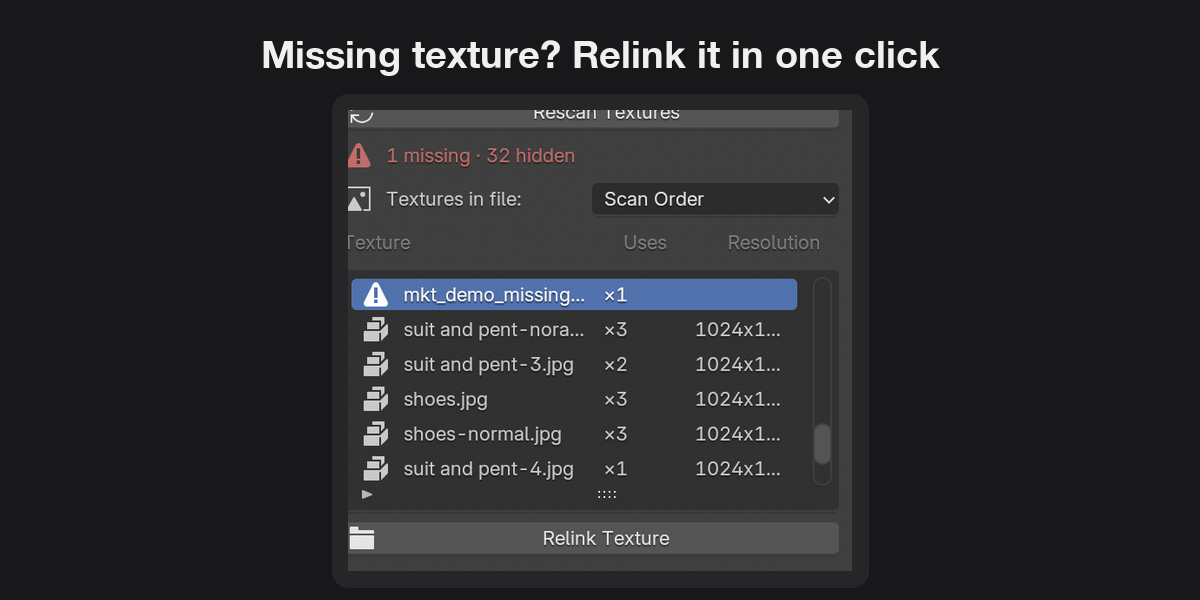
Missing texture links flag with a warning icon and a "Relink Texture" button that opens Blender's own file browser. Orphaned images can be purged one at a time or all at once, with built in safety checks: Texture Audit re-checks the real user count right before deleting, so an image that started being used again since your last scan will not get removed by accident. Textures kept alive on purpose with a Fake User are skipped by default during bulk purges.
Catch Duplicate Imports
Re-appending an asset often imports the same texture file twice under a different datablock name, quietly doubling memory use. Texture Audit compares the actual file path behind each image, not just the name, and flags duplicates so you can catch them before they pile up.
Key Features and Benefits
- Full-file texture scan (materials, world, compositor, Geometry Nodes, nested node groups) — you see every usage, not just the obvious ones.
- One-click hidden object reveal — un-excludes, unhides, unlocks selection, and frames the object automatically, so you never lose time hunting through the outliner.
- Per-row visibility status icons — see at a glance why an object cannot be selected, before you even click anything.
- Missing texture detection with one-click relink — broken file paths are flagged immediately, and fixing them takes one click and a file picker, not a manual path edit.
- Orphan texture detection with safe purge — reclaim memory without guessing what is safe to delete; the addon re-checks usage live before removing anything.
- Duplicate-source detection by file path — catch the same texture imported twice under different names, something name-based tools miss.
- Sort by usage count, resolution, or missing status — spot the worst offenders in a file with hundreds of textures in seconds.
- Plain-text usage report export — hand off a readable audit of the file's textures without writing one by hand.
- Zero setup — install, click Rescan, and the full picture is in front of you.
Workflow Benefits
- Before handing off a file, run a scan and know immediately if anything is missing, orphaned, or hidden, instead of finding out from the person you sent it to.
- When inheriting a legacy or client file, get a full map of texture usage in seconds instead of spending the first hour of the job just orienting yourself.
- During lookdev, jump straight to the object using a specific texture without hunting through a crowded outliner or a modular asset file with many hidden alternates.
- Before a render or archive pass, purge orphaned image data to cut file size, with the confidence that nothing still in use will be deleted.
- When optimizing scene size, sort by resolution to find oversized textures worth downscaling.
Use Cases
- A lighting or lookdev artist needs to find every object that uses a specific texture before adjusting it, across a scene with dozens of materials.
- A technical director receives a client's .blend file and needs a fast health check: what is missing, what is unused, what is hidden.
- A character artist working with a modular asset pack (multiple outfit or prop variants kept as excluded alternates) needs to reveal and select one specific hidden variant without manually re-enabling collections.
- A freelancer preparing a file for delivery wants to purge unused image data and confirm there are no missing texture links before sending it off.
- A studio pipeline TD wants a quick, readable text report of texture usage for documentation or handoff, without writing custom scripts.
- An artist re-appending assets across projects wants to catch duplicate texture imports before they quietly inflate file size.
