Texture Image Export
 subpixel llc





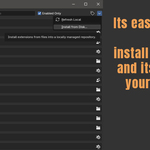
To install goto edit/Preferences
the add-on tab
in the top right corner of the preferences window click the down icon
then select the install from disk
navigate to where you downloaded TextureImageExport.zip
install this zip file
Now when enabled in the preferences
Goto File/Export/Export Texture Images To Folder
A window will pop up goto the folder you want them to save to
and hit Export Texture Images To Folder button
All the images will be saved to that directory folder
the add-on tab
in the top right corner of the preferences window click the down icon
then select the install from disk
navigate to where you downloaded TextureImageExport.zip
install this zip file
Now when enabled in the preferences
Goto File/Export/Export Texture Images To Folder
A window will pop up goto the folder you want them to save to
and hit Export Texture Images To Folder button
All the images will be saved to that directory folder
$1
Have questions about this product?
Login to message
| Blender Extension Compatible | Yes |
| Published | about 1 year ago |
| Blender Version | 3.0 - 5.2 |
| Extension Type | Add-on |
| License | GPL |