Texture Optimizer
 mashud008


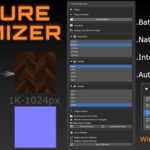
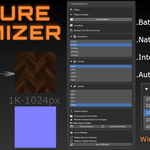
What's New in Version 1.0.1
We are excited to announce Texture Optimizer v1.0.1! This update introduces powerful new workflows, advanced texture export capabilities, automated metadata cleaning, and new resolution scaling options to streamline your WebGL and rendering optimization pipeline.
Key Highlights & New Features
One-Click Pill & Pillow Workflow: Added a specialized one-click utility for quick material setup and texture preparation for soft-goods (pills, pillows, and fabric elements).
Flexible Export Targets: Choose to export baked/optimized textures for either the Selected Objects only or All Objects in the scene simultaneously.
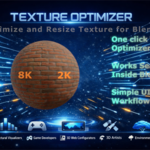
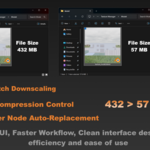
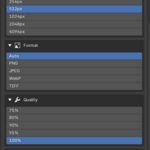
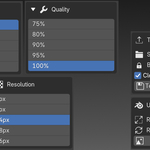
8K Resolution Downscaling: Full support for processing 8K high-resolution textures and converting them down to lower target resolutions (4K, 2K, 1K, etc.) for WebGL/interactive pipelines without quality loss.
Metadata Stripping & Privacy: Automatically cleans exported image metadata by removing author details, creation dates, and software tags for a cleaner production pipeline.
Custom Output Folder & Auto-Clean: Integrated custom export directory selection with a new "Clean Export Folder" toggle to wipe obsolete dynamic bake assets before exporting.
Restore Originals: Added a quick Restore Originals button to instantly revert material nodes, texture assignments, and resolutions back to their pre-optimized state.
Texture Optimizer v1.0.1 – Release Notes
What's New in Version 1.0.1
We are excited to announce Texture Optimizer v1.0.1! This update introduces powerful new workflows, advanced texture export capabilities, automated metadata cleaning, and new resolution scaling options to streamline your WebGL and rendering optimization pipeline.
Highlights & New Features
One-Click Pill & Pillow Workflow: Added a specialized one-click utility for quick material setup and texture preparation for soft-goods (pills, pillows, and fabric elements).
Flexible Export Targets: Choose to export baked/optimized textures for either the Selected Objects only or All Objects in the scene simultaneously.
8K Resolution Downscaling: Full support for processing 8K high-resolution textures and converting them down to lower target resolutions (4K, 2K, 1K, etc.) for WebGL/interactive pipelines without quality loss.
Metadata Stripping & Privacy: Automatically cleans exported image metadata by removing author details, creation dates, and software tags for a cleaner production pipeline.
Custom Output Folder & Auto-Clean: Integrated custom export directory selection with a new "Clean Export Folder" toggle to wipe obsolete dynamic bake assets before exporting.
Restore Originals: Added a quick Restore Originals button to instantly revert material nodes, texture assignments, and resolutions back to their pre-optimized state.
Texture Optimizer v1.0.1 – Release Notes
What's New in Version 1.0.1
We are excited to announce Texture Optimizer v1.0.1! This update introduces powerful new workflows, advanced texture export capabilities, automated metadata cleaning, and new resolution scaling options to streamline your WebGL and rendering optimization pipeline.
Highlights & New Features
One-Click Pill & Pillow Workflow: Added a specialized one-click utility for quick material setup and texture preparation for soft-goods (pills, pillows, and fabric elements).
Flexible Export Targets: Choose to export baked/optimized textures for either the Selected Objects only or All Objects in the scene simultaneously.
8K Resolution Downscaling: Full support for processing 8K high-resolution textures and converting them down to lower target resolutions (4K, 2K, 1K, etc.) for WebGL/interactive pipelines without quality loss.
Metadata Stripping & Privacy: Automatically cleans exported image metadata by removing author details, creation dates, and software tags for a cleaner production pipeline.
Custom Output Folder & Auto-Clean: Integrated custom export directory selection with a new "Clean Export Folder" toggle to wipe obsolete dynamic bake assets before exporting.
Restore Originals: Added a quick Restore Originals button to instantly revert material nodes, texture assignments, and resolutions back to their pre-optimized state.
-
$9
Texture Optimizer: Ultimate Texture Downscaler & Node Linker
-
$27
STUDIO 2-6 Users
-
$50
STUDIO 7-15 Users
Have questions about this product?
Login to message
| Blender Extension Compatible | Yes |
| Dev Fund Contributor | |
| Published | 3 months ago |
| Blender Version | 4.2 - 5.1 |
| Extension Type | Add-on |
| Render Engine Used | Cycles, Eevee |
| License | GPL |
Discover more products like this
downscaler texture-compressor render-speedup reduce-file-size compressor optimize scene materials batch-resize texture-optimizer image texture converter