Texture Transfer - High-Poly To Low-Poly Texture Baking Addon
 blenderustad


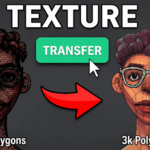
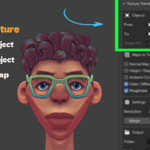
Texture Transfer bakes PBR texture maps from a high-detail source mesh onto a low-poly target mesh using the target's existing UV layout. All baking runs through Cycles automatically.
Requirements
- Blender 4.2 or above
- Target mesh must have at least one UV map
- Both objects must be meshes
Installation
- Download the ZIP
- Go to Edit > Preferences > Add-ons
- Click Install, select the ZIP, enable the addon
- Press N in the 3D Viewport and open the Tex Transfer tab
How to Use
Step 1 Set your high-detail mesh in the From field
Step 2 Set your low-poly mesh in the To field
Step 3 Select the target UV map from the Target UV dropdown
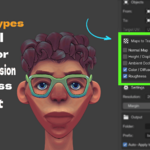
Step 4 Enable the maps you want to bake
| Map | Default |
|---|---|
| Normal Map | On |
| Height / Displacement | On |
| Ambient Occlusion | Off |
| Color / Diffuse | Off |
| Roughness | Off |
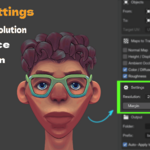
Step 5 Set resolution, margin, and ray distance
| Setting | Default | Notes |
|---|---|---|
| Resolution | 2K | Up to 8K available |
| Margin | 16 px | UV island padding |
| Ray Distance | 0.1 m | Adjust for mesh scale |
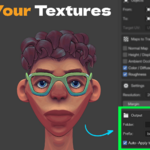
Step 6 Set output folder and filename prefix
Step 7 Toggle Auto-Apply if you want the addon to build a complete Principled BSDF material on the target after baking
Step 8 Click Transfer
All maps are saved as PNG files. A status message confirms completion or shows an error if something needs attention.
Auto-Apply Material
When enabled, the addon builds a ready-to-render node tree on the target mesh automatically. Color and AO are multiplied together, Normal is routed through a Normal Map node, Roughness connects directly, and Height drives a Displacement node on the material output.
Notes
- The target mesh must already have a UV map. The addon will not create one for you
- Ray Distance and Cage Extrusion use the same value. Increase it if you see baking artifacts on complex shapes
- Height baking uses Blender's Position pass. Results may need conversion for use in Unity or Unreal Engine
- Baking is done via Cycles. Your original render engine is restored after every run
FAQs
Q: My bake shows black patches or artifacts. What do I do?
Increase the Ray Distance value in the Settings section. Black patches usually mean the rays are not reaching the source mesh surface. For large or high-poly meshes try values between 0.2 and 0.5. Also make sure your target UV map has no overlapping islands, as overlapping UVs will cause one island to overwrite another during the bake.
Q: Do I need to unwrap my high-poly source mesh?
No. Only the target mesh needs a UV map. The source mesh can be a raw sculpt, a dense simulation mesh, or any high-detail object with no UV layout at all. The addon bakes from the source surface onto the target UV using selected-to-active projection.
Q: Can I bake all five maps in one session?
Yes. Enable any combination of Normal, Height, AO, Color, and Roughness at the same time and click Transfer once. The addon bakes each map in sequence, saves all PNG files to your output folder, and if Auto-Apply is on, wires everything into a single Principled BSDF material on your target mesh automatically.
Have questions about this product?
Login to message
| Sales | 10+ |
| Published | 4 months ago |
| Blender Version | 3.0 - 5.2 |
| Extension Type | N/A |
| Render Engine Used | Blender-Internal, Blender-Game-Engine, Cycles, Eevee |
| License | Mit |
