 MgameDev
BLENDER ADDON · TEXTURE OPTIMIZATION & MANAGEMENT
TexturePilot
Create lower-resolution textures, pack texture channels, switch between texture versions,and clean unnecessary texture data directly inside Blender.
Texture Optimization | Channel Packing | Cleanup Tools
VERSION 1.1.0 · NEW
Channel Packing Is Here
Create packed texture maps from the materials on your selected objects and optionally reconnectthe new packed texture back into the material automatically.
ORM | RMA | MRA | Normal XY + Roughness | Custom RGBA
CHANNEL PACKING
Pack Multiple Maps Into One Texture
Select your objects, scan their materials and create packed textures from the maps already usedby those materials.
TexturePilot can automatically find suitable maps for common presets, while still letting youchange every channel manually.
PACKING PRESETS
Common Presets or Full RGBA Control
Use ready-made presets or build your own channel layout.
- ORM — Ambient Occlusion, Roughness, Metallic
- RMA — Roughness, Metallic, Ambient Occlusion
- MRA — Metallic, Roughness, Ambient Occlusion
- Normal XY + Roughness
- Normal XY + Roughness + Height
- Custom RGBA — choose exactly what goes into each channel
CREATE & APPLY
Pack It and Reconnect It
Create Packed Texture creates the new packed map without changing your material.
Create & Apply creates the texture and reconnects the packed channels back intothe selected material where it can be done safely.
CUSTOM RGBA
Build Your Own Packed Map
Assign a texture to Red, Green, Blue or Alpha and choose the role each channel represents.
When TexturePilot finds one clear matching map in the current material, choosing a role such asRoughness, Metallic, AO, Height or Normal can automatically fill the matching texture for you.
PACKED IMAGES & UDIM
Works With More Than Standard Textures
Channel Packing supports regular external textures, Blender Packed Images and UDIM texture sets.
UDIM tiles are handled together as one texture set, including sparse tile layouts.
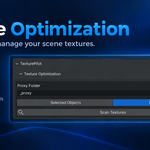
TEXTURE OPTIMIZATION
Create Lower-Resolution Textures
TexturePilot lets you create smaller versions of your textures for a lighter Blender workflow.
Choose a target resolution and create lower-resolution versions of the textures you select.
Packed Images and UDIM textures are supported.
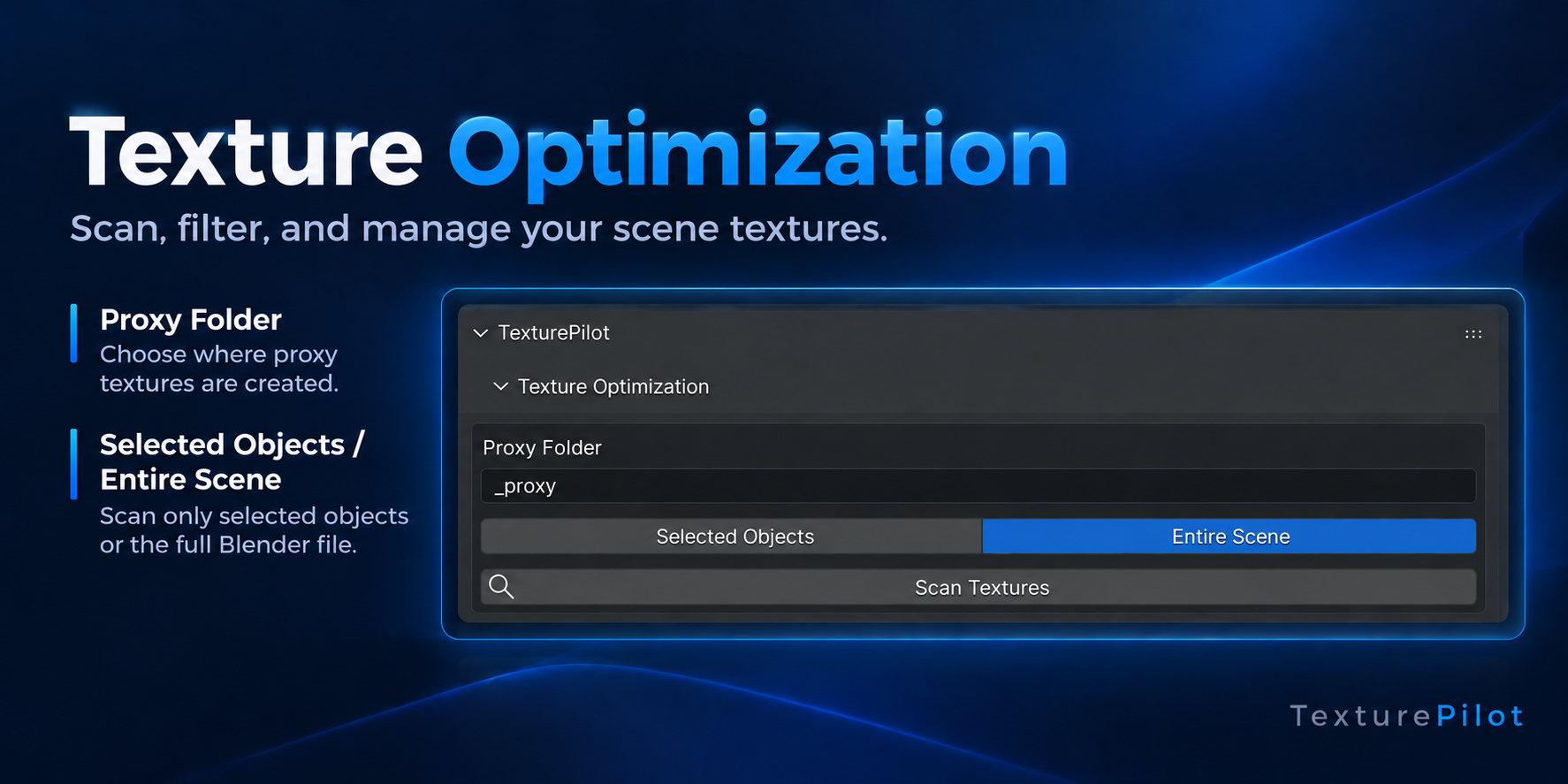
PROXY SUBFOLDER
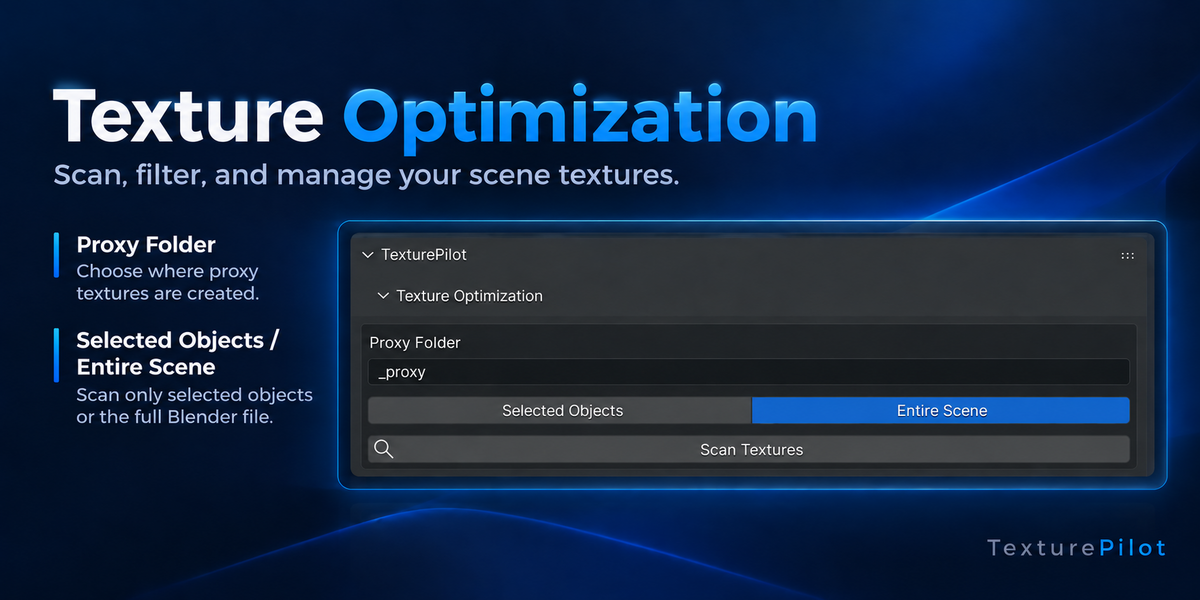
Name Your Proxy Folder
TexturePilot saves proxy textures next to the original textures, inside a subfolder you name.The default folder name is _proxy.
SCAN YOUR TEXTURES
Selected Objects or Entire Scene
Selected Objects scans the textures used by the objects you currently have selected.
Entire Scene scans textures across the whole Blender file.
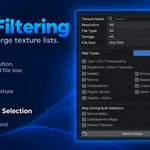
SMART FILTERING
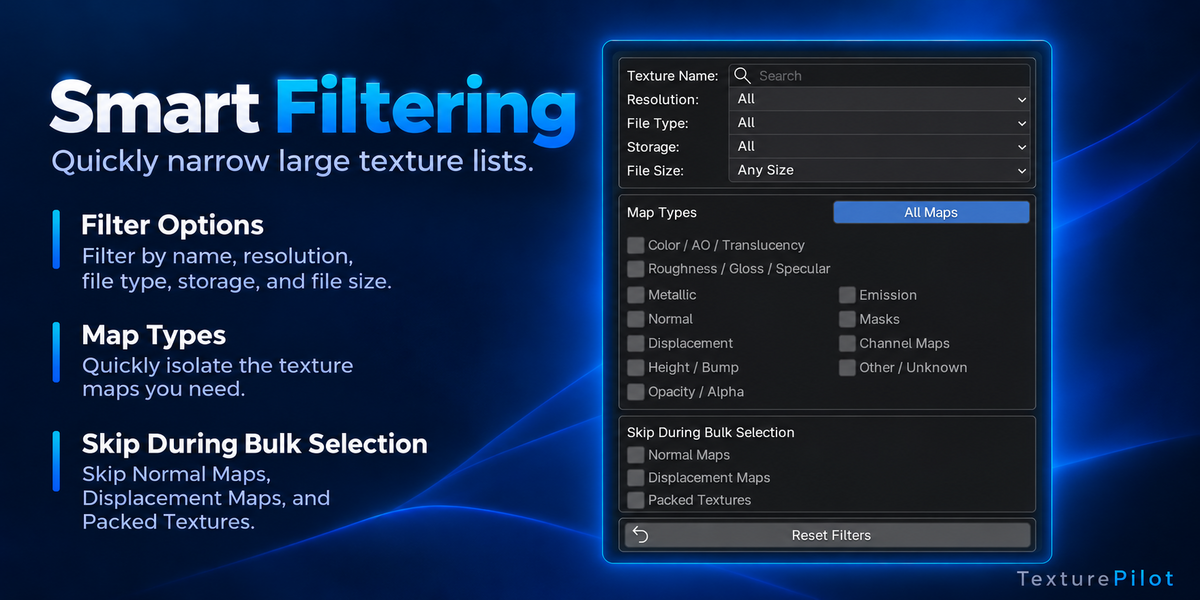
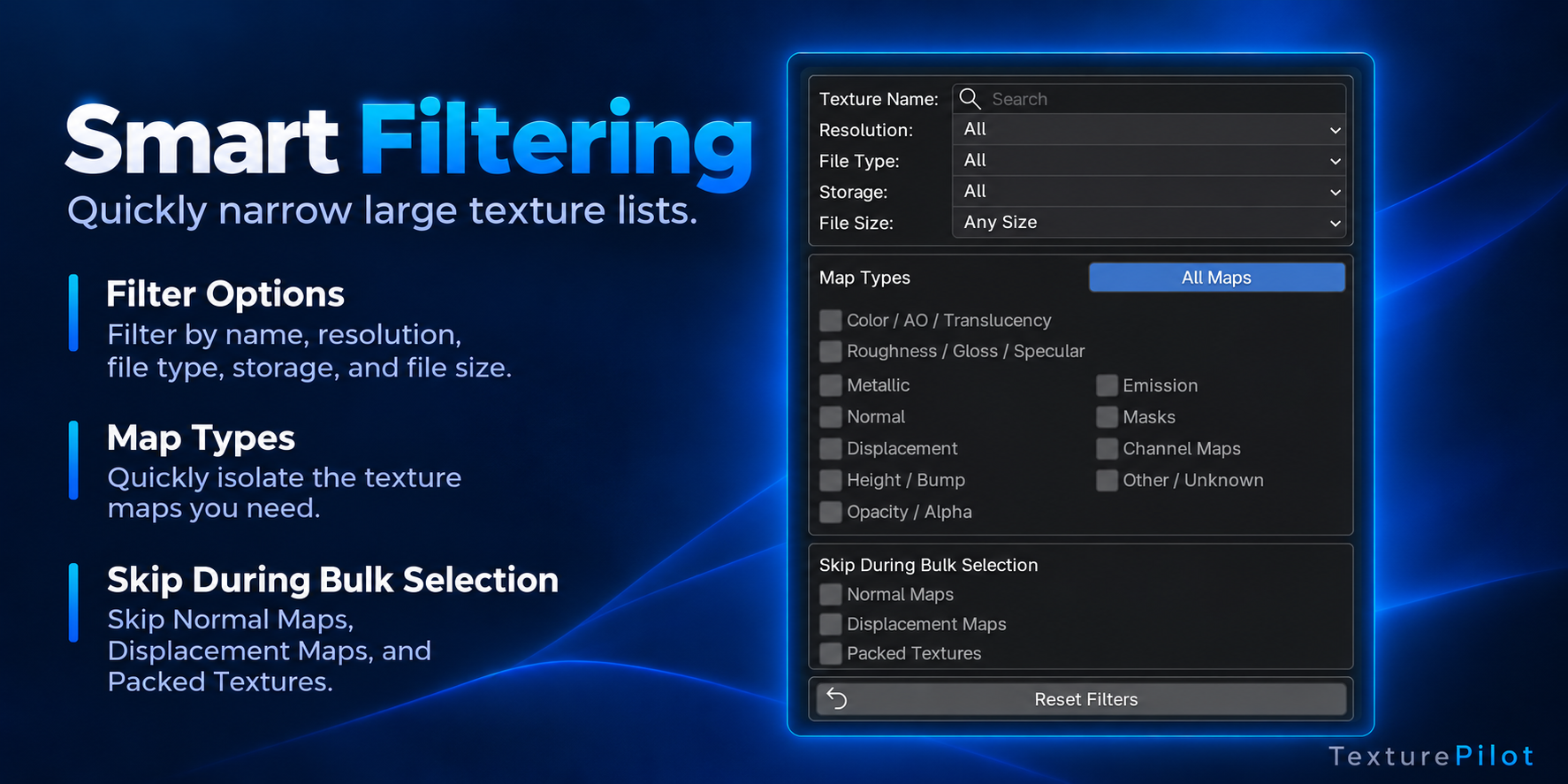
Quickly Find the Textures You Need
Use advanced filtering options to narrow down large texture lists.
- Name
- Resolution
- File Type
- File Size
- Storage Type
- Map Type
You can also skip Normal Maps, Displacement Maps and Packed Images during bulk selection.
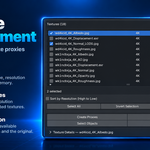
CREATE PROXIES
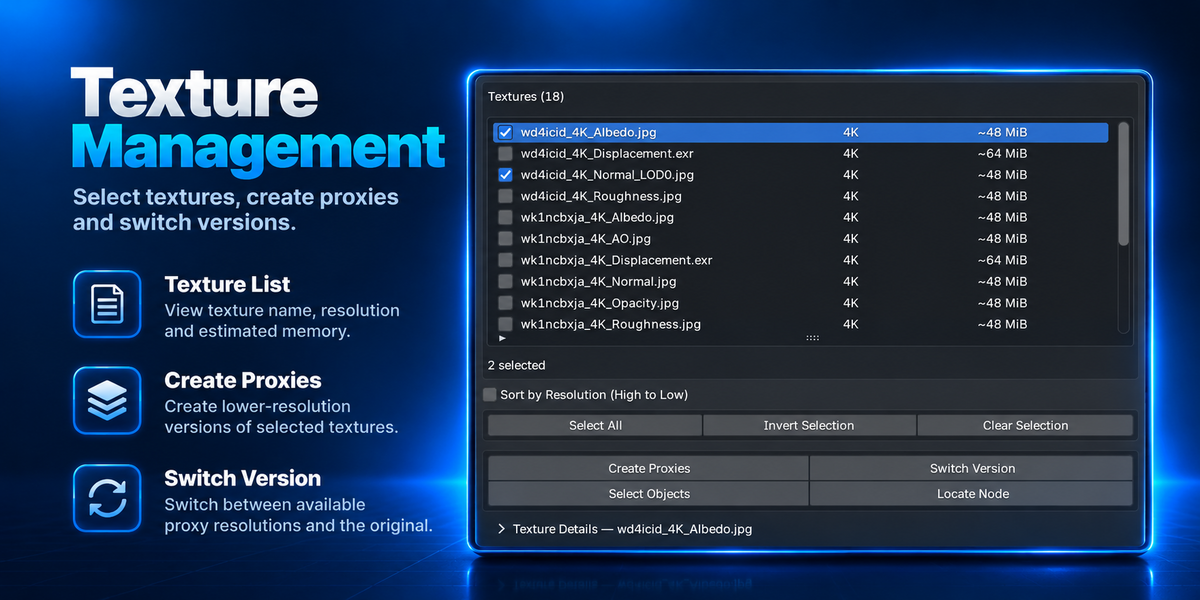
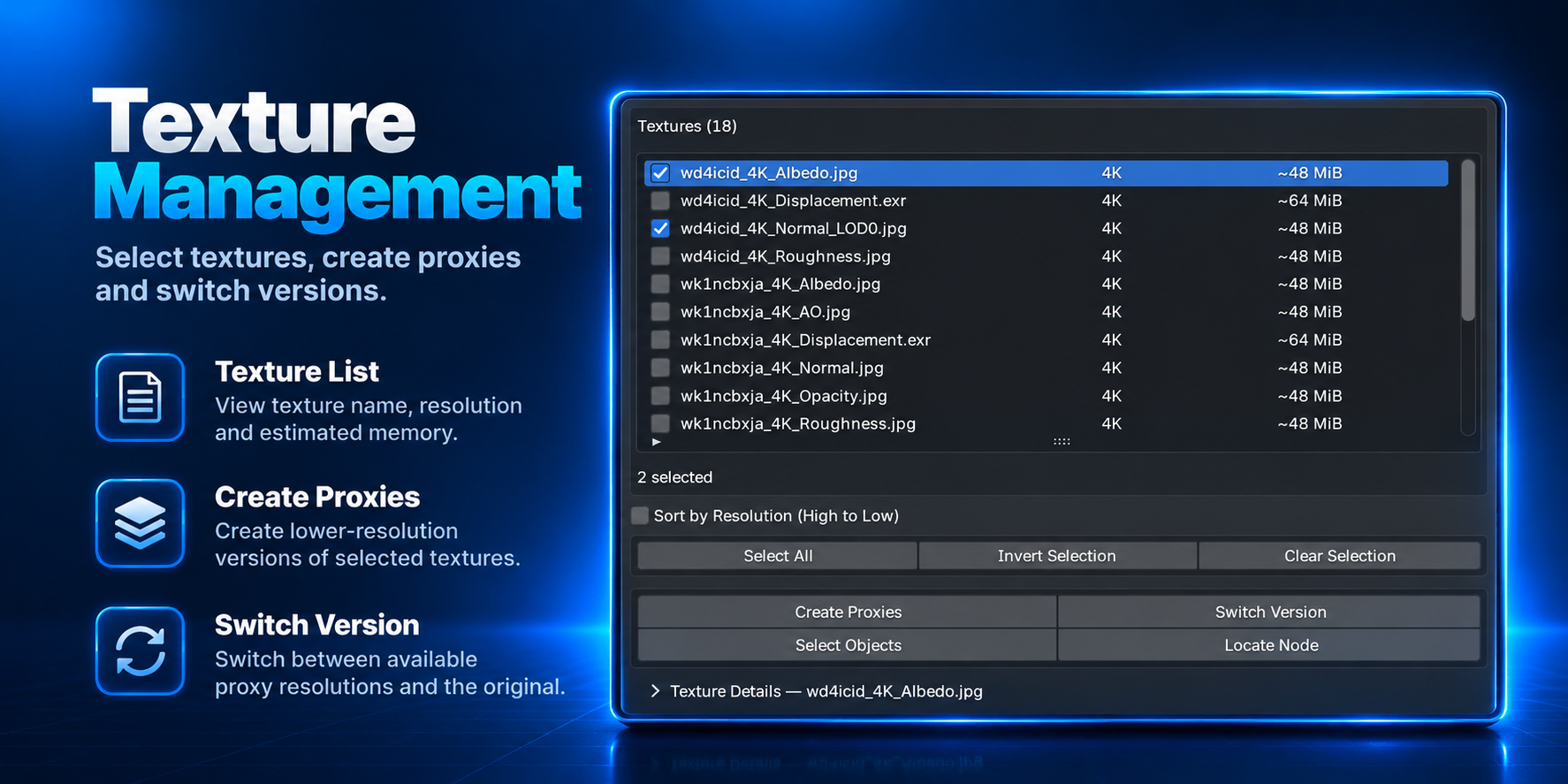
Create Smaller Working Textures
Select the textures you want and create lower-resolution versions using your chosen target resolution.
Textures that are already smaller than the selected resolution are not upscaled.
SWITCH VERSION
Switch Between Original and Proxy Textures
Once proxy textures have been created, switch between the available lower-resolution versionand your original texture whenever you need.
CLEANUP TOOLS
Find and Clean Unnecessary Texture Data
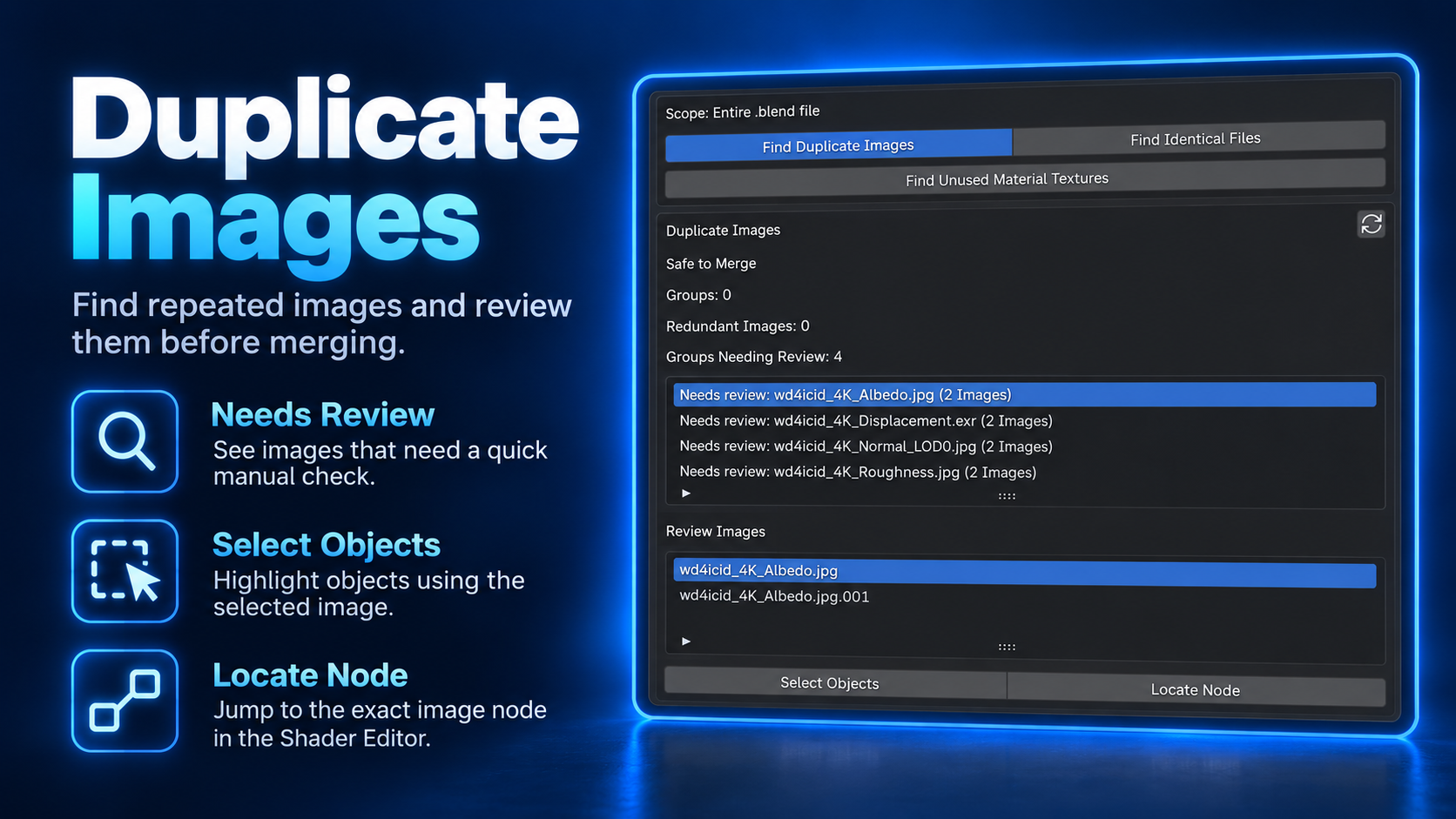
Inspect duplicate, identical and unused textures before deciding what to clean.
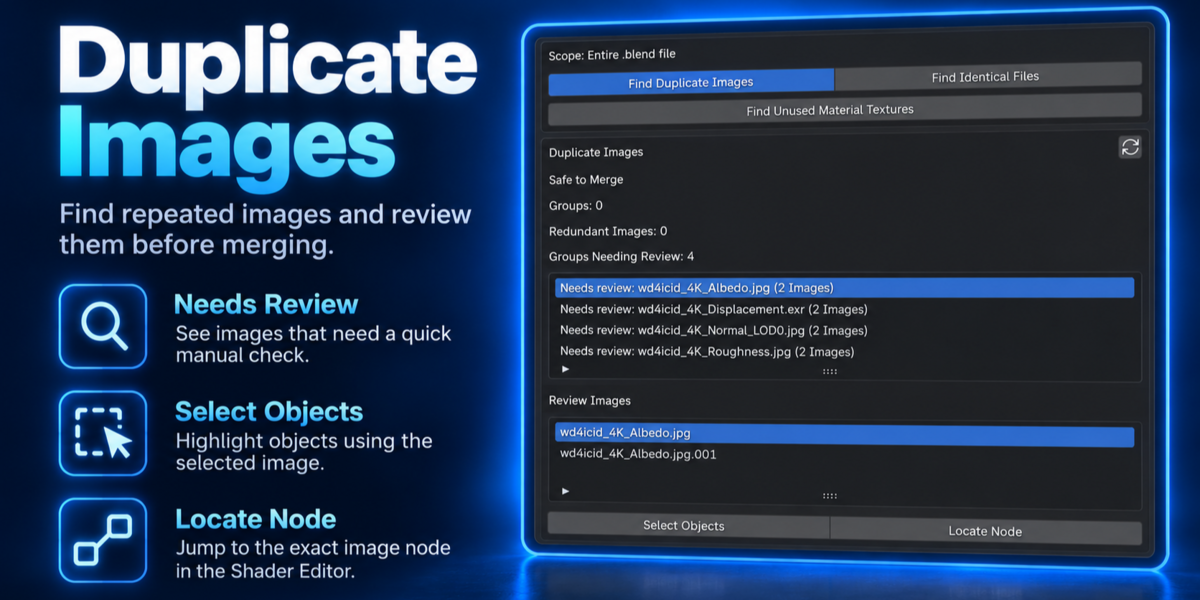
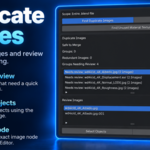
DUPLICATE IMAGES
Find Repeated Images in Your Blender File
Find cases where the same image has been loaded into Blender more than once.Choose the image you want to keep and clean up the extra copies.
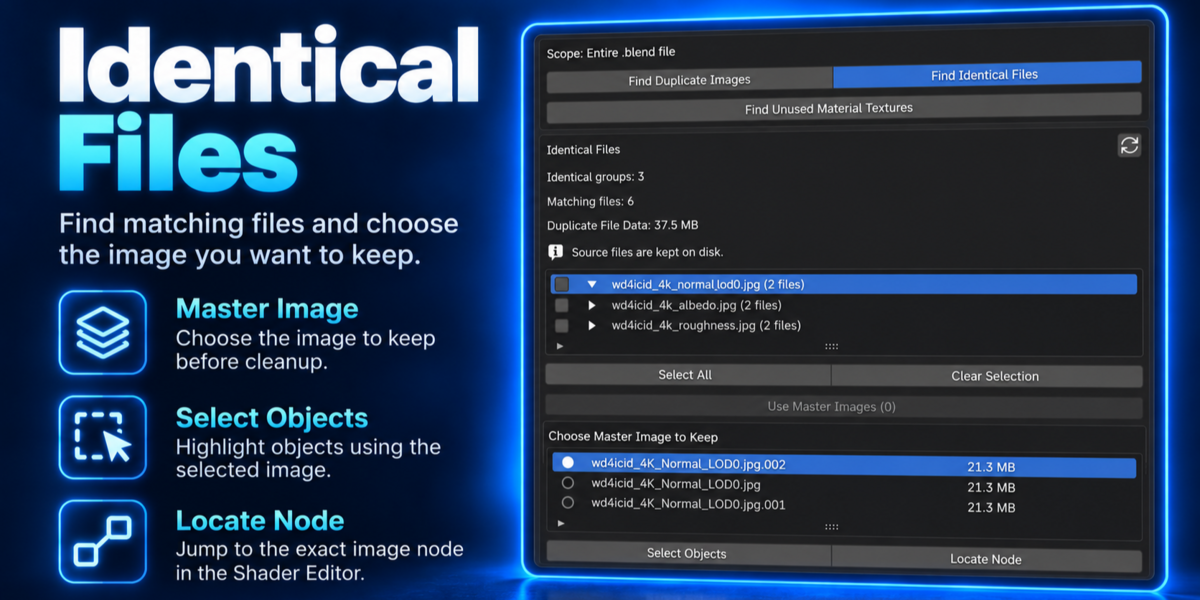
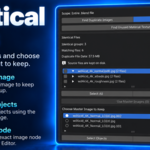
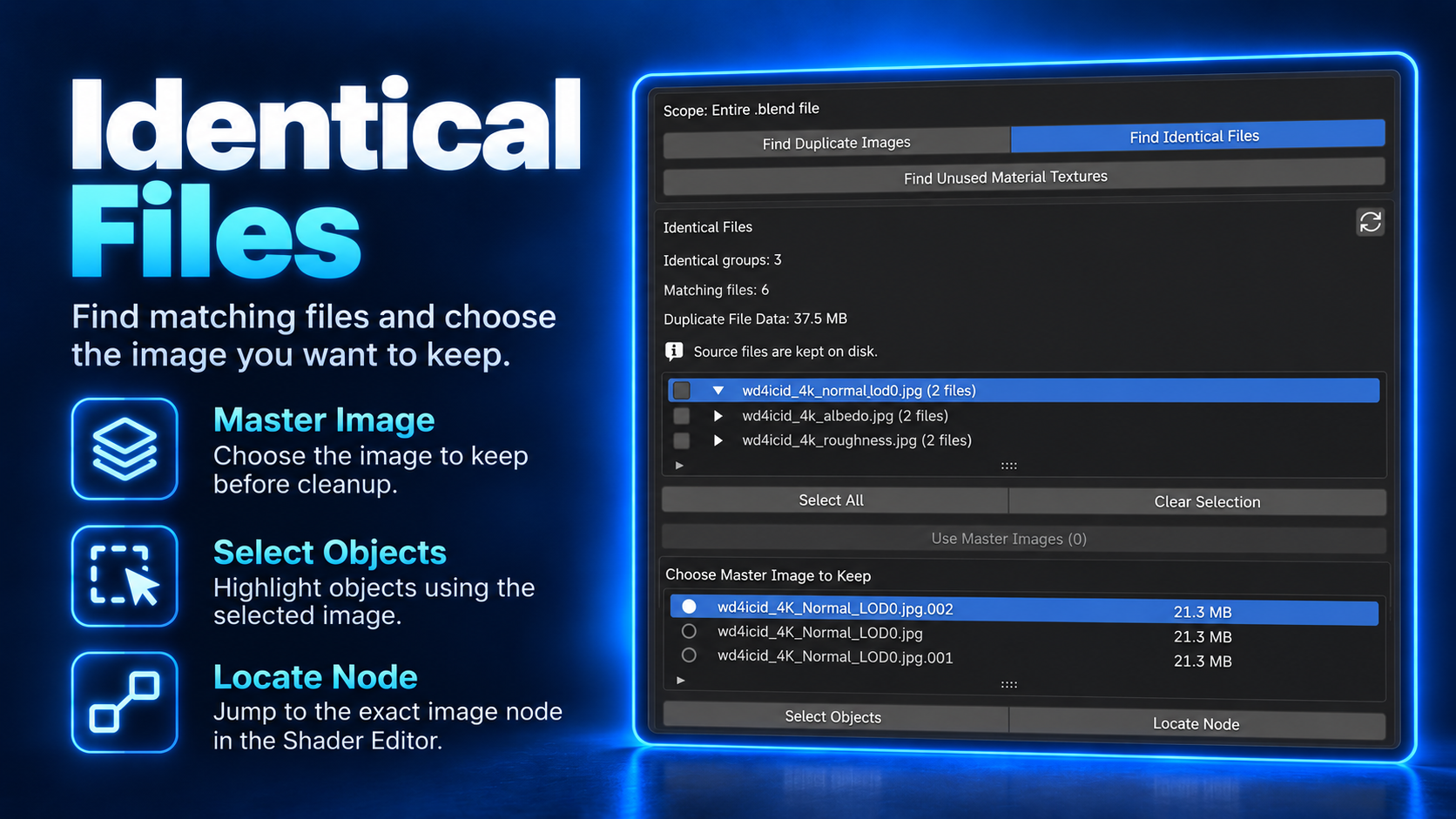
IDENTICAL FILES
Find Texture Files With the Same Content
Different texture files can contain exactly the same image.TexturePilot helps you find them and choose the Image you want Blender to keep.
Your original texture files on disk are left untouched.
UNUSED MATERIAL TEXTURES
Find Textures That Are No Longer Used
TexturePilot can find Image Texture nodes that are no longer contributing to your material.Review the results and remove only the unused nodes you choose.
SELECT OBJECTS & LOCATE NODE
Quickly Find Where a Texture Is Used
Use Select Objects to find objects using a texture,or Locate Node to jump directly to its Image Texture nodein the Shader Editor.
DESIGNED FOR SAFETY
Keep Control of Your Original Data
|
Original Files Preserved Your source textures remain available while working with proxies and packed outputs. |
No Automatic Proxy Upscaling Smaller textures are not enlarged just to match a proxy target. |
|
Safe Material Changes Channel Packing checks whether a material can be reconnected safely before applying changes. |
Undo / Redo Cleanup and material changes integrate with Blender's Undo / Redo workflow. |
|
Review Ambiguous Cases Uncertain situations are shown for review instead of being silently guessed. |
Packed & UDIM Support TexturePilot supports packed images and UDIM workflows across its main texture tools. |
BLENDER COMPATIBILITY
Blender 4.5 – 5.2
Tested with Blender 4.5 and Blender 5.2 LTS on Windows.

