The Alchemist's Dispatch - Game Ready Prop / 3D Model + Full Tutorial
 reyhane_3d


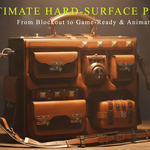
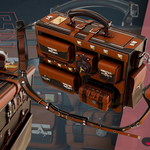


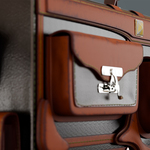
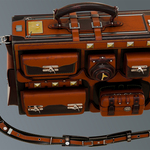
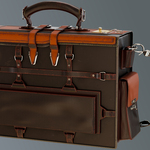
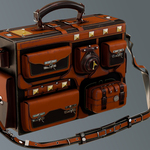
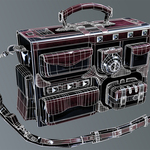
### 📦 Product Documentation & Guide
Thank you for purchasing **The Alchemist's Dispatch**! This package delivers a premium AAA game-ready prop along with a comprehensive 22+ hour creation course. Below is a quick guide on how to navigate and use your files.
#### 1. Navigating the Asset Files
* **Blender Setup:** Open the provided `.blend` file using Blender 4.0 or newer. The scene contains the optimized low-poly mesh with all materials pre-configured for both Cycles and Eevee.
* **Game Engine Import:** To use the bag in Unreal Engine or Unity, import the `.FBX` or `.OBJ` file from the Low-Poly folder.
* **PBR Textures:** Textures are provided in a dedicated folder at full 4K resolution. Connect the maps (Base Color, Metallic, Roughness, Normal, and AO) into your engine's standard PBR shader.
* **High-Poly Data:** The high-poly mesh is included in the package as a separate file for your baking or sculpting reference.
#### 2. Accessing the Video Tutorial
* The 22-hour video series is structured into sequential folders representing each pipeline stage: Modeling, Unwrapping, Retopology, Baking, Texturing, and Rendering.
* Videos are saved in high-definition format and can be played using any standard media player (such as VLC).
#### 3. Recommended Software Versions
* Blender 4.0 or higher
* RizomUV (for reviewing the UV layouts)
* Substance Painter (for opening texturing project data)
* Marmoset Toolbag (for look-dev setup)
Have questions about this product?
Login to message
| Published | 3 months ago |
| Blender Version | 4.5 - 5.0 |
| Render Engine Used | Cycles |
| Misc Data | Uvs-Unwrapped, Low-High-Resolution, Normal-Mapped, Textured |
| License | Royalty Free |