The Bakery : One Click Material Baker
 ZEG
ZEG



The Bakery
A focused Blender 4.5 LTS addon that bakes any node-based material — no matter how deep the procedural graph — into a clean, tileable PBR texture set ready for Unity URP, Unity HDRP, glTF, or USDZ.
The Problem
Your procedural materials look incredible in Blender. Then they hit a game engine and fall apart:
- Node trees don't travel
- Displacement doesn't export
- Mask maps need specific channel layouts per engine
- UVs you never made get demanded
The Bakery closes that gap in a single click.
Where to Find It
The Bakery lives right where you expect it:
- Properties → Material → Procedural Texture Baker
- 3D Viewport sidebar → Bake tab (N-panel)
What It Does
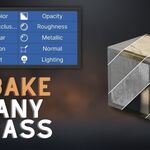
Complete PBR Stack Baking
Bakes every map you need, each to its own texture with the correct color space:
- Base Color
- Roughness
- Metallic
- Normal
- Height
- Emission
- Alpha
Engine Presets That Actually Know the Engine
| Target | What The Bakery Handles |
|---|---|
| Unity URP | URP-specific mask map channel packing |
| Unity HDRP | HDRP mask map layout (distinct from URP) |
| glTF / GLB | ORM packing per the glTF specification |
| USDZ | Apple's USDZ rules, ready for Vision Pro and AR |
DirectX vs. OpenGL normal format is handled automatically per target.
Channel-Packed Mask Maps, Done Right
Per-channel assignment is driven by the preset — no manual compositor rigs, no mistakes.
Non-Destructive by Default
Your source object and its beautiful procedural material are never modified. The bake writes to a fresh duplicate with its own mesh data and materials, so you can re-bake, tweak, and iterate without fear.
Automatic UV Unwrapping
A fresh UV layer is created just for the bake. Your original UVs are preserved on the source object; the baked duplicate gets a clean UVMap.
Smart Auto-Detect
Optionally walks your node graph and skips map types that wouldn't produce meaningful data — so you don't waste time baking a flat gray roughness.
One-Click Export
Bake and export in a single operation to:
- FBX
- glTF / GLB
- USD / USDZ
- OBJ
Modifiers are applied on disposable duplicates so exported geometry matches what was baked — and nothing leaks into your scene.
Batch Mode
Bake the active material on every selected mesh in one go.
Why It's Different
Most bakers either expose Blender's bake panel in a prettier wrapper, or they assume you already have unwrapped UVs and a clean shader layout.
The Bakery is built around the real workflow: you made a procedural material, now you need it to ship. It handles the awkward parts:
- Displacement baking via emit routing
- Tangent-space normals via Cycles' native pass
- Constant-fill for unlinked sockets
- Opacity as a separate image (never packed into base color alpha)
- A strict no-leak export pipeline that force-removes every temporary datablock on exit
Target Workflows
- Game-ready asset authoring for Unity and Unreal-adjacent pipelines
- glTF / GLB export for web, real-time, and AR
- USDZ for Apple Vision Pro, Reality Composer, and AR Quick Look
- Rapid iteration on procedural materials without committing to manual unwrap-and-bake drudgery
Requirements
- Blender 4.5 LTS or newer
- A mesh object with a node-based material containing a Principled BSDF
- Cycles is used internally for baking (no setup required — the addon handles context)
Installation
- Download
the-bakery.zip. - In Blender: Edit → Preferences → Add-ons → Install…
- Select the zip and enable The Bakery — Procedural Texture Baker.
Quick Start
- Select a mesh with a procedural material.
- Open Properties → Material → Procedural Texture Baker, or 3D Viewport → Sidebar (N) → Bake.
- Choose an Engine Preset (Unity URP, Unity HDRP, glTF Generic, or USDZ Apple).
- Set Resolution and output folder.
- Click Bake Active Material (single object) or Bake Selected Objects (batch).
- A duplicated, baked version of your object appears with the new material assigned. Your original is untouched.
Export (Bake + Export in One Step)
- File → Export → Baked Model, or use the export button in the panel.
- Choose format: FBX / glTF / GLB / USD / USDZ / OBJ.
- Choose scope: selected / visible / all mesh objects.
- The addon duplicates the targets, applies modifiers on the duplicates, bakes, exports, and cleans up. Your scene is left exactly as it was.
Engine Presets
| Preset | Mask Map Layout | Normal Format |
|---|---|---|
| Unity URP | Metallic / Occlusion / — / Smoothness | DirectX |
| Unity HDRP | Metallic / Occlusion / Detail / Smoothness | DirectX |
| glTF Generic | ORM (Occlusion / Roughness / Metallic) | OpenGL |
| USDZ Apple | Separate maps, USDZ-conformant | OpenGL |
Map Types Baked
| Map | Color Space | Notes |
|---|---|---|
| Base Color | sRGB | — |
| Roughness | Non-Color | Packed per preset when applicable |
| Metallic | Non-Color | Packed per preset when applicable |
| Occlusion | Non-Color | Packed per preset when applicable |
| Normal | Non-Color | Cycles native tangent-space bake, auto-flipped to DirectX where required |
| Height / Displacement | Non-Color | Baked via emit-routing from the Material Output's displacement input |
| Emission | sRGB | — |
| Alpha / Opacity | Non-Color | Emitted as a separate image (never packed into base color alpha) |
Notes & Behavior
- Unlinked Principled sockets are filled with their constant value instead of triggering a bake — no wasted time on flat maps.
- Non-color maps are automatically tagged Non-Color in image settings.
- All baked images start fully opaque (mid-gray for data, black for color) — no transparent-black surprises.
- On bake failure, the original UV layer is restored automatically.
Troubleshooting
| Symptom | Fix |
|---|---|
| "Active object is not a mesh" | Select a mesh object with a material. |
| "No Principled BSDF found" | The addon bakes through the Principled shader — make sure your material graph feeds into one. |
| Bake looks flat | Check that the map type's source socket isn't unlinked with a zero default, and verify auto-detect hasn't excluded it. |
| Normal looks inverted in-engine | Your engine expects the opposite format — switch presets or override the normal format in the panel. |
Have questions about this product?
Login to message

Discover more products like this
displacement bake game ready game assets PBR material-baker fbx one click bake Cycles Bake non-destructive Asset Pipeline procedural materials