 Nick Sayce Designs




This is the lite version of the Infinite Rock Builder which contains 2 of the 25 formations that come with the IRB, link below.
The Infinite Rock Builder store page...
The Infinite Rock Builder Lite
Click the link for the guide video!
IRB Lite Guide Video
This is a procedural shader for creating rock surfaces; infinite control with no repetition and no heavy-memory 4K textures. Rather than spending hours sculpting, searching for textures or making a material displacement shader from scratch to make a rocky surface, simply make your shape and apply the Infinite Rock Builder Lite, done!
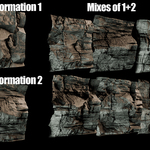
Though this is a limited procedural shader, it doesn't mean it's not a very powerful one. Using the controls contained on the control group, you can not only edit the shape and strength of each formation individually, you can also mix the two together using various mix modes for even more incredible variation!

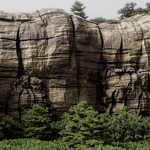
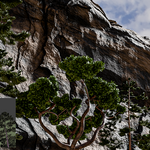
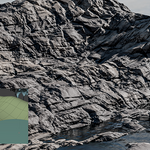
Though the shader is limited compared to it's bigger brother, as you can see with the above picture, it produces highly varying and realistic looking rocks and cliff faces. All the controls you'll need are located on the Main control group with the formation mixer and main colour ramp instantly accessible;

A comparison of the two;
Infinite Rock Builder v7.0 - $25
- 25 individual formations
- Controls to mix all 25 together using any of the mix modes
- Texture baking functionality to export formations as obj, fbx etc. and for use in Eevee
- Ability to easily direct the displacement
- 3 bump textures to choose or mix
- 3 colouring techniques to choose or mix
- Add Moss
- Add Fresnel, useful for a sheen on the rocks
- Ability to reduce displacement dependent on custom height, useful for rounding off a cliff top
- Ability to add a water level, useful when putting rock formations in water
Infinite Rock Builder Lite - $2
- 2 formations with mixing controls
- 1 Colour and Bump with filter controls
- An Ambient Occlusion Mixer to add dirt and dust
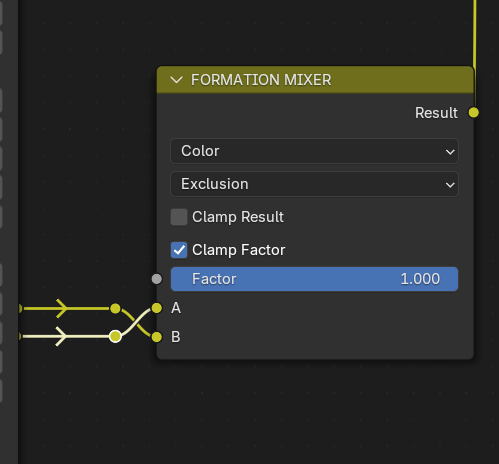
It's equally as simple to use as the full IRB and as an added option with the lite version, you can even swap which direction the two formations are mixed by swapping the inputs on the Formation Mixer, then you can Add or Subtract 1 over 2 instead of adding or subtracting 2 over 1, which produces different results.

As a final tip, swap the inputs on the Formation Mixer for even more variation!
Have fun!
Nick
**All of the images on this page and in the gallery are old scenes which are now using the IRB Lite.
