 topchannel1on1




Modelling, scattering, particles, fracturing, rendering — each one a panel you
can actually see, where your cursor already is. No hunting through menus for the
operator you use forty times a day.
`7 modules Viewport-first UI Blender
## What it is
Blender has the power. It buries it — in dropdowns, stacks, and submenus three
levels down. The Super Addon puts the work up front: custom-drawn buttons in the
3D viewport sidebar, one workspace per job.
Nothing you build here is locked in. Every tool writes plain Blender data —
meshes, modifiers, particle systems, caches — so your file still opens on a
machine that has never heard of this add-on.
---
## The modules
Fracturing
Retime
Scatter Animation
Follow curve Particles
Initial states
Particle systems
**Edit Mode**
Select by mesh feature, save selections as groups you can restore later, and drop
primitives straight onto a face. Live deformers — Bend, Twist, Noise, Shrinkwrap,
Copy Detail — run inside Edit Mode with Apply and Cancel. Record a sequence of
steps and play it back.
**Modifiers**
A modifier browser instead of a dropdown. Search, add, navigate the stack, and
star the modifiers you reach for daily so they come up first.
Real Scatter
how to use real scatter module
how to animate bugs, insects using real scatter
Paint objects onto surfaces. Draw, erase, edit points by hand; layer
distributions, mask with an image, align to normals, randomise rotation. Let
physics settle or pile them, or drop them onto whatever is beneath. Points can
travel across a deforming surface and be baked.
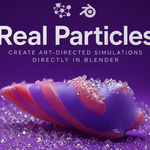
Real Particles
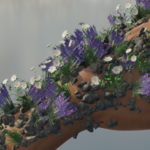
Emitters for piling, spreading across a mesh, reacting on impact, sticking,
clustering, following curves, and collapsing fractured pieces. Set it up on any
emitter mesh, play it, bake it.
how to use follow curve particles
how to use sticky particles
**Fracturing**
Voronoi and Boolean, both previewed live before you commit. Stack Voronoi layers
with per-layer effects and interior detail; or cut iteratively with randomised
planes and simulation proxies. Then simulate, bake, and apply.
**Actions**
The small jobs that eat a day. Snap objects to a clicked surface, aligned to its
normal. Drop them onto what's below. Wrap a belt curve around a mesh. Retime a
deforming mesh to a cache, then fill the shot with copies that play it at their
own timing — looping seamlessly.
How to make animation looks with the retime tool
scattering tutoriall**Player**
Render presets you can save, share, and reapply. Viewport previews for the quick
look, final renders for the real one, and a list of recent renders you can play
back without leaving Blender.
---
