The Super Addon
 topchannel1on1




## How to use
Press **N** in the 3D viewport and open the **The Super Addon** tab. Every module
lives there. Turn off the ones you don't want in Preferences.
**Edit Mode** — Select geometry, pick a tool. Deformers run live; **Apply**
commits, **Cancel** puts it back. Save a selection as a group to get it back in
one click.
**Modifiers** — Select an object, hit **Add Modifier**, search. Star your
favourites once; they lead the list from then on.
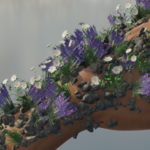
**Scatter** — **New Scatter System**, add your source objects, then **Draw** on a
surface. **Erase** takes points away, **Edit Points** adjusts them. **Physics** or
**Pile** settles them, **Drop** lands them.
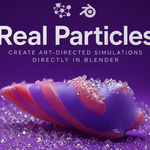
**Particles** — Select an emitter mesh, choose a particle type, tune it in the
popup, press play. **Bake** when you like what you see.
**Fracturing** — Select a mesh, choose **Voronoi** or **Boolean**, shape the
layers and effects on the live preview, then **Apply Fracture**. Add physics and
**Bake Simulation** to break it for real.
**Actions** — Select, then run. **Move** and **Drop** place objects by clicking a
surface. **Retime** bakes the animation once; **Add Timed Copies** and
**Randomize Timing** turn it into a crowd.
**Player** — Pick a preset, **Viewport Preview** for a fast look, **Final Render**
for the finish. Recent renders play back from the list.
---
$35
Have questions about this product?
Login to message
| Sales | 50+ |
| Published | about 2 months ago |
| Blender Version | 5.1 - 5.2 |
| Extension Type | N/A |
| Render Engine Used | Cycles, Eevee |
| License | GPL |
