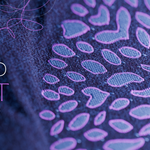
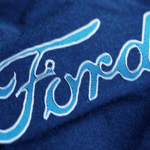
Thread Craft - Procedural Embroidery On Fabric
 KennyPhases


Does it work with my logo?
Yes! Thread Craft works with most logos and graphics. For the best results, use a high-resolution PNG with transparency, though standard JPG and PNG images are also supported.
Is a tutorial included?
Yes! A complete video tutorial is included that walks you through the entire workflow from importing your logo to rendering the final result.
Does Thread Craft work with transparent PNG logos?
Yes—and they're recommended. Transparent PNG images generally produce the cleanest and most accurate embroidery.
Can I change the logo after baking?
Yes. If you change the logo or any simulation settings, simply delete the existing bake and bake the simulation again.
Why doesn't my logo look exactly like the preview images?
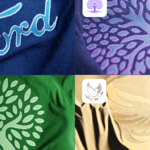
Every logo is unique. Image quality, logo complexity, simulation settings, and your chosen stitch parameters all affect the final result. Experimenting with the settings will help you achieve the best outcome.
Do I need Geometry Nodes experience?
No. Thread Craft is designed to be beginner-friendly. Simply load your logo, adjust the settings, bake the simulation, and render.
What image formats are supported?
Thread Craft works with PNG and JPG images. For the cleanest embroidery, we recommend using high-resolution PNG files with alpha transparency.
Can I use Thread Craft for commercial work?
Yes! You can use Thread Craft to create renders, animations, and client work for both personal and commercial projects.
What version of Blender is required?
Thread Craft requires Blender 5.2 or newer.
-
$25
Thread Craft
-
$39
Thread Craft, Procedural Fuzz
-
$49
Thread Craft, Procedural Fuzz, Soft Fur Bundle
Have questions about this product?
Login to message
| Sales | 10+ |
| Published | about 2 months ago |
| Blender Version | 5.2 |
| Render Engine Used | Cycles |
| License | Royalty Free |
Discover more products like this
textile blender blender 5.2 motion graphics fabric embroidery geometry nodes branding cloth logo mockup embroidered logo procedural