Tidebone Gobos Lite - 12 Procedural Light Cookies + Blender Asset Library & Unity
 Tidebone Studio
Blender (4.2 or newer)
- Unzip the pack.
- Preferences > File Paths > Asset Libraries: add the
blender/folder. - Open the Asset Browser, pick the Tidebone Gobos library and drag a gobo into your scene.
- Aim the Spot light. Soft edge = light Radius (0.01 m crisp, 0.05 m soft). Pattern size = scale the Gobo Plane (child of the lamp), rotate it around Z for the angle. Spot Size clips the pattern, Blend feathers the rim.
Each gobo is a collection asset: a Spot light with a small shadow plane carrying the gobo as transparency. The plane is hidden from camera and reflections; textures are packed. Optional for Cycles: node group Tidebone Gobo Projection (Vector into an Image Texture with Extension Clip, then Emission into the Light Output of a Spot light).
Unity (Built-in RP / URP)
- Import
unity/GoboCookies_Full.unitypackage(Lite:GoboCookies_Lite.unitypackage). - Menu Tidebone > Gobo Cookies > 1 - Configure cookie import (sets the right texture type for your pipeline).
- Optional: 2 - Build demo scene (room with six gobo spots; on URP it also enables Light Cookies on the active URP asset).
- Assign any cookie to Light > Cookie of a Spot light.
Batch-tested in Unity 2022.3.22f1 (Built-in and URP). Other Unity versions, HDRP and the VRChat client are not tested.
Other software
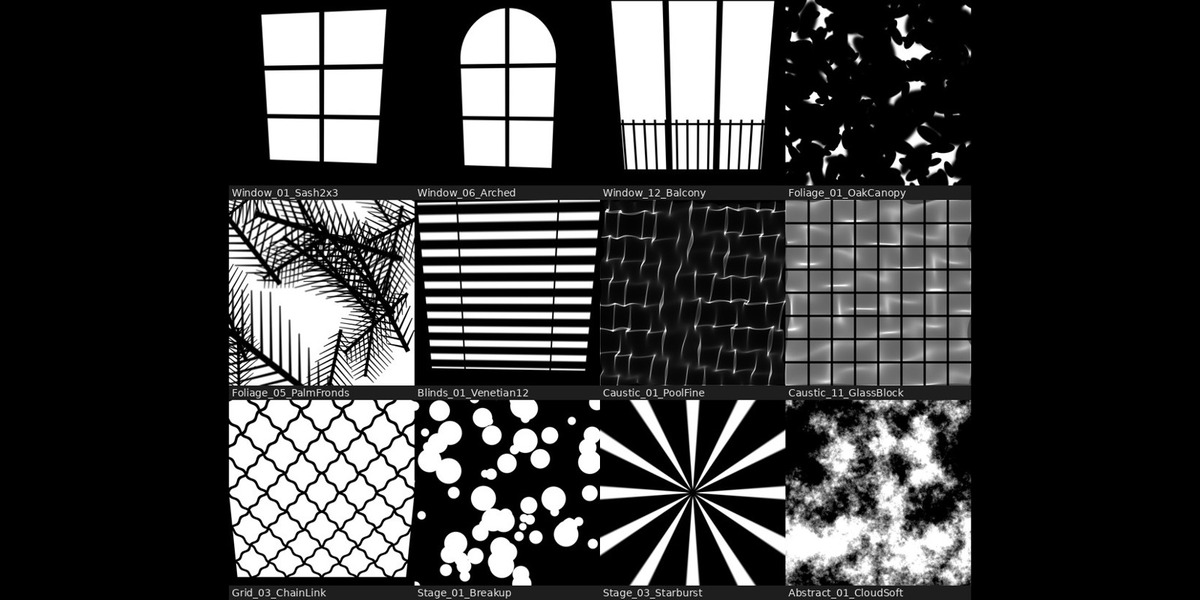
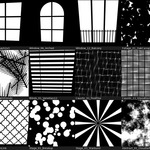
The PNGs are plain greyscale masks (white = light passes). Any renderer that accepts a gobo/cookie/IES-style texture or an image-masked light can use them.
Have questions about this product?
Login to message
| Published | about 16 hours ago |
| Blender Version | 4.2 - 4.5 |
| Render Engine Used | Cycles |
| License | Royalty Free |

Discover more products like this
foliage shadow Lighting spotlight light cookie Cycles blinds gobo asset library urp unity caustics window light