 Toss
Toss


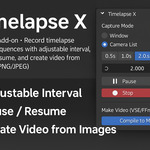
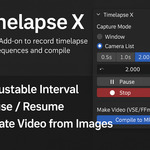





How can I set up Timelapse X in Window mode so that screenshots are only taken when I press a specific hotkey, instead of being captured automatically on a timer?
Hotkey-Triggered Screenshot Capture (Window Mode)
Timelapse X's Window mode can now capture screenshots on demand instead of on a fixed timer. A new preference, "Capture on Input Only (Window)", disables the periodic capture timer and hands control to a fully customizable keyboard shortcut — every press of the hotkey saves exactly one frame.
How to use it:
Start a recording in Window mode.
In the sidebar panel (N-panel) under Quick Settings → Window Capture, enable "Capture on Input Only (Window)".
A small hotkey widget appears below it, defaulting to Ctrl+Shift+F9. Click the key field and press any key/modifier combo you want to rebind it.
From then on, no screenshots are taken automatically — press your chosen hotkey whenever you want a frame captured.
You can also rebind the shortcut from Blender's standard Preferences > Keymap > Window, searching for "Timelapse X: Capture Screenshot Now". Both places edit the same live binding, so changes made in either location take effect immediately, and the hotkey only fires while a Window-mode recording is active and unpaused — otherwise the key press passes through untouched.
$10
Have questions about this product?
Login to message