 TopoPen



BLENDER RETOPOLOGY ADD-ON
DRAW THE FLOW.
TOPOPEN HANDLES THE SETUP.
Build clean, connected topology directly over your source mesh. You decide where every important loop and patch belongs while TopoPen handles surface placement, snapping, vertex counts, symmetry, and grid creation.
Artist-controlled retopology without the repetitive setup work. Everything you create remains regular, fully editable Blender mesh geometry.
CONTROL WHERE IT MATTERS
Retopology should be about designing good edge flow—not repeatedly managing how every vertex reaches the surface.
TopoPen automates the mechanical parts of the workflow while leaving the important topology decisions in your hands.
BUILD THE DETAIL. EXTEND THE FLOW.
Place individual points where precision matters, sketch larger connected areas, and extend your topology with controlled quad strips.

Precise Draw + Manual Draw
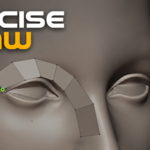
Place points, edges, and individual quads exactly where you need them—or draw reusable boundary guides and fill the regions between them.

Draw
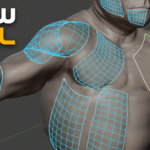
Sketch visual lines over the source, preview the resulting grid, adjust the layout, and build larger connected topology areas.

Edge Flow
Draw controlled quad strips that follow your stroke. Continue from an existing boundary or reshape compatible strips without starting again.
WRAP THE FORM. REFINE THE RESULT.
Create purposeful loops around important forms, cut existing target faces, and improve the finished mesh without rebuilding your work.

Move + Relax
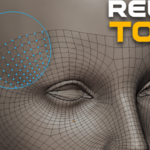
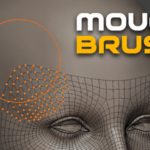
Move groups of vertices along the source and improve uneven spacing while keeping the existing topology connected.
FROM SOURCE TO EDITABLE MESH
Start directly from your source model and remain inside Blender’s normal Edit Mode.
01 · SELECT
Select the detailed model you want to use as the source.
02 · START
Run Start TopoPen. A separate target mesh is prepared in Edit Mode.
03 · DRAW
Choose the right tool and begin building topology over the surface.
YOUR SOURCE STAYS SAFE. YOUR MESH STAYS YOURS.
TopoPen works on a separate target mesh. The high-resolution source remains read-only, and the resulting topology is ordinary Blender geometry.
Standard Geometry
Continue editing with Blender’s regular modeling tools whenever you want.
Local Workflow
Runs locally inside Blender without additional libraries or cloud services.
Flexible Symmetry
Use the target object’s local X, Y, or Z axes and control the seam distance.
BUILT FOR ARTISTS WHO WANT DELIBERATE EDGE FLOW
Use TopoPen for organic and hard-surface retopology, including characters, creatures, faces, joints, limbs, props, pipes, and other detailed source models.
TopoPen is an artist-controlled retopology toolkit—not a one-click automatic remesher. You make the topology decisions; TopoPen helps you build them.
★★★★★
“Saves a really good portion of time. Totally recommend it.”
https://www.artstation.com/sigmastanlord
COMPATIBILITY
Requires Blender 4.5 or newer
Tested with Blender 4.5.5 LTS, Blender 5.0.1, and Blender 5.2.0 LTS. Your purchase includes 12 months of support from TopoPen and product updates through Superhive.
RETOPOLOGY THAT FEELS LIKE DRAWING
STOP MANAGING EVERY PLACEMENT.
START DRAWING.
Choose your source mesh, enter Edit Mode, and draw. TopoPen handles the repetitive mechanics while you remain in control of the topology that matters.
