 Russel Studios



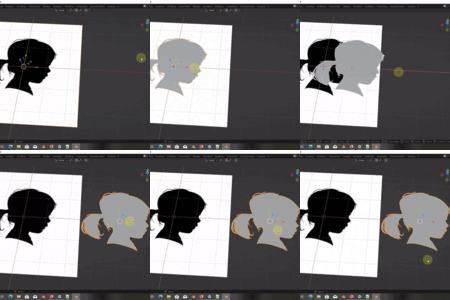
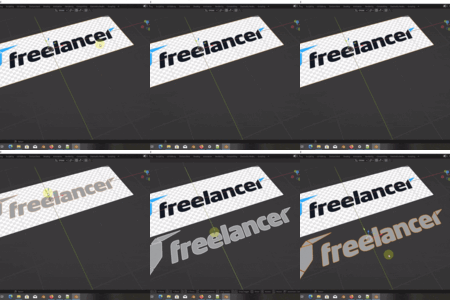
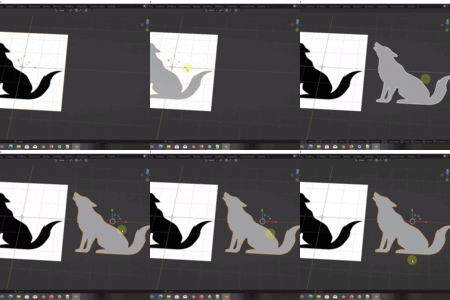
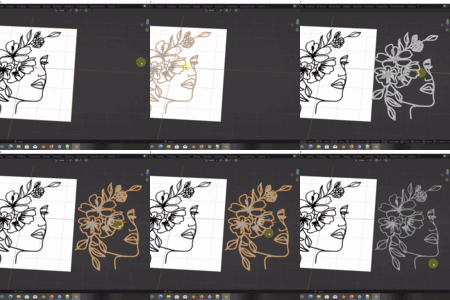

TraceGenius Pro and TraceGenius Ultimate are not the same addon.
- Pro uses Blender’s built-in Grease Pencil tracing engine.
If you have questions about the differences or if you run into a installation issues (such as PIL not installing correctly), please contact me and I’ll gladly help you.
- Ultimate uses a fully custom tracing engine with features Blender’s tracer cannot support (color picking, transparency control, pre-trace enhancements, etc.).
Existing TraceGenius Pro customers:
Use coupon below for a great discount on TraceGenius Ultimate(Single Seat)
Coupon Code: tg-ultimate-upgrade-2
TraceGenius Ultimate
The Next-Gen Tracing Addon for Blender
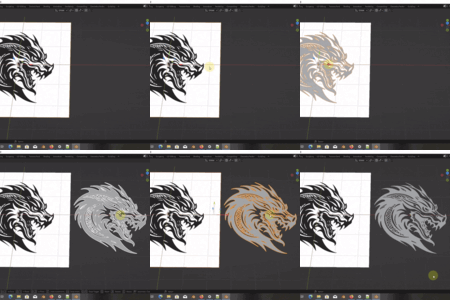
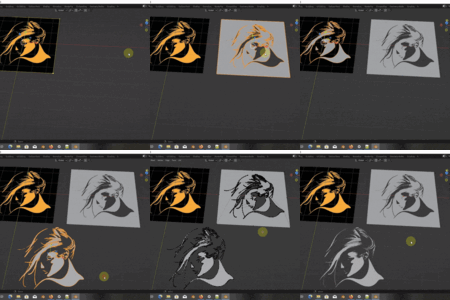
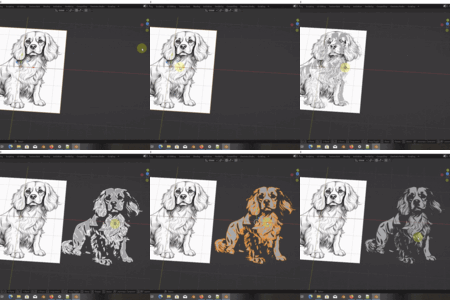
A complete rewrite, powered by a custom tracing engine. Choose exact colors, intelligently handle transparency, and trace with higher fidelity — beyond what Blender's default image tracing library can do.
What Makes Ultimate Truly “Ultimate”
Why This Is a Brand-New Addon — Not Just an Update
Independent Tracing Engine
Unlike TraceGenius Pro, which relies entirely on Blender’s Grease Pencil tracing functionalities, Ultimate uses a custom-built internal library — no dependency on Blender. This gives us full control over performance, accuracy, and future extensibility.Performance & Accuracy
The custom engine enables faster and more precise tracing, especially on complex or high-resolution images. It’s built for serious tracing work.-
Advanced Features Built from Scratch
-
🎨 Color Picker — pick exact colors to trace with high precision

🟦 Trace Image Preview – You can now preview the regions that will be traced using your current settings before running the trace.

🟦 Transparency Map Support — define how transparent pixels (e.g. in PNGs) should be treated (black or white)

🌗 Contrast & Image Enhancements — adjust contrast before tracing to get cleaner, sharper outlines

-
Modular & Extensible Architecture
The new internal library is designed for future expansion. You can expect new tracing algorithms, plugins, and modules to come. This makes Ultimate not just a tool, but a platform.
Comparison (Ultimate vs Pro)
A quick comparison between TraceGenius Pro and TraceGenius Ultimate.
| Feature | TraceGenius Pro | TraceGenius Ultimate |
|---|---|---|
| Underlying Engine | Blender Grease Pencil | Custom internal tracing library |
| Performance | ⚠️ Limited by GP | ✅ Faster, better, optimized |
| Transparency Map | ❌ | ✅ |
| Color Picker | ❌ | ✅ |
| Contrast Control | ❌ | ✅ |
| Extensible System | ❌ | ✅ Modular |
| Future Updates | Maintenance only | Flagship platform |
| Alpha-Aware Tracing | ❌ | ✅ |
| Blender Dependency | High | Low |
| Best For | Beginners | Pros & power users |
Key Benefits (What You Gain)
Maximum Control Over Your Traces
Fine-tune exactly what gets traced — whether you're dealing with semi-transparent textures, subtle gradients, or line art.Better Performance
Trace better, without being bottlenecked by Blender’s built-in tracing limitations.Future-Proof
As you grow and your tracing needs become more advanced, Ultimate evolves. It’s built to scale.Seamless Workflow
Familiar UI (same layout as Pro) + new powerful tools. No steep learning curve, but a big boost in capability.
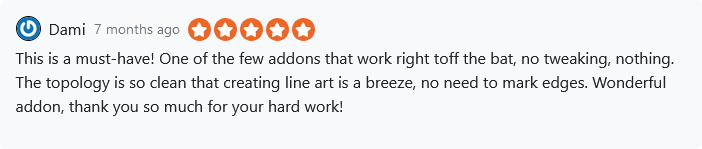
TraceGenius Reviews


How to Install TraceGenius Ultimate
Follow these steps carefully to ensure a clean installation:
1. Open Blender
Go to Edit → Preferences.
2. Navigate to Add-ons
Click the Add-ons tab on the left.
3. Remove Previous Versions
If you have any version of TraceGenius (Pro or old Ultimate builds):
Locate it in the addons list
Deactivate it
Click Remove or Uninstall
(Recommended to restart Blender after removal.)
4. Install TraceGenius Ultimate
Click the Install… button at the top-right
Browse to the TraceGenius Ultimate .zip file you downloaded
Select it
Click Install Add-on
5. Enable the Addon
After installation:
Search for “TraceGenius Ultimate” in the Add-ons list
-
Check the box to enable it
Click the “Install Dependencies” button to download and install any required Python modules for image handling.
🎉 You’re ready to start tracing with the new engine!
⚠️ About the “Policy Violation” Warning
Users of newer Blender versions may see a “Policy Violation” warning for TraceGenius Ultimate as seen in the image below. 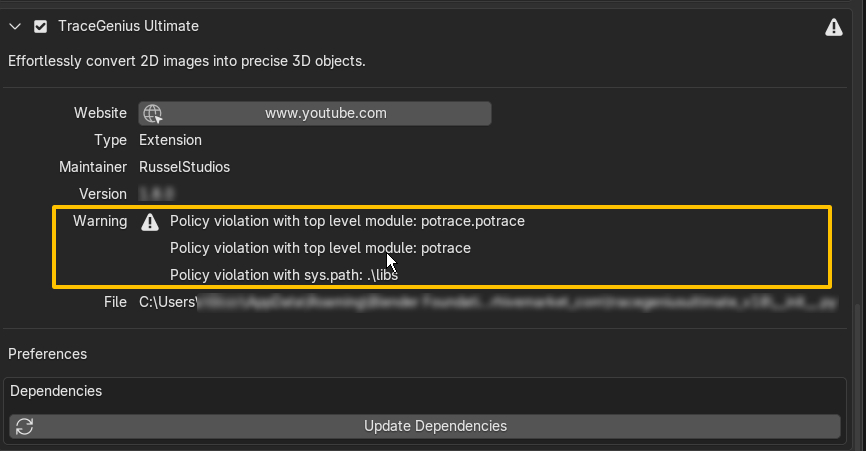
This is related to its current Python dependency installation method and does not affect the addon’s functionality.
TraceGenius Ultimate continues to work normally. A packaging update is being prepared to comply with Blender’s newer extension requirements.
💎 Other Gems You May Have Missed
Shot Engine Blender Addon
https://blendermarket.com/products/shotengine

Quick Font
https://blendermarket.com/products/quick-font
UPDATES
v2.0 (15/9/26)
IMPROVED: Refined the multi-image workflow for a smoother and more reliable experience.
ENHANCED: Updated and refined various parts of the addon for improved stability, compatibility, and overall reliability.
IMPROVED: Refined the multi-image workflow for a smoother and more reliable experience.
ENHANCED: Updated and refined various parts of the addon for improved stability, compatibility, and overall reliability.
v1.8 (18/8/26)
-
ENHANCED: Updated to Fully support Blender v5+.
-
NEW: Batch/Multiple image workflow has been integrated.
-
ENHANCED: Exposed custom properties and object metadata for advanced usage.
v1.7 (15/1/26)
-
ENHANCED: User experience(UX) has been improved.
v1.6 (15/1/26)
-
ENHANCED: Blender compatibility and Python dependency installation has been enhanced.
v1.5 (12/1/26)
-
ENHANCED: Traced mesh cleanup enhanced.
v1.4 (10/1/26)
-
ENHANCED: Automatic mesh face normal recalculation on finalize.
-
FIXED: Bevel amount and resolution settings now available for Object and Profile modes.
-
FIXED: Drag-and-drop image preview now works for all imported images.
v1.3 (5/1/26)
- NEW: Trace image preview for visualizing trace regions before execution.
-
NEW: Alpha-only cutout mode for isolating transparent regions exclusively.
-
IMPROVED: Drag-and-drop image handling.
-
IMPROVED: UV unwrapping and material setup.
-
IMPROVED: Image dependency installation issues affecting some users.
-
FIXED: TraceGenius object scale and rotation issue.
v1.2 (25/11/25)
-
FIXED: Coplanar face selection now works correctly in Blender 4.5 and newer.
v1.1 (24/11/25)
- FIXED: Dependency resolution problem fixed.
