 Yasser Idris


Transform Tools
Advanced Gizmo Setup & Precision Transformations
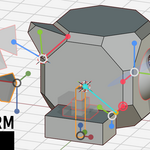
A dedicated system for precise object and mesh manipulation in Blender. Utilize custom reference gizmos to execute exact pose-to-pose alignments, procedural multi-transform arrays, and mathematically calculated geometric intersections.
Quick Start: The 1-Button Precision Transform

Speed up your workflow. Interactively define your Start and End states, and let the addon calculate the perfect pose-to-pose alignment instantly.
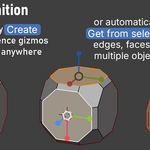
1. Gizmo Definition

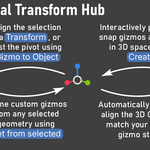
Smart-detect normals from faces, edges, or objects using [ Get from selected ], or place them manually with [ Create ].
💡 Tip: Never lose your setup! Step through your custom orientations using the independent Undo / Redo Gizmos history, or permanently save any gizmo state into your scene as an Empty with [ Gizmo to Object ].
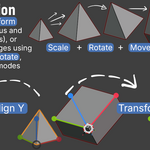
2a. Transformation Modes

Perform a full [ Transform ] to match Location, Rotation, and Scale simultaneously. Need isolation? Apply [ Scale ], [ Rotate ], and [ Move ] separately, or use [ Align X ] to perfectly map specific axis-to-axis orientations.
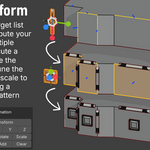
2b. Multi-Transform: Quick Start

Build a sequential target list with a single click. Add selected geometry to your list, and instantly distribute your source object across multiple destinations simultaneously.
2c. Multi-Transform: Advanced Arrays

Populate complex scenes instantly. Apply your multi-transformations to perfectly fit edges, faces, or vertices. Enable [ Chain Transform ] to build sequential, linked arrays with custom step counts.
3a. Constrained Transforms: Quick Start

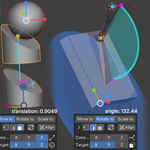
Solve complex geometry without the manual math. Use [ Rotate to ] to align a line perfectly to a sphere, keeping the movement strictly constrained to the X-axis. Watch the viewport feedback for instant validation.
3b. The Geometric Constraint Solver

30+ unique snapping workflow combinations. Combine [ Move to ], [ Rotate to ], or [ Scale to ] with custom sources (Point, Line, Plane) to perfectly hit calculated targets (Point, Line, Plane, Sphere), including mathematical planes and sphere tangencies.
4. Live Spiral Similarity (The Redo Menu)

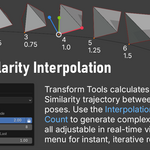
Procedurally control your geometry in real-time. Use the [ Redo menu ] to fine-tune the exact spiral trajectory live using the [ Interpolation ], [ Count ], and [ Longest Arc ] sliders for flawless, non-destructive procedural generation.
Effortless Precision for Every Transformation
Transform Tools is built to give you exact mathematical control over how your elements move, rotate, and scale. By acting as a seamless data bridge, it allows you to effortlessly push and pull precise orientations between your Objects, custom Gizmos, and Blender's 3D Cursor.
Read the Full Documentation