Transform Tools
 Yasser Idris


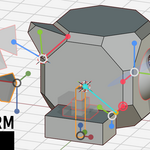
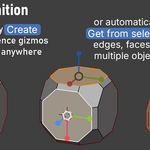
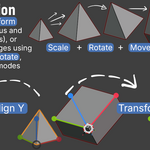
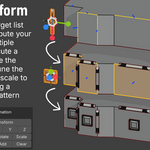
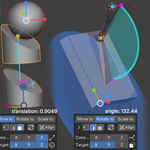
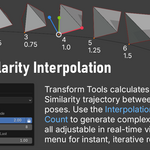
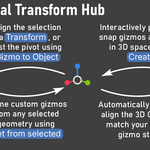
This release focuses on tightening the mathematical solvers for constrained transformations and providing more granular control over your alignment logic.
Refined Constrained Transformations
- Intelligent Rotation Solvers: Updated [ Rotate to ] logic for Point-to-Line and Line-to-Line operations. The engine now defaults to the shortest rotation arc, ensuring the fastest, most direct movement.
- Absolute Offset: Added an "Absolute" mode for transformation offsets. When active, your custom offset value directly replaces the calculated variable, giving you total control over final positioning.
- Axis-Aware Indicators: UI tooltips for constraints and targets now clearly display the specific Line/Plane axis being utilized, making it easier to track your alignment logic in the N-Panel.
Workflow & Shortcuts
- Global Align Shortcuts: Overhauled Gizmo Global Align shortcuts for faster orientation:
- [ Shift + Click ]: Align X-axis to global.
- [ Ctrl + Click ]: Align Y-axis to global.
- [ Alt + Click ]: Align Z-axis to global.
Bug Fixes & Stability
- Cursor Snapping Fix: Resolved a crash occurring when snapping the 3D Cursor to the closest point of a source constraint.
- Viewport Feedback: Fixed a regression where shader drawing was not properly triggering during "Get from Selected" operations.
- Precision Refinement: Improved the accuracy of X-axis calculation when extracting gizmo orientations from vertex selections.
This is a minor hotfix release to address a stability issue discovered in the previous build.
BUG FIXES AND CORE IMPROVEMENTS
Fixed Align 3D Cursor Crash: Resolved a critical bug that caused the addon to crash when executing the Align 3D Cursor operation. The tool now correctly snaps, aligns, and extracts the geometric data to the 3D Cursor without interruption.
This update brings on-the-fly gizmo adjustments to the Redo menu, introduces new modifier keys for interactive gizmo creation, optimizes 3D viewport performance, and resolves several specific geometric visualization bugs.
WORKFLOW AND UI ENHANCEMENTS
On-the-fly Gizmo Adjustments: The Axes Cycling and Rotate buttons are now available directly in the Redo Last (F9) menu. This allows you to interactively reorient your gizmos mid-operation and instantly see how the new axis alignment affects your final transformation, without needing to undo or rebuild the setup.
Advanced Axes Cycling Modifiers: The Axes Cycling operator now features deep modifier key support for precise pivot swapping.
Updated "Create" Operator Modifiers: The interactive Create operator shortcuts have been updated for better workflow mapping.
Tooltip Polish: Updated UI descriptions and shortcut event texts for better readability and cleaner formatting across the addon.
CONSTRAINED TRANSFORMS AND VISUAL IMPROVEMENTS
Rotate To (Plane to Sphere): Fixed the viewport visibility of the source point's start and end states. The underlying angle and axis math was already perfectly accurate, but the visual feedback in the 3D viewport now correctly matches the transformation.
Rotate To (Point to Line): Improved the mathematical logic. The default Alternate Solution now intelligently calculates and selects the intersection point closest to the 3D Cursor's location first.
Visual Glitch Fix: Resolved an issue where an extra, incorrect line was being drawn during "Rotate Point to Line" operations.
PERFORMANCE AND BUG FIXES
Optimized 3D Viewport Drawing: Completely optimized the 3D shader drawing batch, resulting in smoother visual feedback and better performance when rendering custom gizmos and constraint lines in the viewport.
Gizmo to Object Shortcut Fix: Fixed a logic bug regarding the event keys (modifier shortcuts) when using the Gizmo to Object operator.
This is a maintenance update to the 1.0.0 major release (see Transform Tools v1.0.0 release notes for more information).
Bug Fix: Resolved an issue where addon state data could persist incorrectly after disabling/re-enabling the tool.
Version 1.0.0 introduces complex geometric solvers, advanced sphere tangency, robust gizmo saving, and an overhaul to contextual snapping.
ADVANCED GEOMETRIC CONSTRAINTS
New Source & Target Types: Added Line and Plane as Source Types, and introduced Sphere as a new Target Type for complex spatial calculations.
Real-Time Viewport Feedback: Added live on-screen data displays for constrained transformations (distance, angle, scale, and "aligned" status).
-
"Alternate Solution" Engine: The "Limit to Line" option has been completely rewritten and upgraded into the new "Alternate Solution" toggle.
Spheres: Toggle between near-side (entry point) and far-side (exit point) tangency.
Planes: Toggle between alternative mathematical intersection points.
Lines: Intelligently calculates both possible intersection points, allowing you to easily toggle between the shortest and longest rotation paths. Constraint Offsets: Added a new Offset parameter to manually shift the final constrained transformation result.
GIZMO MANAGEMENT & WORKFLOW
New "Gizmo to Object" Workflow: We've overhauled how you capture and save gizmos. You can now use Empties to permanently "save" your custom gizmo placements. The tool will restore them exactly as they are, every time, using robust Blender-native matrix math.
Align 3D Cursor Operator: A brand new dedicated operator to snap and align the 3D Cursor perfectly using the addon's geometric logic.
Universal Modifier Keys: Added deep Alt / Shift / Ctrl modifier functionality across the entire addon. Modifiers now enhance: Create, Swap, Get from Selection, Add (Multi-Transform), Standard Transformations, Align 3D Cursor, and Constrained Transformations.
Session Management: Added dedicated Reset Settings and Save Settings buttons so your preferred addon configuration loads perfectly in every new Blender session.
SMART CONTEXT & DETECTION UPGRADES
Robust Vertex Detection: Overhauled the math for defining gizmos from single vertices. It now uses a much more robust method to calculate the Z-axis (normal) and intelligently aligns the X and Y axes perfectly with the connected edges.
True World Scale: Fixed vertex scaling in "Get from Selection" to calculate sizes using true World Scale rather than local object scale, preventing skewed proportions.
Multi-Transform Fallback: The "Add" button in Multi-Transform mode is now smarter. If nothing valid is selected, it will automatically add the 3D Cursor's matrix to your target list to keep your workflow moving.
BUG FIXES & CORE IMPROVEMENTS
Fixed "Scale to" Trajectories: Resolved an issue where uniform scaling wasn't projecting correctly in the target direction. It now flawlessly handles scaling from transformation axes (including scaling to infinity).
Fixed Cursor Snapping: Resolved an issue where the 3D Cursor was updated while "3D Cursor Orientation" is disabled.
Improvements & Fixes:
Better Handling of Non-Uniform Scale: Changed the calculation method for Gizmos created from Vertices/Faces. We now use the average of surrounding face normals instead of raw vertex normals. This solves orientation errors that occurred when using the tool on objects with non-uniform scale.
Restored Compatibility: Fixed a regression where "Get from Selection" stopped working for Curve Points and Bones. Support for these types is now fully functional again.
- Apply to Selection: Corrected an issue where its tooltip description was not visible.
- Gizmo Visibility: Fixed an error that occur in the background, which prevented the setting's description from being displayed when interacting with the gizmo visibility options (Show All / Show Active / Hide All).
- Chain transform: Fixed a bug that incorrectly disabled the checkbox. The feature is now enabled and accessible as intended.
- Armature Edit Mode: Fixed an issue that prevented transformations from being correctly applied to selected bones.
This update introduces new features and workflow improvements.
New Features
- Guided Create & Transform Operator: A new all-in-one button that guides you through creating both gizmos and then immediately presents a pie menu to apply a transformation.
- Multi-Transform Mode: A new section for advanced sequential transformations, build a list of target gizmos from objects or mesh components using the Add button, provides unique visual feedback (thin blue lines for targets, hides Previous Gizmo) to make the current mode clear.
New Transformation Operators:
- Rotate: A dedicated operator to apply only the rotation between gizmos.
- Scale: A dedicated operator to apply only the scale difference between gizmos.
- Apply to Selection: A new utility to set a selected object's transform directly to the Active Gizmo's state.
- Constrained Scale to: A new mode in the Constrained Transforms section, allowing you to scale an object from a pivot point towards a target.
Improvements & Changes
- Get from selected Overhaul:
- Vertex Logic: Now uses a sophisticated hierarchy to find a stable orientation: Connected Faces > Connected Edges > Object Axis.
- Averaging: When multiple elements are selected (e.g., several faces), it now calculates the average of all their individual transforms to create a single, unified Active Gizmo.
- Align Operator: Replaced the old dropdown with three direct buttons (Align X, Align Y, Align Z) for faster access.
Constrained Transforms Logic:
- Both the Constraint and Target now use the same flexible axis-selection method (1 axis = line, 2 axes = plane, 0/3 = center/auto).
Redo Last Menu (F9) Enhancements
-Individual Scale Axes (X/Y/Z): A new feature allowing you to toggle scaling on specific axes after an operation.
- In Object Mode, it scales along the object's local axes.
- In Edit Mode, it scales along the gizmo's axes, allowing for complex shearing and deformation.
- Dynamic UI (Extrude/Instance): The Redo menu now swaps between showing the Extrude option (in Edit Mode) and the Instance option (in Object Mode).
- Fixed: Operator error in Object Mode when active object is missing (e.g., after being deleted) but other objects are still selected. The operator now correctly identifies Object Mode and functions as expected.
- New: "Complex Dup" option – for duplicating complex objects (e.g., with Boolean modifiers) ensuring correct modifier/target linking.
- Fixed: Issues with modifier targets on duplicates (use "Complex Dup" for these cases).
Discover more products like this
Constrained Transform snapping precision transform hard surface gizmo array Interpolation pivot cad