 Voyde Procedural




◆ VOYDE PROCEDURAL / GEOMETRY NODES / BLENDER 3.6–5.1
Trash Scatter
Procedural Scatter System
Create detailed trash-filled environments in seconds.
Trash Scatter is a fast, flexible Geometry Nodes scattering system that quickly populates any surface with realistic trash assets.
Assign your collection and instantly generate detailed, natural-looking distributions with full control over density, variation and placement. No add-ons required, everything works directly inside Blender with Geometry Nodes.
GEOMETRY NODESNO ADD-ONS REQUIRED30+ TRASH ASSETSCYCLES & EEVEE
30+
OPTIMIZED TRASH ASSETS
0
ADD-ONS REQUIRED
01 — KEY FEATURES
Built for speed, simplicity and control
◆Collection-based scattering
Assign any asset collection and scatter it over your surface.
◆Plug & play workflow
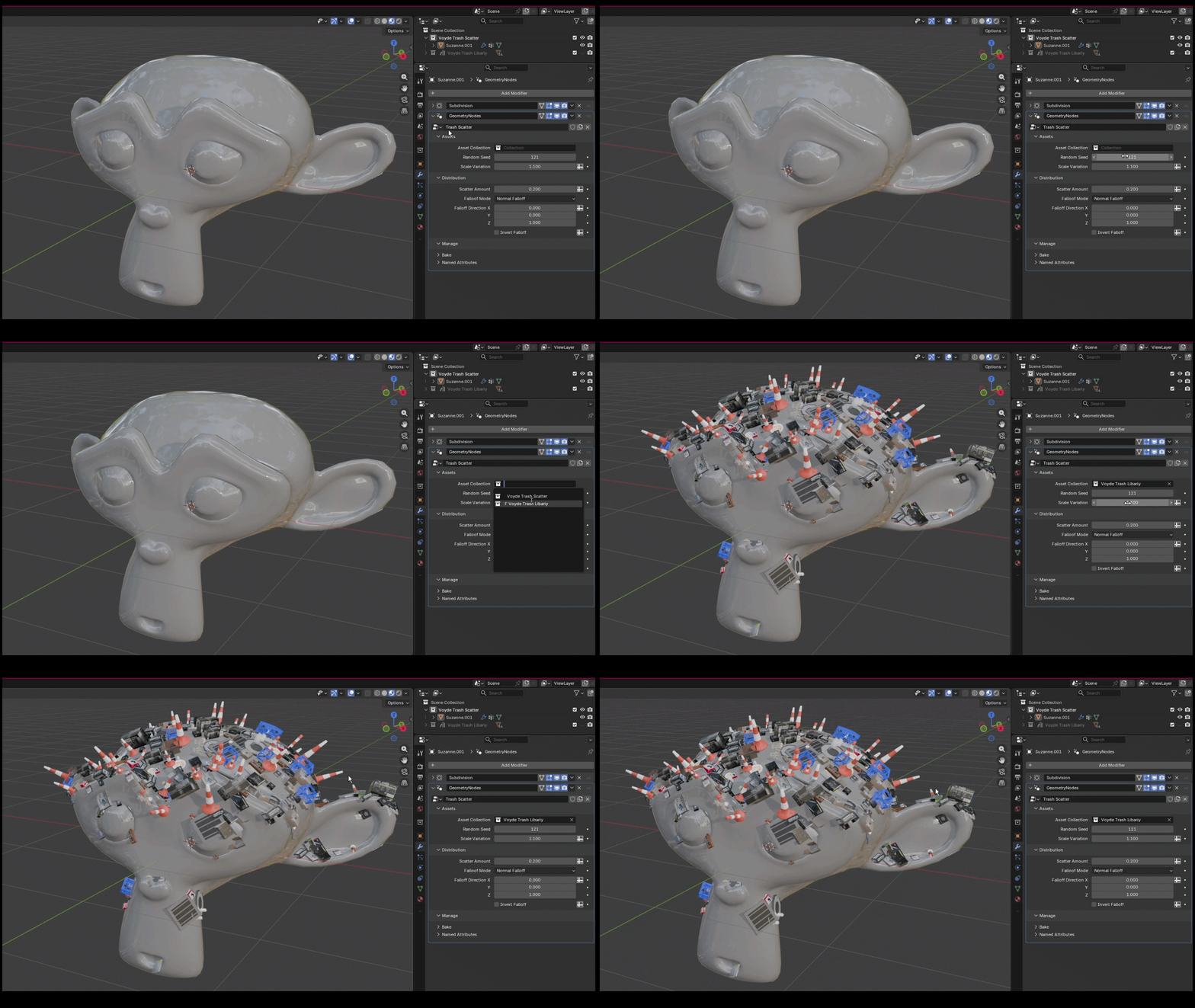
Add the modifier, pick your collection and the surface is populated.
◆Adjustable scatter amount
Go from subtle surface detail to heavy trash coverage.
◆Random seed variation
Generate new distributions without rebuilding your setup.
◆Scale variation control
Break repetition for a more natural, believable look.
◆Clean, optimized node setup
A lightweight Geometry Nodes workflow.
02 — CONTROLS
Seed, amount and scale
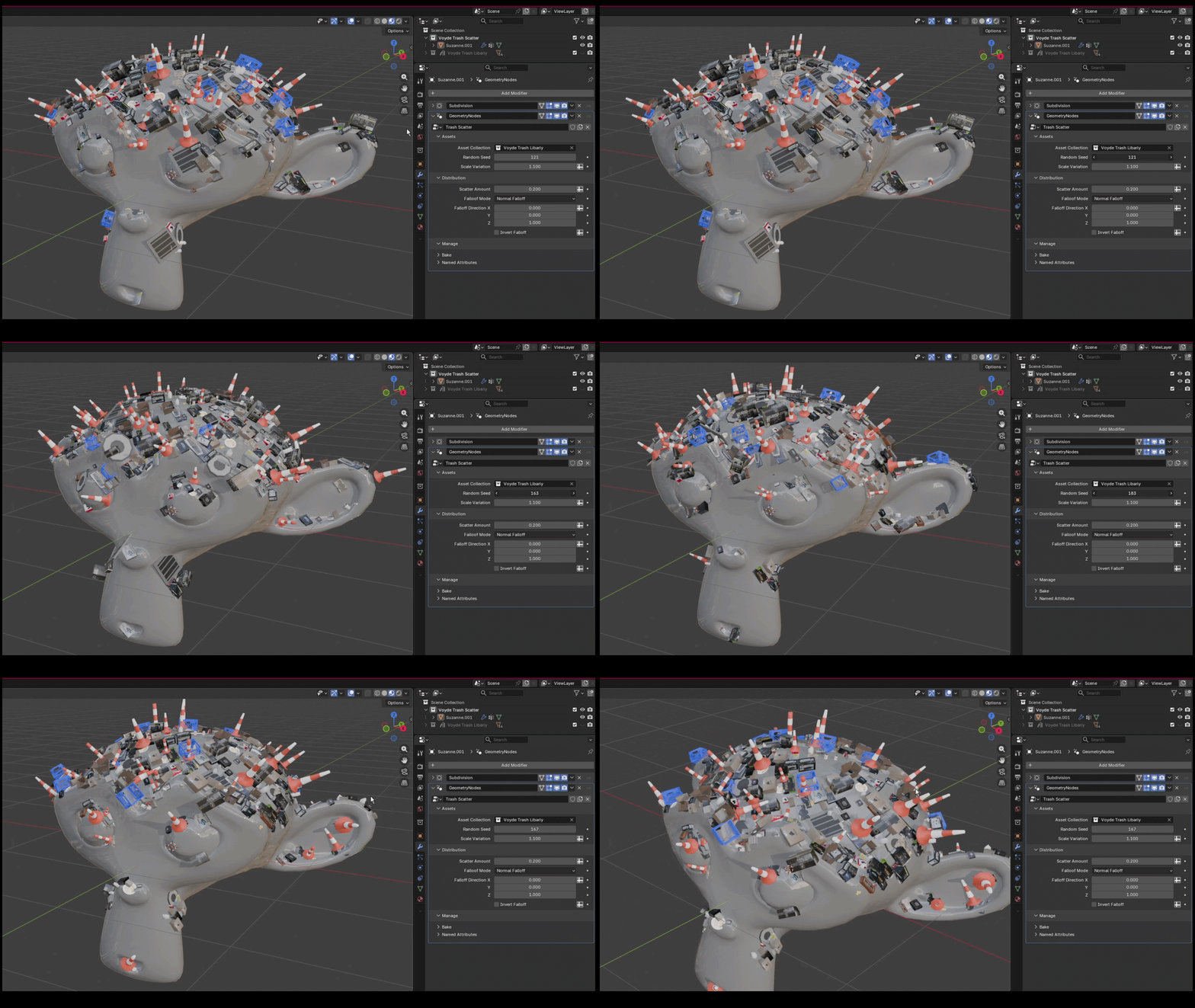
Random Seed generates quick new variations without rebuilding your setup, so you can explore different distributions and find the best result for your scene.
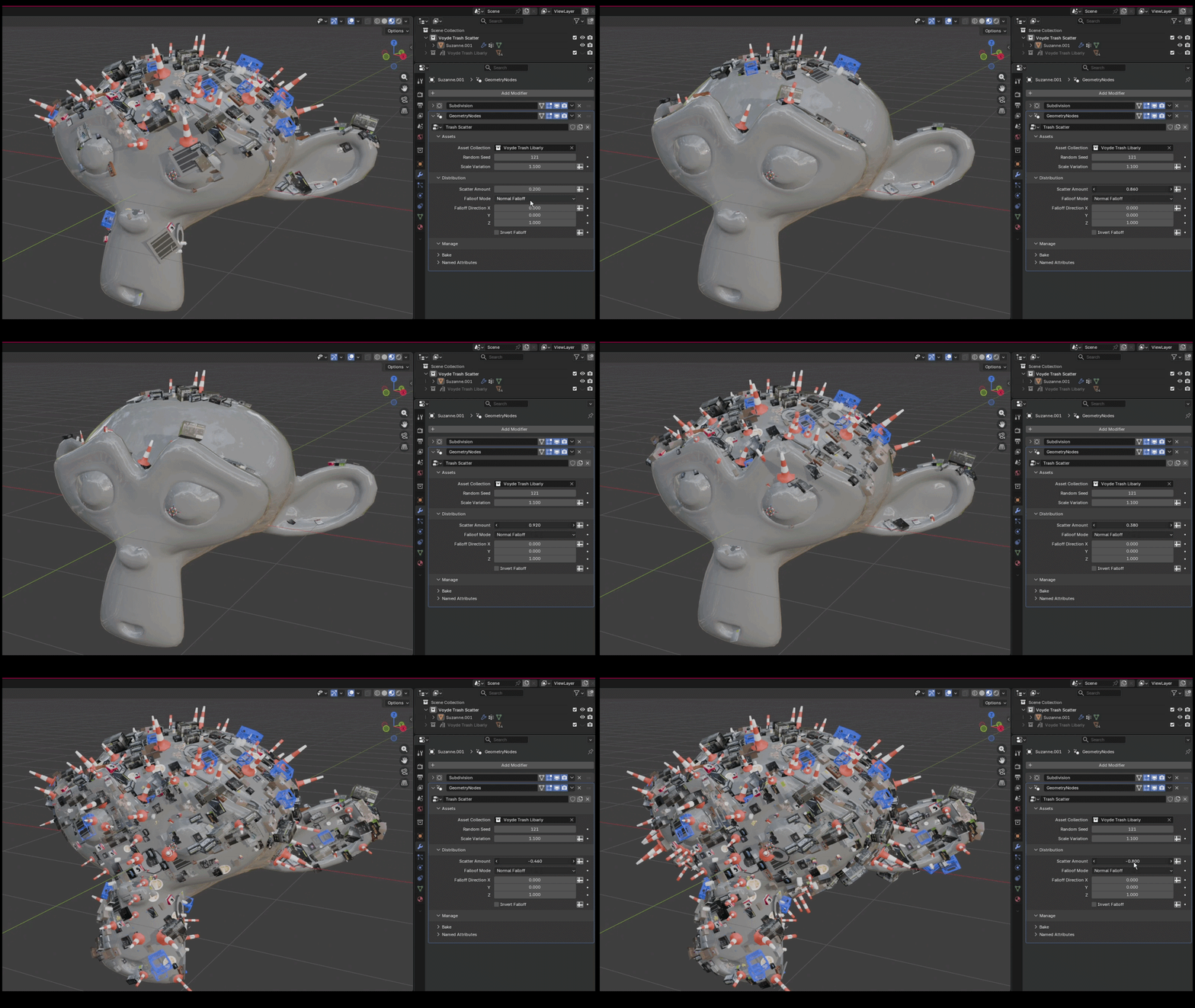
Scatter Amount gives you direct control over how dense or sparse the result is, from subtle surface detail to heavy trash coverage.
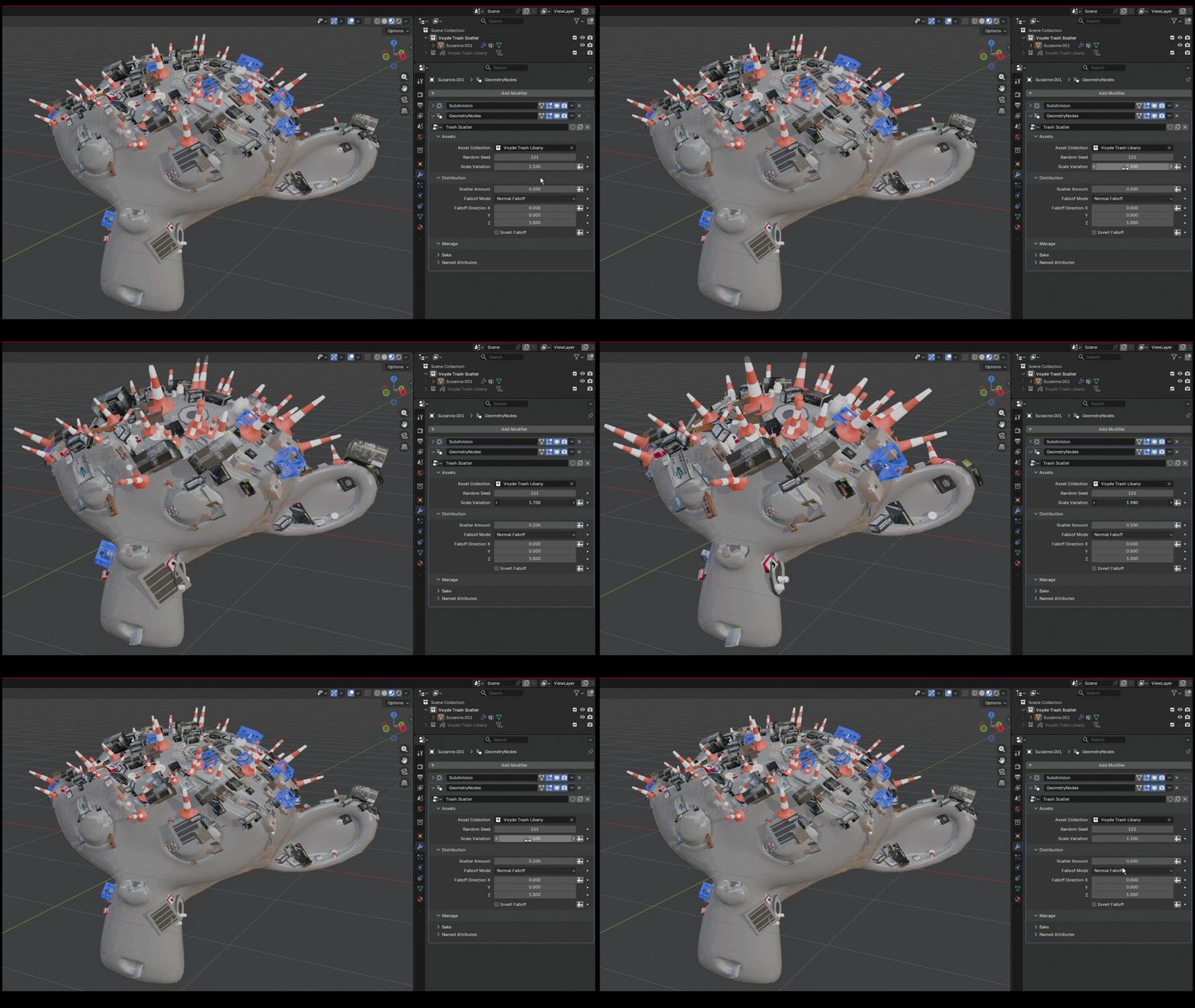
Scale Variation breaks repetition. Small changes in scale make the distribution feel more organic and visually rich.
03 — HOW TO USE
Four steps to a populated surface
1Select any mesh.
2Add a Geometry Nodes modifier.
3Choose Trash Scatter.
4Assign your asset collection. Done, your surface is now populated.
04 — PERFECT FOR
Where it fits
◆Environment design◆Urban scenes◆Background detailing◆Fast scene population
05 — DETAILS
What you get
Included
◆30+ optimized trash assets
◆Ready-to-use trash collection
◆Fully procedural scatter system
Technical info
◆No add-ons required
◆Works with Cycles and EEVEE
◆Geometry Nodes based workflow
◆Lightweight and optimized
 VOYDE.PROCEDURALVOYDEPROCEDURAL.COM / ALL PRODUCTS / X / INSTAGRAM