 TheFridge



DOCUMENTATION
Installing and using it
Requirements
- Blender 4.2 LTS or newer
Installing
Download the .zip from your Superhive account page. Don't unzip it.
In Blender, open Edit › Preferences › Add-ons. Use the drop-down at the top right of that panel and choose Install from Disk…, then select the .zip.
Tick the checkbox next to the add-on name to enable it. That's the whole setup.
Where it lives
Open the sidebar in the 3D viewport with the N key and select the Triage tab.
Running a scan
Press the run button. The whole scene is read in one pass - geometry, materials, lighting, rigging, performance, render settings and file data.
Run it as often as you like. It costs nothing and it never changes anything, so there's no reason not to run it before every render.
Reading the findings
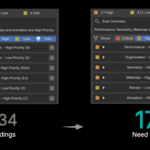
Findings are grouped by category, and each one is graded Critical, High, Low or Info. Filter buttons let you show only the severities you care about, so a long list becomes a short one. Each finding names the condition, the object it applies to where relevant, and the values involved.
A finding you've decided not to act on can be dismissed. It stays dismissed for that scene on later runs, so your list gets shorter as you work rather than repeating itself.
Uninstalling
Remove it from Edit › Preferences › Add-ons like any other add-on. Nothing is left behind outside Blender's own scripts folder, and your scenes are unaffected - nothing it does is stored anywhere but the .blend file's own scene properties.
QUESTIONS
Things people ask before buying
Does it need an internet connection?
It works offline. Everything runs in Blender's own Python on your machine, there's no activation step, and your scene data stays on your computer.
Is this a subscription?
No. You buy it once and it's yours, on every machine you own.
Does it change my scene?
No. Triage reads and reports. It doesn't move, delete, optimise or repair anything - every fix is yours to make, or not.
Which Blender versions?
Blender 4.2 LTS and newer.
Will it work on my kind of scene?
Any scene. The checks are about how the file is built rather than what it depicts, so a product shot, an interior, a character rig and a motion-graphics scene all get read the same way. Findings that aren't relevant to what you're doing can be dismissed.
What if it flags something I did on purpose?
That will happen - a check knows the condition, not your intent. Dismiss it and it stays dismissed on later runs of that scene.
Will it slow Blender down?
It only does anything when you press the button. There's no background process and no continuous monitoring. A scan takes seconds on most scenes; very heavy scenes take longer, and a few checks skip meshes above a size threshold rather than stalling on them.
Does it catch everything?
No, and it doesn't claim to. It catches 98 specific, defined conditions - the ones that come up again and again and are easy to miss. It won't tell you your composition is weak or your colours are muddy. That part is still your job.
-
$9.99
The 98-check diagnostic tool
Have questions about this product?
Login to message
| Published | about 2 months ago |
| Blender Version | 4.2 - 5.2 |
| Extension Type | N/A |
| Render Engine Used | Cycles, Eevee |
| License | GPL |
Discover more products like this
diagnostics performance Workflow render-optimization Production scene cleanup Troubleshooting Lighting management Scene Optimization scene analysis