True Sky
 True-VFX


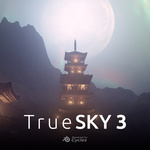


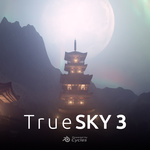
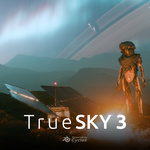

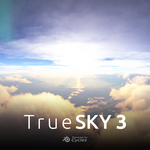

Fix
- Platformdirs module not installing - now packaged with addon
Fixes
- Cloud layer not coming in due to Blender 5.2 api changes
Changes from Beta 10:
NEW:
New Procedural Stars in the world settings
FIX:
- Various issues with rendering HDRIs in the background
TrueSKY 3 Change Log:
Changes since TrueSKY 2Completely new sky system allowing for realistic shading and lighting across your whole scene no matter how big or tall.
- Go from surface into outer space
- Add as many suns or even other planets and moons as you want! | Docs
Completely new cloud system with numerous performance and look presets | Docs
Space HDRIs and amazing procedural night skies | Docs
Earth based horizon deformation: enter coordinates or cities and see that location's horizon as the surface deforms. | Docs
GPS based celestial system: enter a coordinates or a place and date time and see the sun, moon, and land correctly as they would have been at that time | Docs
HDRI Maker: render out your sky and scene as an HDRI | Docs
Viewport Gizmos: see all of your TrueSKY elements without rendering by entering the TrueSKY gizmo tool. Add, remove, move, and edit your suns, moons, planets, clouds, and even GPS all from within your viewport without having to go into your side panel! | Docs
All new compositor powered effects: add effects as easily as you do modifiers | Docs
TrueSKY v3.0.0-beta.10
❌Breaking changes: Blender 5.1 required❌
Due to Blender 5.1 upgrading its internal Python version from 3.11 to 3.13 previous python wheels built for Blender 5.0 are not compatible with Blender 5.1. If you are using Blender 5.0, please do not update to this version of TrueSKY until you have updated to Blender 5.1.
New
- Added the included Custom Celestial Objects in as presets
- Added earth presets for atmosphere coefficients
- Added in more ring presets than just Saturn's rings
- A new North Offset setting is now available in the animation settings of the Global Positioning section.
- Keep Celestial Bodies within Bounds: A new toggle in the performance section and a preference setting to prevent celestial bodies from being placed so far out that it causes slow downs in rendering.
- In complicated scenes with atmosphere enabled and celestial bodies a significant slow down has been noticed. Bringing the celestial bodies closer to the scene can help mitigate this issue. This toggle will automatically move celestial bodies that are placed very far away back within a certain distance from the scene's origin while scaling its radius appropriately to appear the same size in the sky.
- The distance threshold can be adjusted in the preferences via the "Max Scene Bounds" setting. Default is 100,000 km. A 1.75x increase (42s per render to 24s per render) in render times was observed when placing the moon at 100,000 km.
- Disable Emission Sampling: A new toggle in the performance section that disables emission sampling for mesh based emission materials.
- There seems to be a conflict of some sort when rendering with GPUs. A [bug report](https://projects.blender.org/blender/blender/issues/155526) has been submitted.
- When enabled, this toggle will disable emission sampling for all mesh based emission materials in the scene. When disabled, emission sampling will go back to what it was before for each material. An 1.3x increase (54s per render to 42s per render) was noticed.
Changed
- Updated wheels for Blender 5.1
- Automatically set coordinate directions when field is edited manually
- Moon preset is the now the default celestial body preset
- More consistent visibility settings and UI/UX for layers across the addon
Fixes
- Compositor nodes now accept a wider initial set of nodes in the compositor when adding TrueSKY's compositor nodes.
- Custom Celestial Object was not always displayed in the UI after being added
- Celestial bodies are now have unique names per layer/object. Previously, this could cause issues when removing and adding new celestial bodies, as they would be given the same name and cause confusion in the UI and data management.
- Lens Dirt wasn't working correctly
-
$39
The full TrueSKY suite
 Included
Includes 12 months of
- Support from True-VFX
- Product updates
Extend this product’s Support Period +12 months: 50% of product price
Have questions before purchasing?
Login to message
| Blender Extension Compatible | Yes |
| Sales | 1900+ |
| Rating | 25 ratings |
| Dev Fund Contributor | |
| Published | 11 months ago |
| Blender Version | 5.1 - 5.2 |
| Extension Type | Add-on |
| Render Engine Used | Cycles |
| License | GPL |
