 Sunyifan


Tube Hair Generator — Documentation
📌 Overview
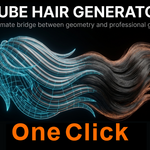
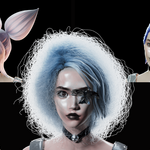
Tube Hair Generator allows you to convert tubes, curves, and mesh into Blender Hair Curves in one click.
It is designed to provide a fast, controllable, and production-ready workflow for hair creation.
⚙️ Installation
- Open Blender
- Go to Edit → Preferences → Add-ons
-
Click Install and select the
.zipfile - Enable Tube Hair Generator
🧩 Supported Input Types
✔ Curves
- Will be converted to mesh using To Tube
- Root edges are automatically detected and marked
✔ Mesh
- Must have Sharp Edges marked at the hair root
- Supports tube meshes and unwrapped tube surfaces
🛠 Basic Settings
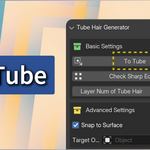
🔹 To Tube
- Converts selected curves into tube meshes
- Automatically marks root edges
- Supports Mirror Modifier (auto generates mirrored mesh)
🔹 Check Sharp Edges
- Validates whether root edges are properly marked
- Useful for debugging mesh input
🔹 Layer Num of Tube Hair
Controls hair density:
- 1 (Default) → Outer layer only
- 2+ → Adds inner layers between surface and center
Each layer keeps the same strand count.
⚡ Advanced Settings
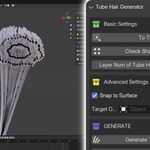
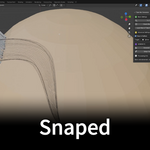
🔹 Snap to Surface
- Enables automatic root snapping
- Ensures all hair roots are placed exactly on the target object
🔹 Target Object
- The surface used for snapping
💡 Tip:
Use a low-poly proxy mesh for better performance
⚠ Important:
Apply Location / Rotation / Scale before using
🚀 Generate
🔹 Generate Pipe Hair
- Converts selected meshes into Hair Curves
- Supports batch processing
- Multiple objects → single Hair Curves output
🔹 Setup Hair Details
- Assigns base geometry nodes for hair
- Prepares hair for further styling
🎨 After Generation
- Go to Render Properties → Curves
-
Set:
- Shape → Strip
- Increase Subdivision
- Enter Sculpt Mode to style hair
- Optionally add Geometry Nodes for more detail
📁 Output Structure
- TubeMeshes → Generated mesh objects
- TubeHairs → Final hair curves
💡 Tips
- Use curves for fast shape design
- Use mesh when you need precise control
- Lower target mesh complexity for faster snapping
- Use multiple layers for dense hairstyles
❗ Notes
- Mesh input requires correct sharp edge marking
- Target object must have transforms applied
- Very dense hair may take longer to generate
🙌 Support
If you have any questions or issues, feel free to contact us.
We also provide custom Blender addon development services.
Have questions about this product?
Login to message
| Blender Extension Compatible | Yes |
| Sales | 10+ |
| Published | 7 months ago |
| Blender Version | 4.2 - 5.1 |
| Extension Type | Add-on |
| Render Engine Used | Cycles, Eevee |
| License | Mit |
Discover more products like this
curve Geometry Node Groups blender hair curves geometry nodes hair hair sharp edges convert curves to hair hair root