 yakivsan

TubeRig
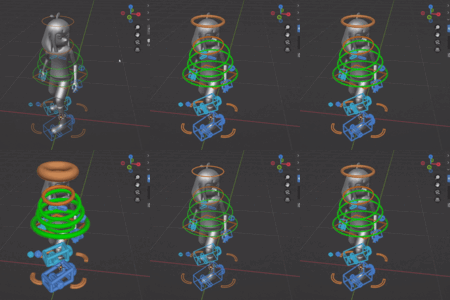
A Blender 4.2+ addon that converts standard wireframe rig controllers (Custom Bone Shapes) into thick, readable tubes, giving your rigs a clean and professional look.
Features
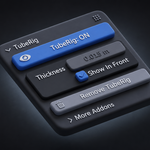
Procedural Thickness: Uses Geometry Nodes to non-destructively convert your mesh shapes into thick tubes.
Per-Rig Thickness: Each rig remembers its own custom thickness settings.
Live Slider: Adjust the thickness in real-time right from the N-Panel.
Toggle Visibility: Switch between the thick tube look and the original wireframe with one click.
Global Preferences: Set default values across all your files.
Installation
Download the
tuberig.zippackage (or zip the folder yourself).Open Blender.
Go to Edit > Preferences > Add-ons.
In Blender 4.2+, click the arrow in the top right and choose Install from Disk...
Select the
.zipfile.Enable the addon.
Usage
Select your armature in the 3D Viewport.
Ensure your bones have Mesh objects assigned as Custom Shapes.
Press
Nto open the side panel and go to the Item tab.Open the TubeRig panel.
Click Apply TubeRig.
Use the Thickness slider to adjust the size of the tubes.
Compatibility
Blender 4.2 and newer (Uses the Extensions architecture).
Works with any rig (Rigify, Auto-Rig Pro, custom rigs) as long as they use standard Mesh Custom Shapes.
More Addons
Find more Blender addons by the author: https://yakivsan.gumroad.com/
License
This addon is licensed under the GPL-3.0-or-later license.
Have questions about this product?
Login to message
| Blender Extension Compatible | Yes |
| Dev Fund Contributor | |
| Published | 4 months ago |
| Blender Version | 4.2 - 5.2 |
| Extension Type | Add-on |
| License | GPL |
Discover more products like this
geometry nodes animation Custom Bone Shape rigging rig-controls Bone Widget addon TubeRig character