 Skava
Skava


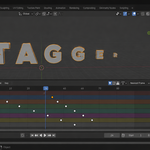
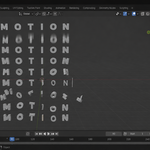
Download the zip and do not unpack it. In Blender open Edit > Preferences > Add-ons, click the drop-down arrow in the top-right corner and choose Install from Disk, then pick the zip. Tick the checkbox next to TypeMotion. Press N in the 3D Viewport and open the TypeMotion tab.
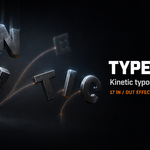
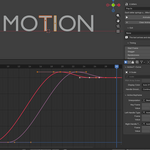
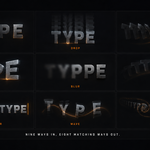
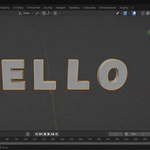
Add a text object and type your text. With it selected, open the TypeMotion tab, choose Split By Letter, Word or Line and press Split Into Letters. Pick an effect and press Animate. There are nine entrances (Pop In, Drop In, Slide In, Spin In, Flip In, Typewriter, Scatter In, Wave, Jitter), eight matching exits, and six easings (Smooth, Linear, Ease Out, Back, Bounce, Elastic).
Your text stays editable: splitting creates one mesh object per unit in a collection named after the text, and the original text object is hidden, not deleted. Clear Split brings it back, so you can change the wording and split again.
Yes. Choose an exit in the Exit panel and set a Hold; one press of Animate gives arrive, hold, leave. Use The Opposite picks the mirror of the selected entrance, for example Pop In becomes Pop Out. Wave has no exit.
Letters made of several shapes, such as i, j and the percent sign, are kept together, and text on more than one line is handled in all three split modes. In script and italic fonts two letters that overlap sideways can end up in one object; add a little letter spacing and split again, or split by word.
Yes. The result is ordinary keyframes on location, rotation, scale and visibility of plain mesh objects; no drivers or scripts are left in the file.
Blender 4.2 LTS and later. The documentation lists tests on Blender 5.2.
No. The add-on contains no network code; everything runs locally. It is pure Python with no compiled binaries.
Yes. The add-on is licensed under the GNU GPL v3; the full text is in LICENSE.txt inside the zip. The license covers the add-on code; what you create with it is yours.
Have questions about this product?
Login to message
| Published | about 2 months ago |
| Blender Version | 4.2 - 5.2 |
| Extension Type | N/A |
| Render Engine Used | Cycles, Eevee |
| License | GPL |
Discover more products like this
typewriter kinetic typography animated-text credits text effects mograph Text animation typography lower-thirds intro motion graphics titles