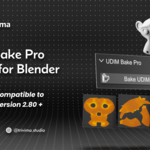
UDIM Bake Pro – One-Click UDIM Texture Baking Tool
 Tri-vima Studio


📥 Installation:
Open Blender.
Go to Edit > Preferences > Add-ons > Install.
Select the downloaded udim_bake_pro.py file.
Enable UDIM Bake Pro in the add-ons list.
🧑💻 How to Use:
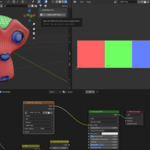
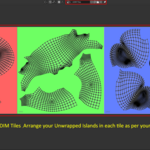
Make sure your model uses a UDIM image texture and Cycles is set as the render engine.
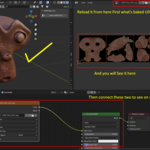
In the Shader Editor, select the active UDIM Image Texture Node.
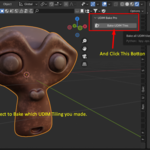
Go to the 3D Viewport > Sidebar (N-panel) > Bake UDIM tab.
Click “Bake UDIM Tiles”.
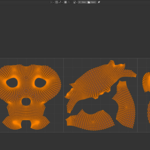
The add-on will automatically:
Bake each tile
Save outputs per tile
Reset UVs when done
⚠️ Ensure your material uses an active UDIM image node before baking.
🗂 Output:
Each tile will be baked and saved in the same directory as your UDIM base image using the format:
[basename].[tile_number].[ext]
(e.g., Head.1001.png, Head.1002.png, etc.)
 Included
Includes 12 months of
- Support from Tri-vima Studio
- Product updates
Extend this product’s Support Period +12 months: 25% of product price
Have questions before purchasing?
Login to message
| Dev Fund Contributor | |
| Published | about 1 year ago |
| Blender Version | 2.8 - 5.2 |
| Extension Type | N/A |
| Render Engine Used | Cycles, Eevee |
| License | GPL |