Ultimate Asset Organizer - Models V2
 Vertex 404



What does UAO – Models actually do inside Blender?
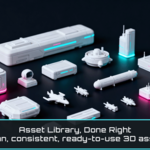
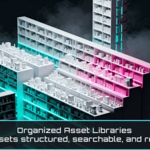
It imports your model files, fixes up materials when it can, marks the results as Asset Browser assets, and generates clean preview thumbnails. The end result is a dedicated library .blend you can browse and drag from like a real asset library.
What formats can I bring in?
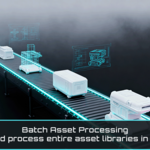
OBJ, FBX, GLB/GLTF, and .blend files. You can import single files or batch process folders depending on how your packs are organized.
Will it mess up my mesh, scale, or pivots?
It doesn’t “edit” your geometry like a modeling tool. It’s focused on importing, organizing, and assetizing. That said, imported transforms depend on the source format and exporter, so if a file comes in with weird scale/orientation, that’s coming from the source, not from UAO changing the mesh.
My packs have textures in random folders. Will it still find them?
Usually, yes. It tries an automatic texture search first. If a pack is messy, you can point it to the correct texture folder as a manual fallback and it’ll reconnect materials from there.
Do I have to build materials myself after import?
No. UAO builds a usable PBR starting point when textures are available. You can always tweak later, but the goal is to get you to “usable” fast without spending time rebuilding nodes for every pack.
How are the Asset Browser previews generated?
UAO frames the model based on its size and shape, then renders a consistent thumbnail so your library stays readable when scrolling. It’s designed to avoid the “random camera angle” look you get from manual previews.
Is this meant for big packs (kitbash sets, scans, multi-object files)?
Yes. It’s built for the real situation where one file can import lots of objects and the pack isn’t neatly structured. The point is to turn that chaos into assets you can browse and reuse quickly.
Where does it save everything?
In the library .blend you’re working in. That’s why it’s recommended to use a dedicated library file: it stays clean, portable, and easy to back up.
Is it safe for production work?
Yes. It’s designed for building libraries you reuse across projects. For best practice, build in a separate library .blend, then link that library in Blender’s Asset Libraries so your production scenes stay lightweight.
-
$14.90
Single user license for freelancers, hobbyists, and solo 3D artists. Includes personal and commercial use on unlimited projects.
-
$29.90
Multi user license for small studios and teams of up to 5 users. Includes personal and commercial use on unlimited projects within the same studio or organization.
-
$54.90
Multi user license for larger studios, companies, and organizations with more than 5 users. Includes personal and commercial use on unlimited projects within the same organization.
Have questions about this product?
Login to message
| Blender Extension Compatible | Yes |
| Sales | 20+ |
| Rating | 1 ratings |
| Dev Fund Contributor | |
| Published | 8 months ago |
| Blender Version | 4.5 - 5.2 |
| Extension Type | Add-on |
| Render Engine Used | Arnold, Blender-Internal, Blender-Game-Engine, Cycles, Eevee, Freestyle, Luxrender, Mental-Ray, Octane, Vray, Yafaray |
| License | GPL |