Ultimate Generators Bundle V2 - Asset Library
 Blender Procedural


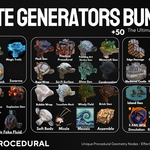
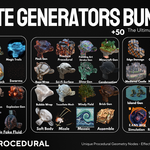
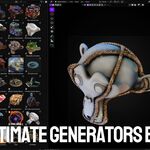
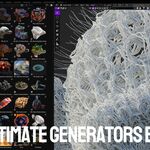
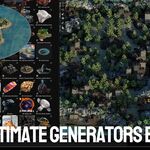
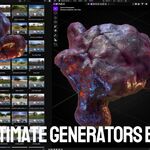
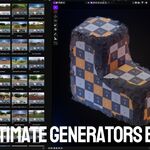
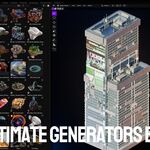

Installation & Setup
Follow these simple steps to add the 🔥 Ultimate Generators Bundle V2 +50 asset library into Blender.
- Unzip the Downloaded Package:
Locate the downloaded ZIP and extract it. You will get a folder named
UltimateGeneratorsBundleV2. - Open Blender Preferences:
In Blender, go to Edit → Preferences (Windows/Linux) or
Blender → Preferences (macOS). - Navigate to Asset Libraries:
In the Preferences window, select the File Paths tab, then scroll down to Asset Libraries. - Add New Library:
Click the + Add button. In the file browser, navigate to and select the
UltimateGeneratorsBundleV2folder, then click Accept. - Save Preferences:
At the bottom left of the Preferences window, click Save Preferences to keep your new asset library.
Usage Tips
- Open the Asset Browser (Shift+F1) to browse & drag‑and‑drop assets into your scene.
- Customize node setups by opening the node group in the Geometry Node Editor.
- Refer to the demo files included in the library for example scenes and settings.
How This Addon Differs from “Ultimate Generators Addon V2”
The Ultimate Generators Bundle V2 is purely an asset library of procedural Geometry Nodes setups and simulation presets. It requires manual registration in Blender’s Asset Libraries and manual appending of node groups.
This Addon, however, automates the entire workflow:
- Auto-Register Library: One-click button instead of manual Preferences setup.
- Quick Setup Access: Browse all node setups from a sidebar panel instead of Asset Browser.
- Instant Append: Append selected effect directly to your active object with a single click.
- Live Controls: Adjust parameters in the same panel without opening Geometry Node Editor.
In short, the asset library is a static collection you work with manually; the addon wraps that entire collection in a streamlined, one-panel workflow that gets you from installation to finished effect in just a few clicks.
Have questions about this product?
Login to message
| Sales | 60+ |
| Dev Fund Contributor | |
| Published | about 1 year ago |
| Blender Version | 4.0 - 4.5 |
| Render Engine Used | Cycles, Eevee |
| License | Royalty Free |
Discover more products like this
VFX Geonodes environment builder city builder asset library procedural generators geometry nodes Fluid-simulation Generator blender addon simulation