Ultimate Vertex Color Toolkit - Advanced Gradient Tools
 3D Texel


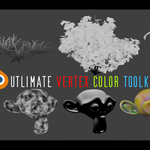
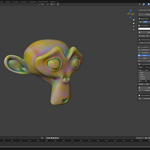
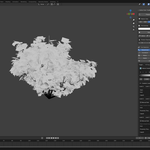
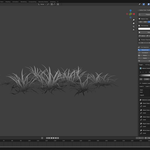
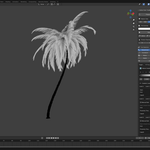
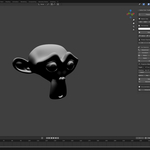
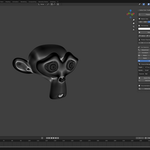
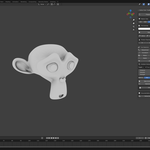
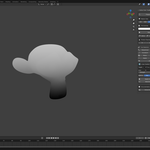
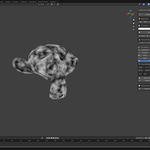
Works on your model's own vertex colors.
- Fixed: on a model that already has its own color attribute (most imported models: "Col", "Color"...), the tools wrote to a separate, white "VCTool_Color" layer instead of the model's colors, so baking AO into one channel looked inverted.
- Now the tools work directly on the mesh's own color attribute, and the panel shows "Using this mesh's own '<name>'". Type another name in Target Layer to write to a separate layer instead.
- Includes 1.3.3: Invert Result for the AO bake.
Files:
- vertex_color_toolkit_1.3.4.zip: Extension for Blender 4.2 to 5.2 (Get Extensions > Install from Disk).
- UVCToolkit1.3.4.zip: classic add-on for Blender 4.0 and 4.1 (Preferences > Add-ons > Install).
Invert option for the AO bake.
- New: Invert Result in the Ambient Occlusion tool. Occluded areas become light and open areas dark, ready to use as a cavity or dirt mask. Same result as a normal bake followed by Channel Manager > Invert.
- Docs: the online documentation now matches the panel exactly (AO settings, Fill, Channel Protection, Prepare for Export, and which tools need Cycles).
Files:
- vertex_color_toolkit_1.3.3.zip: Extension for Blender 4.2 to 5.2 (Get Extensions > Install from Disk).
- UVCToolkit1.3.3.zip: classic add-on for Blender 4.0 and 4.1 (Preferences > Add-ons > Install).
Support moves to Discord.
- New: Support (Discord) button in the panel, linking to the 3D Texel Discord. Support links in the manual and changelog now point there too.
- Includes the 1.3.1 brush-safe channel lock: Protect Channels also covers Blender's own Vertex Paint and Sculpt brushes.
Files:
- vertex_color_toolkit_1.3.2.zip: Extension for Blender 4.2 to 5.2 (Get Extensions > Install from Disk).
- UVCToolkit1.3.2.zip: classic add-on for Blender 4.0 and 4.1 (Preferences > Add-ons > Install).
Critical fix: the tools no longer delete your materials.
Fill Controls, Apply Noise and the bake tools could remove every material on the active object except the first one. If you work with multi-material game assets, this is the update you want.
The cause was the channel viewer, not the fill tools themselves. Switching the viewer on took a snapshot of the object's material list; every later tool run forced the list back to that snapshot, deleting any slot added since and reverting any slot that had changed. The viewer now shows its preview through object-level slot overrides, so your material list is never written to at all.
Files damaged by an earlier version are repaired automatically when you open them in 1.3.0 — the original materials are restored.
Also fixed
- Objects no longer stay stuck showing the preview material after you select a different object.
- Float Color attributes, and color attributes stored per-vertex instead of per-face-corner, are now detected and written correctly. Previously the toolkit missed them and silently created a duplicate
<name>.001attribute, so your edits appeared to do nothing. - Per-corner colour variation is preserved instead of being flattened.
- Materials are always left clean when the addon is disabled or another file is loaded.
Blender 5.x support
- Verified on Blender 4.5 LTS and Blender 5.2 LTS.
- Installs either as a classic add-on or as a Blender Extension (4.2+).
- Migrated off the deprecated vertex colors API to color attributes, replaced the Separate RGB node removed in Blender 5.0, and handled the EEVEE ambient occlusion settings that moved in 5.0.
Which file do I download?
- vertex_color_toolkit-1.3.0-extension.zip — Blender 4.2 and newer. Drag onto Blender, or Edit > Preferences > Add-ons > Install from Disk.
- UVCToolkit1.3.zip — classic add-on install, Blender 4.0+.
Both contain the same code.
Archived release, kept so existing customers keep access to the files they originally downloaded.
- Fixed: "Apply Color" now respects the "Selection Only" toggle.
For Blender 4.x. Newer releases add Blender 5.x support and fix the material loss issue.
Have questions about this product?
Login to message

Discover more products like this
3d shader mesh channel vertexwind wind tool ao add-vertex-color edge curvature