Undo History
 alexdepario
in Interface





Overview
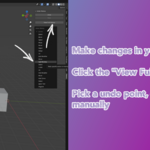
Undo History provides clear visual visibility over your undo stack directly inside Blender's interface. Designed to streamline modeling, scene layout, and iterative experimentation, it allows you to review recent operations at a glance and restore earlier states without losing track of your steps.
Installation
Download
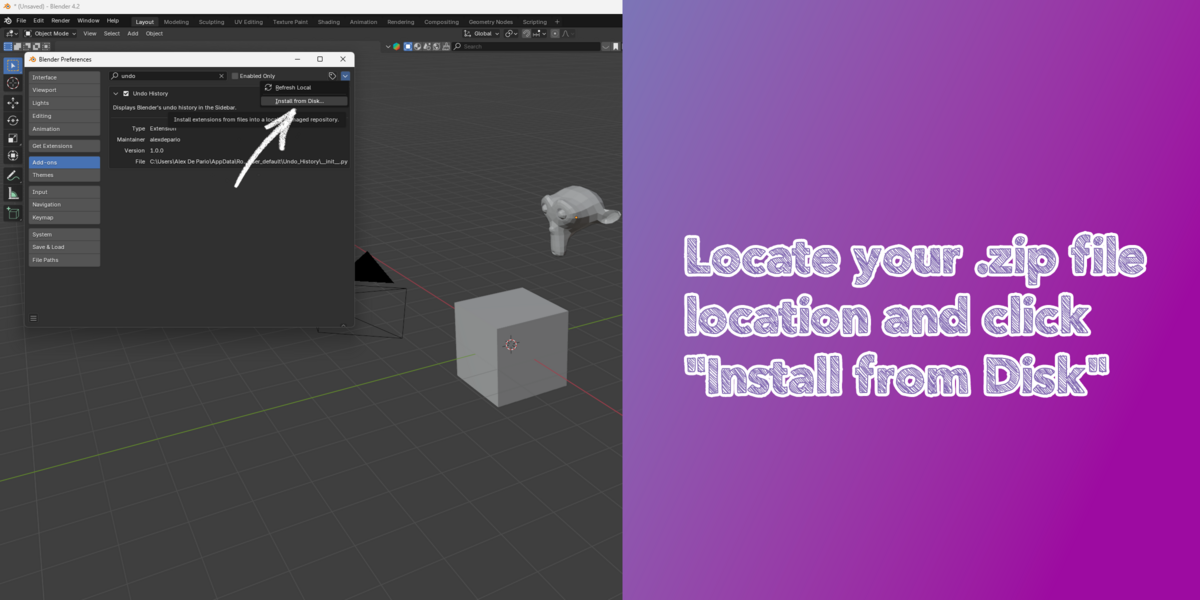
Undo_History.zipwithout extracting its contents.Open Blender and navigate to Edit > Preferences > Add-ons (or Get Extensions in Blender 4.2+).
Click the drop-down arrow in the top-right corner and select Install from Disk... (or drag and drop
Undo_History.zipdirectly into the Blender window).Select
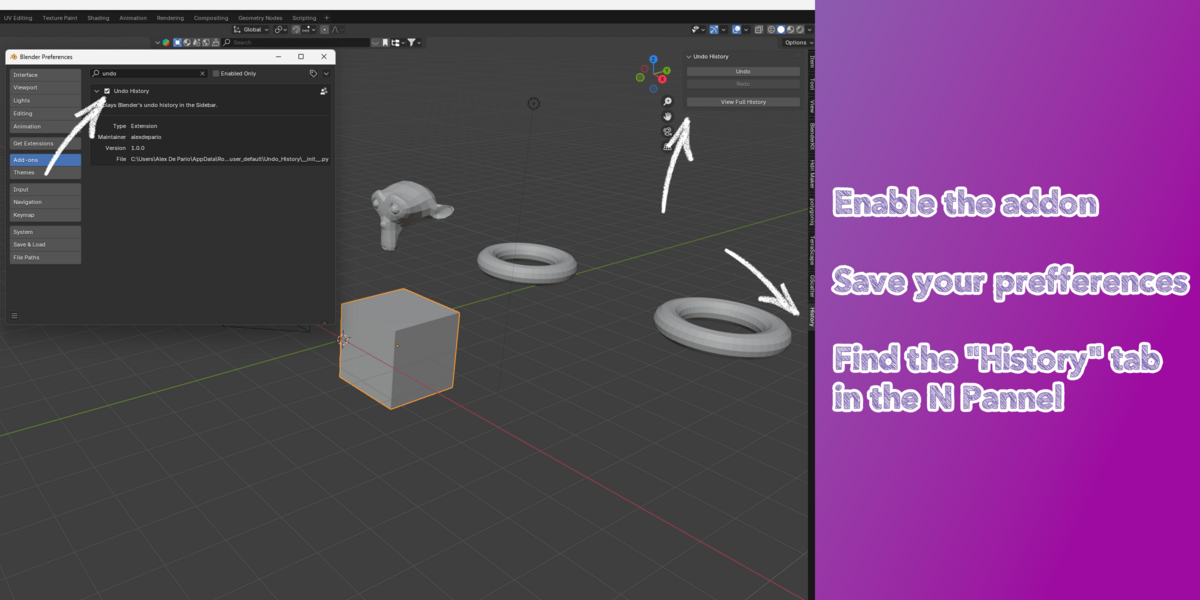
Undo_History.zipand confirm that Enable on Install is checked.Verify that Undo History is active in your enabled add-ons list.
How to Use
Open the Sidebar: In the 3D Viewport, press
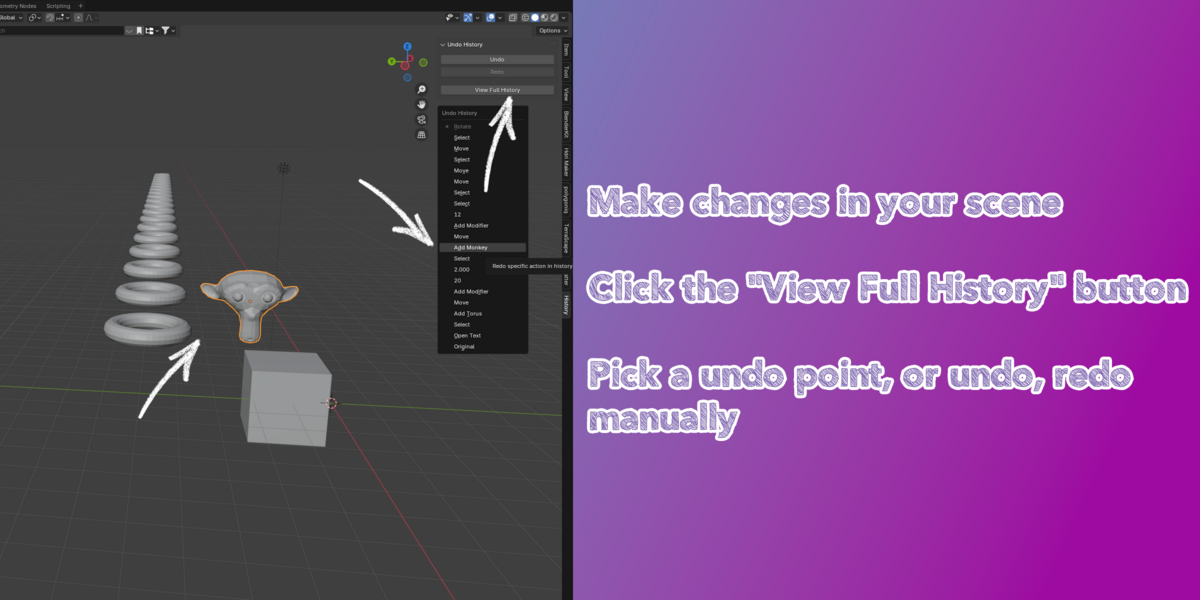
Nto toggle the Sidebar and open the Undo History tab.Monitor Recorded Steps: As you edit, transform, or modify objects in your scene, your actions populate in the history list.
Restore a State: Click any step in the list to jump directly back to that point in your workflow.
Package Contents
Undo_History/__init__.py: Core add-on operator and interface logic.Undo_History/blender_manifest.toml: Extension manifest and compatibility metadata.
Have questions about this product?
Login to message
| Blender Extension Compatible | Yes |
| Sales | 20+ |
| Published | almost 2 years ago |
| Blender Version | 4.3, 4.2, 4.1, 4.0, 3.6, 3.5, 3.4, 3.3, 3.2, 3.1, 3.0 |
| Extension Type | Add-on |
| License | GPL |

alexdepario