 Fleitec
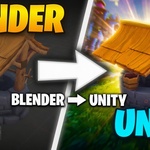
UniForge is a one-click bridge between Blender and Unity. It exports your
meshes, materials and shader node setups into a single .unif file that a
companion Unity importer turns into ready-to-use prefabs, meshes and
materials — keeping the work that FBX and glTF usually throw away.
KEY FEATURES
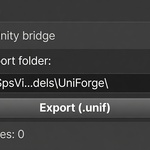
- One-click export from Blender; auto-import in Unity (drop the .unif into
your project and it builds a prefab, mesh and materials).
- Self-contained files: textures are embedded into the .unif, so there are
no loose files to manage.
- Full PBR materials: Base Color, Metallic, Roughness/Smoothness, Normal,
Emission and transparency map straight onto Unity's Lit shader.
- Procedural materials are baked to textures automatically (Noise, Color
Ramp, etc.), so what you see in Blender is what you get in Unity.
- Multiple objects in one file, with the parent hierarchy and transforms
preserved, plus multi-material (submesh) support.
- Bidirectional: import a .unif back into Blender to rebuild the scene.
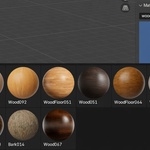
- Built-in CC0 material browser (ambientCG): search, preview and apply
free PBR materials to your objects in seconds.
- Material tiling configurator: adjust scale/offset/rotation per object.
- In-add-on auto-updater: get new versions with one click.
WHO IT'S FOR
Game developers and 3D artists who build assets in Blender and ship them
in Unity, and who want a faster, cleaner pipeline than repeated FBX
exports.
REQUIREMENTS
- Blender 3.6+ (4.x recommended)
- Unity 2021.3 LTS or newer (incl. Unity 6), Universal Render Pipeline (URP)
NOTE
UniForge focuses on static assets (meshes, materials, hierarchy). Skeletal
animation support is planned for a future update.
Uniforge


Discover more products like this
Material pipeline addon texture-baking PBR game-dev Exporter Workflow 3d asset export 3D asset for Unity unity Blender-to-Unity
$14.99
Have questions about this product?
Login to message
| Published | 3 months ago |
| Blender Version | 3.6 - 5.2 |
| Extension Type | N/A |
| Render Engine Used | Cycles, Eevee |
| License | GPL |