 Umberto



What is it:
This is a node setup useful for avoiding annoying tile repetition of the seamless textures when you scale them up a lot.
The node is very simple to use, but has many settings for adjusting the look of the textures and adapt to a wide range of use cases. It requires an UV unwrapped object and, unlike other methods, it supports normal maps too!
In this image you can see a short description of every parameter and output, it’s very straightforward to use and the best way to understand it is to have a play around. Open the image in a new tab to see it larger.
How it looks:
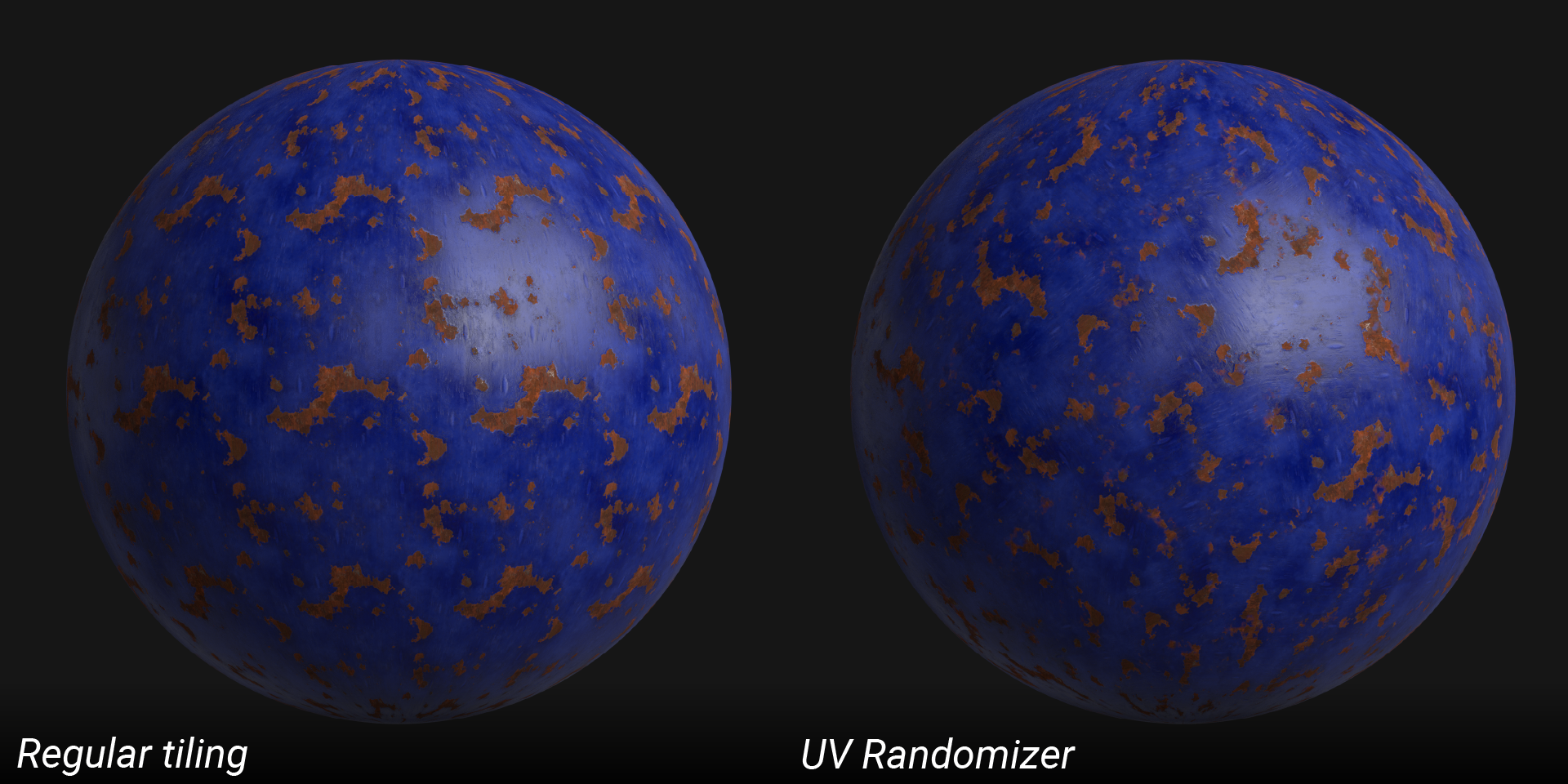
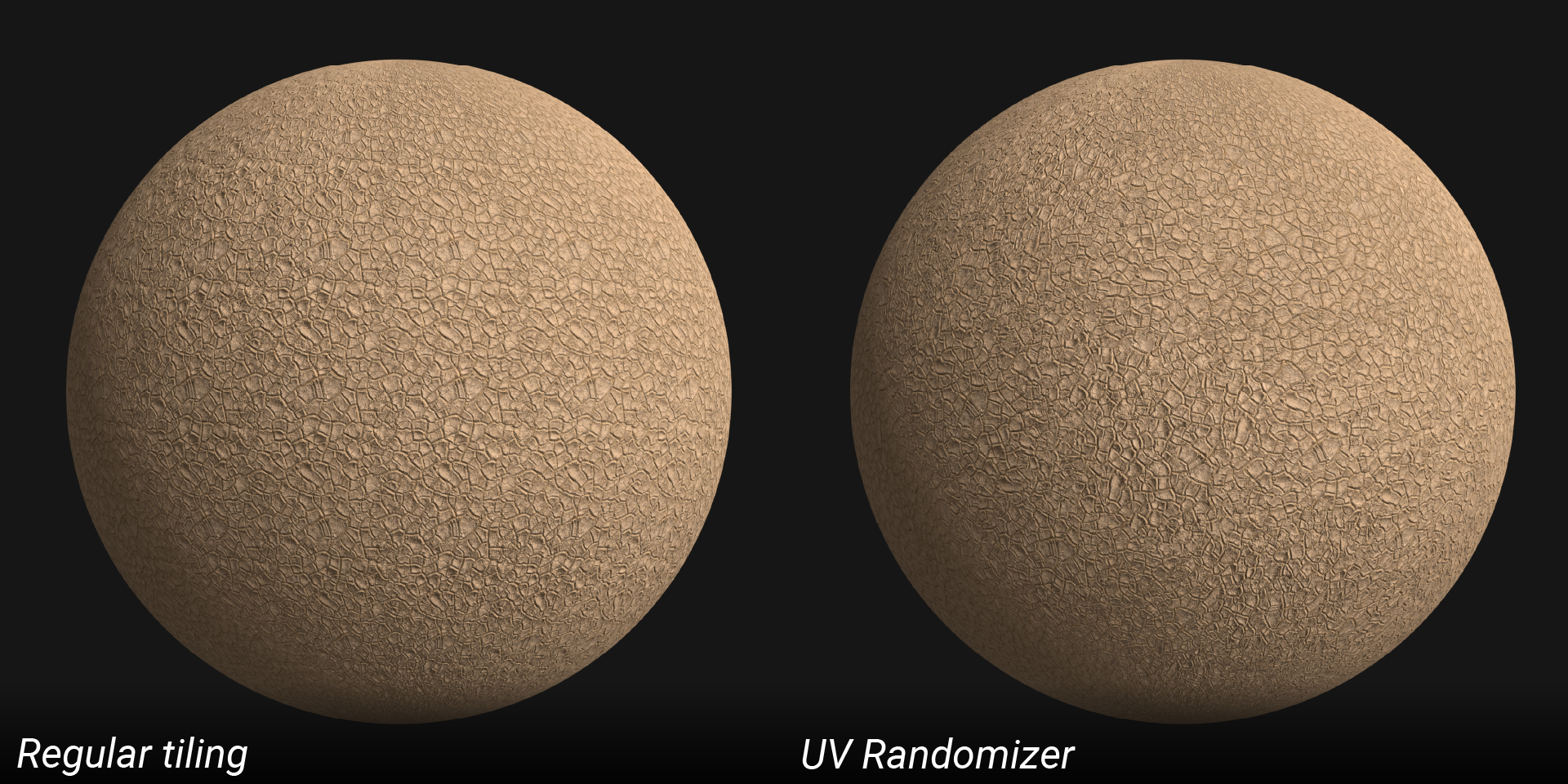
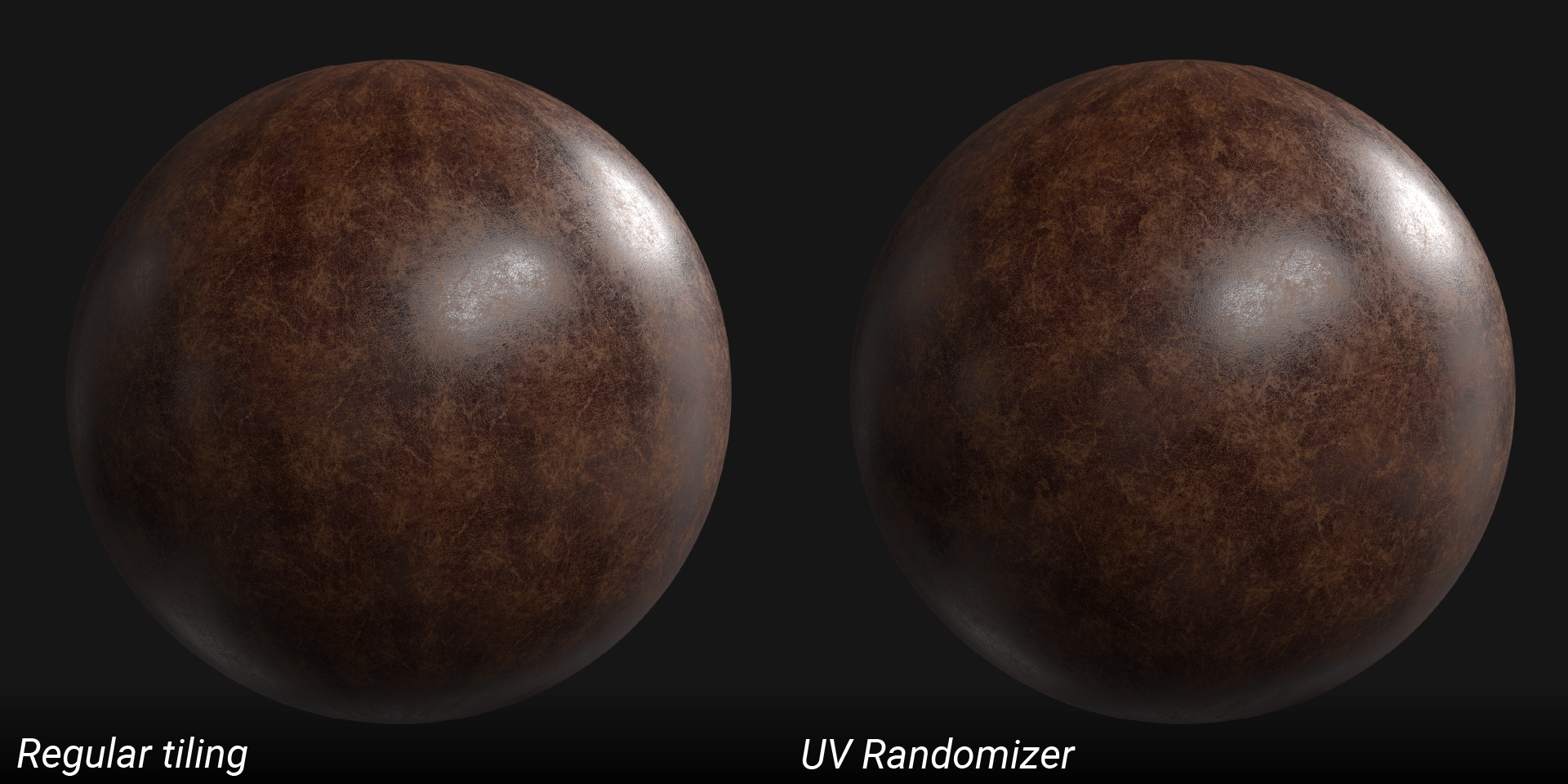
Here you can see how UV Randomizer can avoid the perception of the repetition of a seamless texture. Open the image in a new tab to see it larger.
How it works:
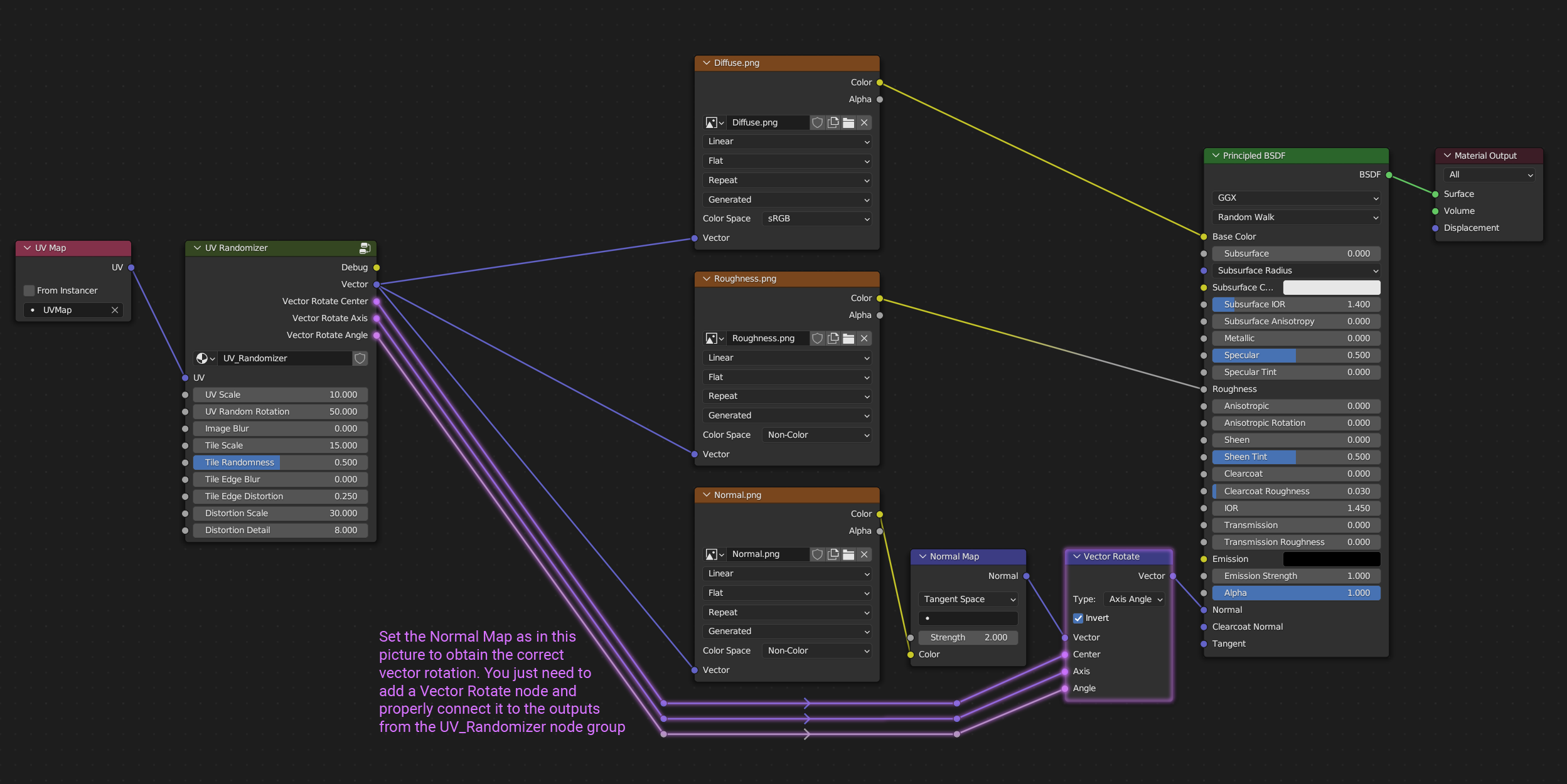
It is very easy to set up: simply append the node from the downloaded file and connect it between the texture images and the UV Map node.
If you need a normal map you have to add a Vector Rotate node between the Normal Map node and the Normal input of the Shader node. You can see how to properly connect it in the image below, remember to enable the Invert checkbox and set Type to Axis Angle!
It works with Eevee too!