UV Randomizer - Blender UV Tiling Fixer
 Umberto



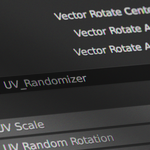
It is very easy to set up: simply append the node from the downloaded
file and connect it between the texture images and the UV Map node.
If
you need a normal map you have to add a Vector Rotate node between the
Normal Map node and the Normal input of the Shader node. You can see how
to properly connect it in the image below, remember to enable the
Invert checkbox and set Type to Axis Angle!
Have questions about this product?
Login to message
| Published | 5 months ago |
| Blender Version | 3.5 - 5.1 |
| Render Engine Used | Cycles, Eevee |
| License | Royalty Free |