 Aman3D


Can I still use Blender's normal UV workflow?
Yes. You can continue using Blender's standard UV tools alongside UV Unwrap Master whenever you need manual control.
Is UV Unwrap Master useful for game assets?
Yes. It's particularly useful when preparing large collections of game assets, environments, modular assets, and other projects containing many objects.
Does the addon replace Blender's native UV tools?
No. UV Unwrap Master works with Blender's existing UV system, focusing on automating and organizing repetitive batch workflows.
What are “Fake UVs”?
Fake UVs are unnecessary or invalid UV Maps that may remain on objects without providing useful UV data. The Delete Fake UVs feature helps clean them up.
Will creating a New UV Map delete my existing UV Map?
No. The Create New UV Map feature adds a new UV Map while preserving your existing UV Maps.
What does “Sharing Materials” do?
It allows objects using the same material to be combined and unwrapped together, helping avoid unnecessary UV overlap when they share the same texture space.
What is Combined Unwrap?
Combined Unwrap processes multiple objects together and creates a shared UV layout for them.
Does Individual Unwrap affect my other objects?
No. Individual Unwrap processes each object separately, giving each object its own UV layout.
How many objects can I add to the Objects Tray?
You can add hundreds of objects to the tray and process them through the same organized workflow.
What is UV Unwrap Master?
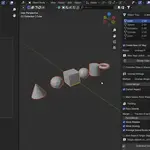
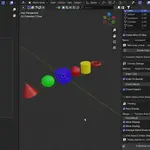
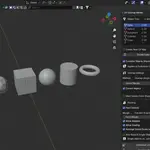
UV Unwrap Master is a Blender add-on designed to make batch UV unwrapping faster and more organized, especially when working with large numbers of objects.
Have questions about this product?
Login to message
| Blender Extension Compatible | Yes |
| Published | about 2 months ago |
| Blender Version | 4.0 - 5.2 |
| Extension Type | Add-on |
| Render Engine Used | Cycles |
| License | GPL |
Discover more products like this
unwraping autounwrap uvunwraptool UVUnwrap ucunwrappro uvunwrapmaster uv uvs