 3DVision


V-Render – Render Simulation Tool
Create professional "Before/After" showcases effortlessly.
V-Render is a specialized Blender tool designed to highlight the quality of your final renders by comparing them directly with your viewport work in a dynamic, cinematic way.
Video Demo
Key Features
- Blender 5.0+ Optimized – Built for the latest versions of Blender.
- Eevee & Cycles – Fully compatible with all major render engines.
- Smart Camera Support – Works with both perspective and orthographic cameras.
- Resolution Autoadapt – UI elements automatically match your camera's resolution.
Advanced Functionalities

Render Simulation
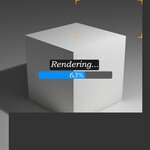
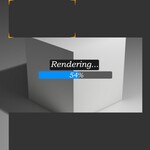
Animate the render progression with a visual progress bar.
Animate the render progression with a visual progress bar.

Versus Mode
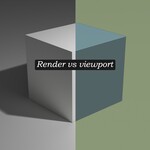
Side-by-side comparison using pre-rendered viewport images.
Side-by-side comparison using pre-rendered viewport images.
Transition & Customization
- Dynamic Angle – Control the separation line orientation (Vertical, Horizontal, or Diagonal).
- Blend Control – Adjust the feathering for smooth or sharp transitions.
- Editable Text – Fully customize labels and on-screen messages directly in the settings.
- Progress Bar – Toggle a visual loading bar to enhance the simulation aesthetic.
How It Works
- Setup: Add the tool to your project via the Asset Browser.
- Import: Load your image sequences (viewport and render) into the Image Texture node.
- Simulation: Use the add-on parameters to trigger the generation simulation.
- Design: Tweak the Angle and Blend to finalize your presentation style.
Why Choose V-Render
V-Render transforms project presentations into dynamic storytelling. It is the ideal tool for artists who want to demonstrate the technical evolution of their work—from raw viewport to final masterpiece—in a professional and engaging way.
Includes
V-Render.blend file (Asset Browser ready)
Future updates & community support