 Team Blender



🗄️ Blend Vault — Local Version History for Blender
Blend Vault brings powerful, automatic version history directly into Blender.
Create snapshots of your .blend file, browse a visual timeline, compare changes, restore objects, or fully roll back your project — all stored locally, with zero cloud dependency.
Whether you're working on complex scenes, experimenting with modeling ideas, or iterating animation passes, Blend Vault ensures you never lose progress again.
⭐ Key Features
🔴 Automatic Snapshots
Blend Vault can automatically create snapshots every time you save your file. Set a minimum time between snapshots to avoid clutter and keep your timeline clean.
⏱️ Optional Periodic Auto‑Save
Enable timed auto‑save + snapshot creation (e.g., every 15 minutes). Perfect for long sessions or simulation work.
🖼️ Thumbnail Capture
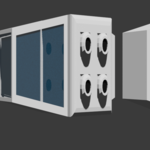
Each snapshot can include a small viewport thumbnail, giving you a visual timeline of your project’s evolution. Thumbnails are captured using Blender’s OpenGL viewport render.
📂 Local Vault Storage
Snapshots are stored safely inside your project folder:
/your_project/.blend_vault/<filename>/
Each snapshot includes:
A full
.blendfileOptional thumbnail
Timestamp & label
Milestone flag
Object metadata (location, rotation, scale, modifiers, mesh stats)
🔍 Diff Viewer
Compare any snapshot with your current scene:
Added objects
Removed objects
Modified objects
A clean popup shows exactly what changed.
🔁 Restore Options
Blend Vault gives you two restore modes:
1. Full File Restore
Replace your current .blend with a snapshot.
A safety snapshot is automatically created before restoring.
2. Restore Changed Objects Only
Append only the objects that differ between the snapshot and your current scene. Ideal for recovering lost geometry or restoring specific edits.
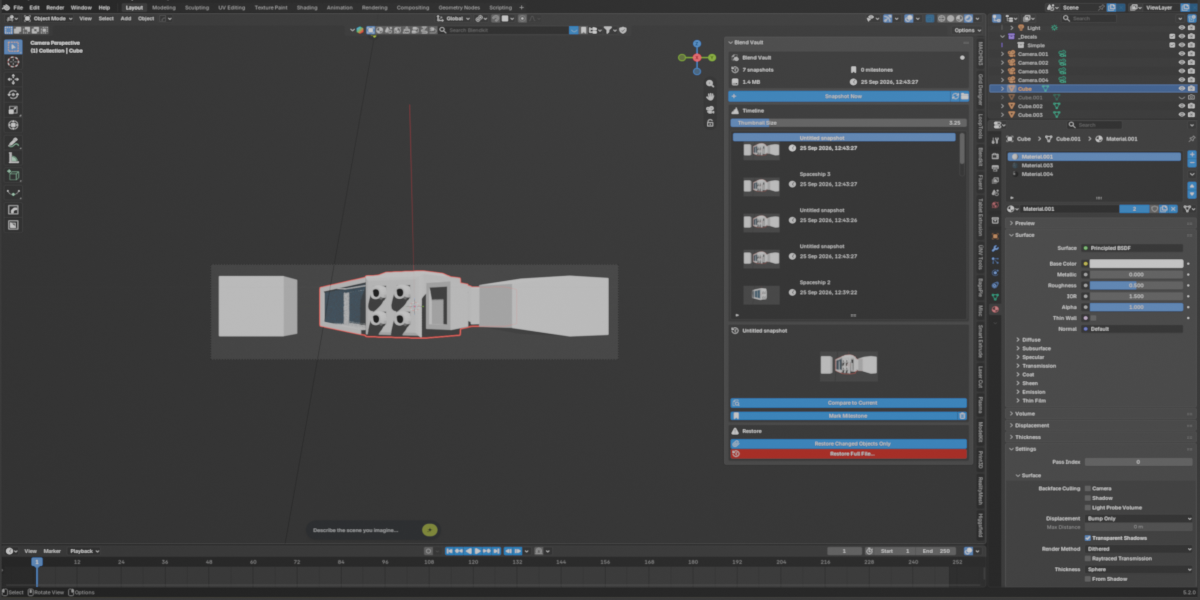
🧭 Timeline UI
Blend Vault adds a dedicated panel to:
3D Viewport > Sidebar (N) > Vault
The UI includes:
Snapshot timeline
Thumbnails
Milestone toggle
Delete snapshot
Diff viewer
Restore tools
Open vault folder
Thumbnail size slider
Everything is designed to be fast, intuitive, and Blender‑native.
⚙️ Preferences
Blend Vault includes a full preferences section:
Max snapshots
Snapshot on save
Minimum seconds between auto‑snapshots
Periodic auto‑save interval
Thumbnail capture toggle
These settings give you full control over how Blend Vault manages your project history.
🎯 Who Is It For?
Blend Vault is perfect for:
Modelers
Animators
Hard‑surface artists
Environment artists
Technical artists
Anyone who wants reliable version history inside Blender
If you’ve ever lost progress, overwritten a file, or wished you could go back in time — Blend Vault is your new essential tool.
🔐 100% Local, Private, Offline
No accounts. No cloud. No external dependencies. Your snapshots stay on your machine, inside your project folder.
🚀 Boost Your Workflow
Blend Vault gives you confidence to experiment, iterate, and push your creativity — knowing every version is safely stored and instantly recoverable.