Vfx Gen Blender Addon
 Blender house



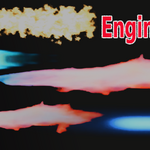


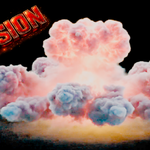
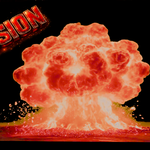
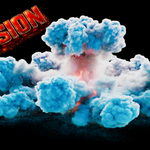
VFX GEN is a procedural VFX library addon for Blender that provides 55+ ready-to-use visual effects. All effects are built using Geometry Nodes and optimized for performance, allowing real-time use even on low-end systems.
Installation
- Open Blender
- Go to Edit > Preferences > Add-ons
- Click Install
-
Select the VFX GEN
.zipfile - Enable the addon by ticking the checkbox
How to Use
- Open the 3D Viewport
- Press N key to open the side panel
- Find the VFX GEN tab
- Select any effect from the list
- Click Import
- The VFX will be added instantly to your scene
Customization
All VFX assets are customizable. After importing, you can adjust:
- Scale (size of effect)
- Intensity (strength of effect)
- Timing/animation speed (if applicable)
- Color variations (for selected effects)
- Density or simulation detail (depending on effect type)
Included Effects
- Fire & Ground Fire
- Explosion & Big Blast Explosion
- Sparks & Energy Effects
- Lightning Strike
- Rain & Snow Simulation
- Dust & Weather Effects
- Gas Explosion
- Water Simulation
- Blood Effects
- Fireworks
- Birds & Fish Flying
- Missile Attack Effects
- Energy Beams
Requirements
- Blender 3.0 or newer
- Works on Windows, Linux, and macOS
- Optimized for low and high-end PCs
Support
If you face any issues or need help, feel free to contact support. Updates and improvements will be provided regularly.
Discover more products like this
snow missile Lighting 3DNuclearExplosion a large explosion 3d explosion 3d pipeline vfx asset blender strike spark 3d asset for vfx fire rain