VFX HDRI Shader
 ThunderTools


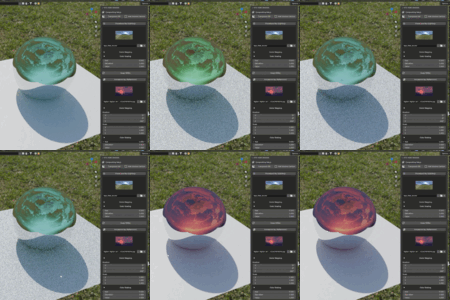
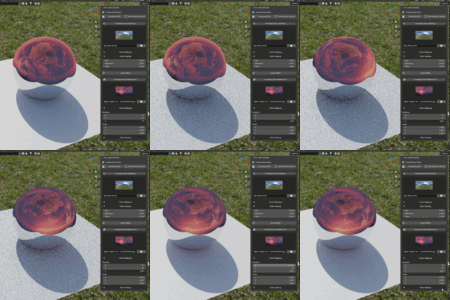
Here is the complete text for both the Documentation and Frequently Asked Questions sections.
You can copy and paste these directly into the Blender Market rich text editors. I have structured the documentation to be clean and easy to scan, which drastically reduces customer support emails!
Documentation (Copy & Paste this into the top box)
Welcome to the VFX HDRI SHADER! This add-on is designed to eliminate the repetitive node-wiring required for professional VFX compositing in Blender. Follow this guide to get started.
Installation
Download the
.zipfile provided with your purchase.In Blender, go to Edit > Preferences > Add-ons.
Click the Install... button in the top right and select your downloaded file.
Check the box next to VFX HDRI SHADER to enable it.
(Recommended) Save your preferences so it is always active.
Getting Started
Open any 3D Viewport.
Press 'N' on your keyboard to open the side panel.
Click on the new VFX Shader tab.
Click the massive BUILD EXACT VFX SETUP button. Note: This will automatically create a new World Material named "VFX_Pro_World" and wire up the complete node tree behind the scenes.
Feature Guide
-
Compositing Setup: At the top of the panel, you will find quick-access toggles for your render.
Transparent BG: Instantly toggles Film Transparency so you can see your live-action backplates.
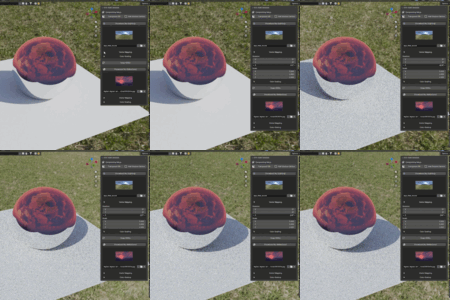
Add Shadow Catcher: Drops a massive floor plane at world origin, switches your engine to Cycles, sets your device to GPU Compute, and enables the Shadow Catcher visibility flag all in one click.
-
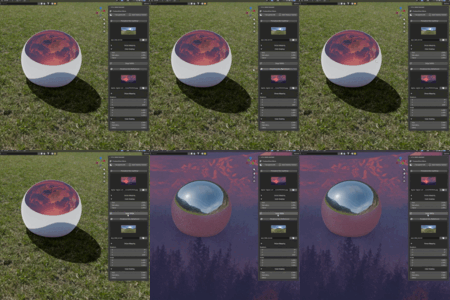
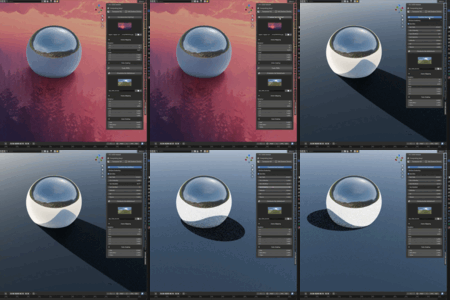
Lighting vs. Reflection Layers: The suite completely separates what illuminates your scene from what reflects in your glossy materials.
Use the Procedural Sky toggle to use Blender's built-in physical sky model for either layer.
When the sky is off, use the Visual Picker to browse and select your custom
.exror.hdrfiles.
Vector Mapping & Color Grading: Click the dropdown arrows underneath your HDRI previews to reveal independent scale, rotation, hue, saturation, and value sliders for that specific layer.
Swap HDRIs: When both Procedural Skies are turned off, a "Swap HDRIs" button appears. Click this to instantly trade your lighting and reflection environments to test different visual combinations.
Have questions about this product?
Login to message
| Dev Fund Contributor | |
| Published | 5 months ago |
| Blender Version | 5.0 - 5.1 |
| Extension Type | N/A |
| Render Engine Used | Cycles |
| License | GPL |
Discover more products like this
world Cycles nodes shadow catcher environment eevee hdri Workflow VFX Compositing Shader Lighting