ViewStack – One-Click Orthographic Views
 Strates Digitales Labs
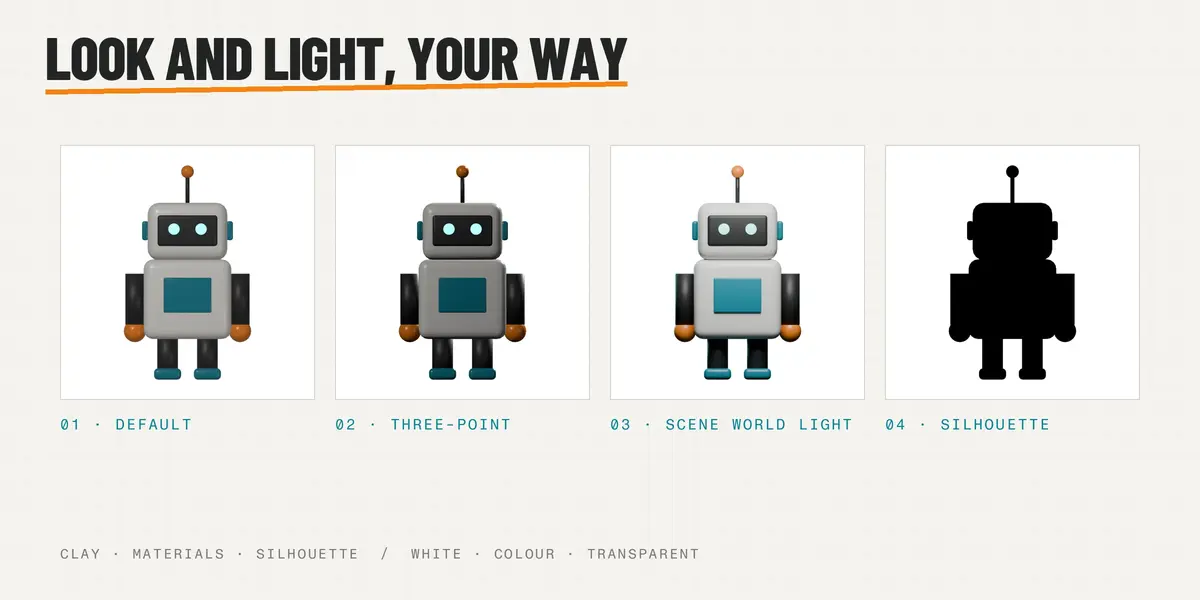
Does ViewStack change my scene?
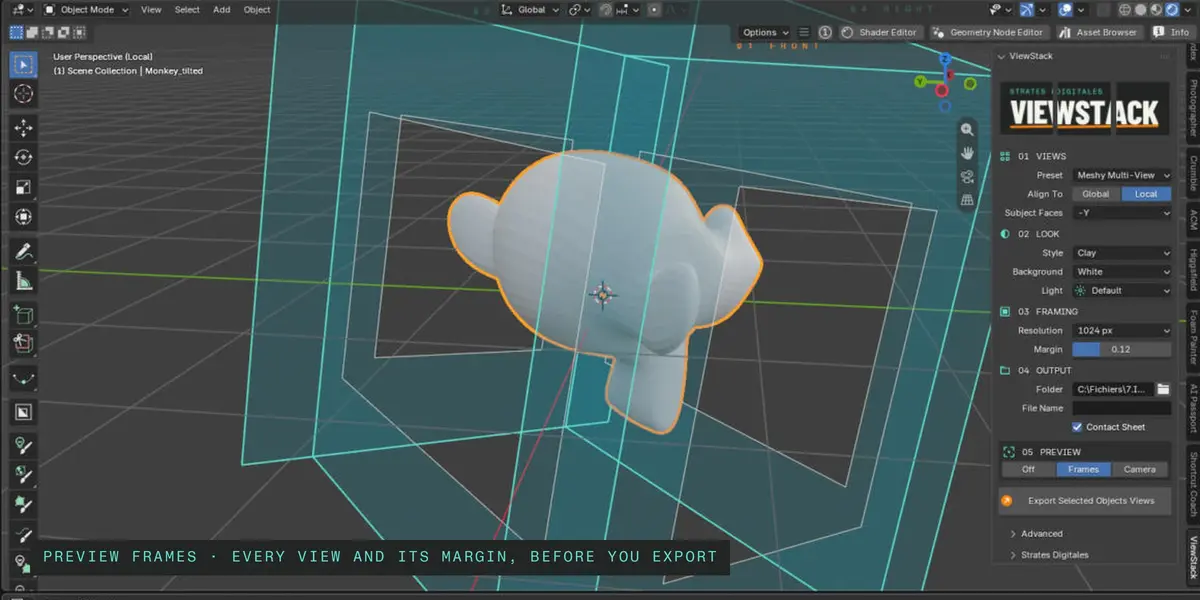
No. The cameras, lights and settings it needs are created for the export and removed right after, even when a render fails. Your materials, selection and viewport are put back as they were.
Which Blender versions are supported?
Blender 5.2 and newer. ViewStack is a Blender Extension: install the zip from Edit > Preferences > Get Extensions > Install from Disk.
Do I need to place cameras or write scripts?
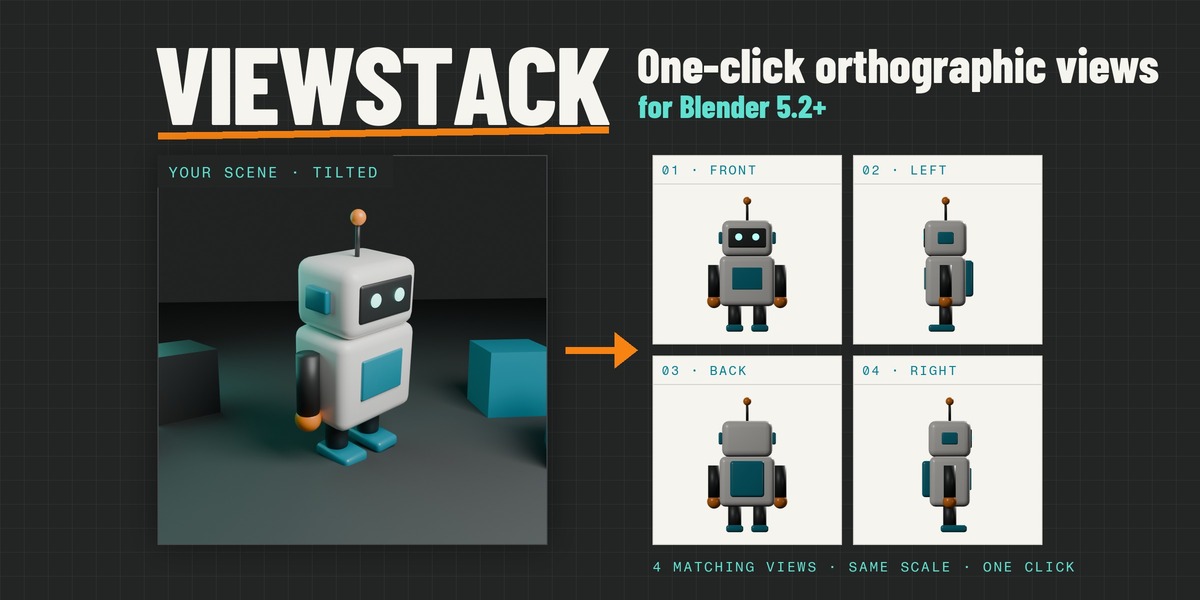
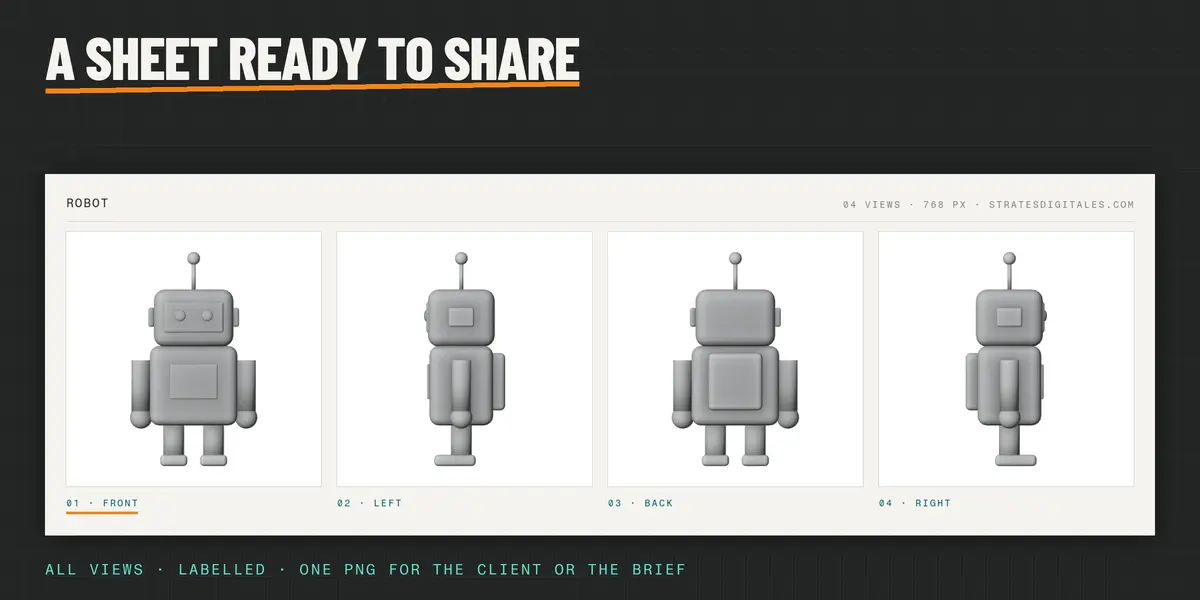
No. Select your objects and press Export Selected Objects Views. ViewStack frames every view for you, with the same scale and centring.
Does it connect to Meshy, Tripo or another AI service?
No. ViewStack prepares the images on your computer, named and ordered for multi-view image-to-3D input. You upload them yourself, to the tool of your choice.
Why not just use Blender's own cameras?
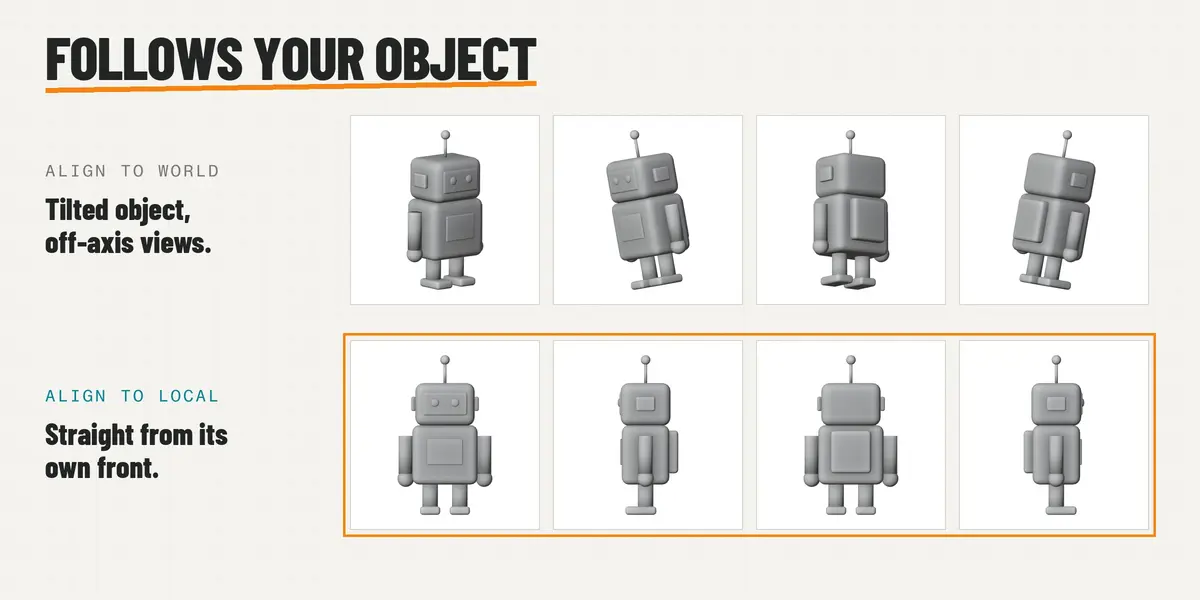
You can. You would place and align one camera per view, match the zoom so every view has the same scale, render each one and rename the files, and redo it all when the object is rotated. ViewStack does all of that in one click and can follow the object's own axes.
Can I export several objects together?
Yes. Select them all: they are framed together as one subject, and the active object sets the axes when you align to Local.
Have questions about this product?
Login to message
| Blender Extension Compatible | Yes |
| Published | about 1 hour ago |
| Blender Version | 5.2 |
| Extension Type | Add-on |
| Render Engine Used | Cycles, Eevee |
| License | GPL |
Discover more products like this
Render meshy multi-view tripo Image-to-3D turnaround ai blueprint front view contact sheet orthographic reference sheet