Vintage Retro Scooter - AAA Game Ready Asset / 3D Model + Full Tutorial
 reyhane_3d


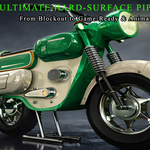
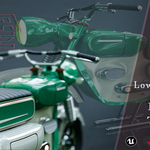
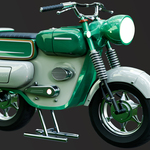
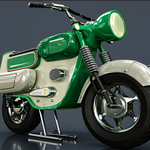
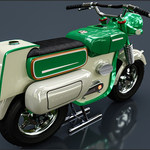
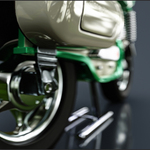
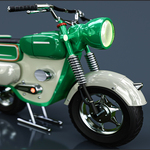
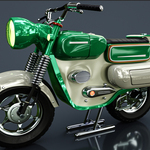
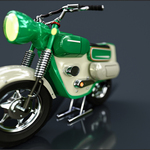
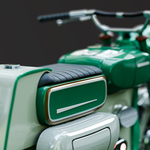
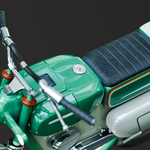
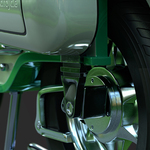
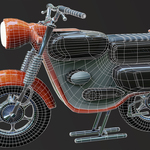
# 📖 Setup & Workflow Guide
Thank you for purchasing the **Vintage Retro Scooter** asset package and tutorial series! This guide covers file organization, material integration, and tutorial workflow.
---
### 📁 Folder & File Structure
* `Motorcycle-3DModel-Lowpoly/` : Optimized Game-Ready asset (53.7K Tris) in FBX and OBJ formats.
* `Motorcycle-3DModel-Highpoly/` : Detailed high-poly master sculpt (3.06M+ Tris) for custom baking and high-resolution rendering.
* `Motorcycle-4kTextures-Lowpoly/` : Full PBR 4K texture set (BaseColor, Metallic, Roughness, Normal, AO).
* `Motorcycle-4kTextures-Highpoly/` : Dedicated high-poly texture maps and materials.
* `Motorcycle-Refrence/` : Reference image board used throughout the modeling process.
* `Tutorial_Modules/` : Complete multi-part silent screen-recorded video series with keyboard hotkeys and mouse shortcut overlays.
---
### 🎨 Engine & Material Setup
1. **Blender:** Open the scene file or import the low-poly FBX/OBJ. Textures plug directly into the standard Principled BSDF shader.
2. **Unreal Engine 5:** Import the low-poly FBX. Assign 4K textures from the low-poly folder into standard PBR material slots.
3. **Marmoset Toolbag:** Load the FBX mesh and connect BaseColor, Roughness, Metallic, and Normal (DirectX/OpenGL) maps for real-time portfolio rendering.
---
### 🎓 Video Tutorial Roadmap
* **Part 1:** Full High-Poly Modeling & Mechanical Form Creation
* **Part 2:** Retopology & Low-Poly Optimization
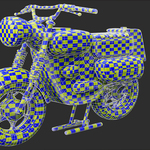
* **Part 3:** UV Unwrapping & Texel Density Optimization
* **Part 4:** Baking Maps & Advanced PBR Texturing (Substance Painter)
* **Part 5:** Rendering & Presentation (Blender Cycles & Marmoset Toolbag)
* **Part 6:** Unreal Engine 5 Import, Material Setup & Verification
Have questions about this product?
Login to message
| Published | 2 months ago |
| Blender Version | 2.83 - 5.2 |
| Render Engine Used | Cycles, Eevee |
| Misc Data | Uvs-Unwrapped, Animated, Low-High-Resolution, Normal-Mapped, Textured |
| License | Royalty Free |
Discover more products like this
Unreal Engine high poly vehicle vintage scooter PBR game ready low poly tutorial retro motorcycle hard surface 3d model