Vitrage Generator – Create Stained Glass in Seconds
 PeakDreams Studio


Vitrage Generator – Documentation
Procedural Stained Glass Creator for Blender
Turn any image into beautiful stained glass in just one click.
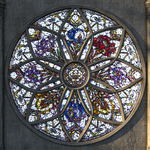
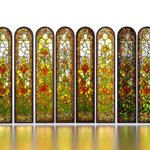
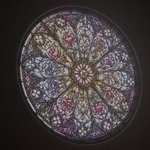
Vitrage Generator is a procedural Blender tool that automatically creates detailed stained glass / vitrage designs on virtually any shape or custom mesh.
You are not limited to traditional window forms — the system works with almost any silhouette, making it perfect for architectural visualization, fantasy artwork, stylized environments, props, and decorative designs.
The entire workflow is designed to be fast, intuitive, and beginner-friendly while still offering advanced artistic control for experienced Blender users.
Features
- One-click stained glass generation
- Works on almost any mesh shape
- Fully procedural workflow
- Advanced customizable glass shader
- Automatic frame and lead generation
- Realistic light caustics support
- Supports stylized and realistic results
- Randomized glass variation system
- Fast iteration workflow
- Copy final optimized meshes between Blender files
Quick Start
How It Works
Vitrage Generator is a modifier-based tool and is best used with the included Blender project file provided with the addon.
The recommended workflow is:
- Open the included Blender file
- Run the setup script
- The script automatically assigns the selected image to all required nodes and materials
- Choose your image
- Start editing and customizing the stained glass
This workflow ensures that all shaders, geometry nodes, and materials are configured correctly and ready to use immediately.
The generator automatically analyzes the image and creates stained glass geometry based on contrast, shapes, and color distribution.
Vitrage Generator is compatible with:
- Blender 5.0+
The addon is designed for modern Blender versions and fully supports Blender 5.0 and newer releases.
Important Workflow InformationResolution
Resolution changes the geometry resolution generated for the stained glass.
Higher values:
- create more detailed geometry
- produce smaller glass pieces
- increase calculation time
Lower values:
- generate simpler geometry
- work much faster
Click Before Apply
[Click Before Apply] should be enabled before applying the modifier to the final mesh.
After applying:
- the final mesh becomes significantly faster
- the model can be copied between Blender files
- no procedural recalculation is needed anymore
This is highly recommended for final production scenes.
Slice Method (3D Mesh)
The Slice Method controls how the ornament and glass segmentation are generated.
The system analyzes image contrast and creates geometry between different tonal areas.
Available Methods
Basic Slice
Standard slicing mode suitable for most images.
Slice by Bright / Hue
Uses brightness and hue differences to generate more advanced segmentation.
This mode is especially useful for colorful or high-contrast images.
Line Preview
Displays a live preview of generated slice lines.
If the addon becomes slow during editing, it is recommended to disable Line Preview for better performance.
Slice Points
There are 3 separate slice points:
- Slice Point 1
- Slice Point 2
- Slice Point 3
These values control the cutting thresholds used during geometry generation.
Recommended Usage
For darker images:
- use lower values
For brighter images:
- use higher values
Default settings should work well in most situations.
Delete Smaller Pieces
Removes tiny geometry fragments generated during slicing.
Useful for:
- cleaning the mesh
- removing artifacts
- optimizing topology
Veins & Frame (3D Mesh)
These settings control the metal frame and lead connections between glass pieces.
3D Resolution
Controls profile geometry resolution.
Higher values:
- smoother geometry
- heavier mesh
Lower values:
- simpler geometry
- better performance
Veins Width
Controls the width of lead connections between glass pieces.
Veins Height
Controls the height of the lead veins.
Frame Width
Controls the width of the outer frame around the stained glass.
Frame Height
Controls the height of the outer frame.
Voronoi (Material)
This is one of the most important sections of the addon.
The stained glass is divided into two procedural regions:
- MIN area
- MAX area
This allows you to create two different glass piece scales within a single stained glass design.
Scale MIN / MAX
Controls glass piece size.
Important:
- Higher numbers = smaller glass pieces
- Lower numbers = larger glass pieces
Recommended range:
- 30 – 200 for most artworks
Example:
- Scale MIN = large pieces
- Scale MAX = tiny details
Randomness MIN / MAX
Controls randomness of the generated glass shapes.
Values:
-
0= no randomness -
1= maximum randomness
MIN and MAX affect the two procedural regions independently.
Voronoi Shape MIN / MAX
Controls the shape style of Voronoi glass cells.
MIN and MAX correspond to the two procedural regions.
Experimentation is highly recommended here because this parameter strongly affects the artistic style.
Smooth
Smooths the borders between glass pieces inside the shader.
Useful for softer and more polished visuals.
Parallax (Material)
Adds depth and internal volume illusion to the glass.
This helps the stained glass appear more realistic and physically rich.
Depth
Controls parallax depth intensity.
Slide Intensive
Controls visible sliding intensity inside the glass surface.
Bevel Light Thickness
Controls bevel lighting thickness.
Corner Fix
Helps fix visual artifacts on parallax edges and corners.
Recommendation
These settings are generally optimized already and usually do not require major adjustments.
Color (Material)
Controls light behavior and color variation of the glass.
Gain Light
Controls how much light passes through the glass.
Higher values:
- brighter stained glass
- stronger illumination
Gain Shadow
Controls how much shadow passes through the glass.
Soft Random Colors
Controls procedural color randomness.
Values:
-
1= minimal randomness -
100= highly randomized colors - negative values = darker randomized tones
Example:
-
-100creates darker color variation
Inside Light Color
Additional internal emissive color.
Useful for:
- magical effects
- fantasy windows
- stylized glowing glass
Bump (Material)
Controls surface texture and glass imperfections.
Noise / Voronoi / Magic
Texture type selector:
-
1= Noise -
2= Voronoi -
3= Magic
Noise Strength
Controls bump intensity.
Noise Scale
Controls texture scale.
Noise Detail
Controls texture detail level.
Noise Distortion
Controls texture distortion.
Noise Randomness
Controls randomization intensity.
Noise Smoothness
Smooths procedural texture transitions.
Noise Invert
Inverts bump information.
Shader (Material)
Global shader controls.
Shader Strength
Controls overall shader intensity.
Bump Strength
Controls global bump intensity.
Emission
Adds emissive glow to the glass.
Useful for:
- fantasy scenes
- stylized rendering
- magical windows
Extra Caustic
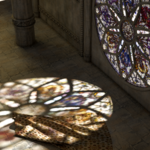
Enables additional realistic light caustics.
The addon can generate projected stained-glass lighting based on scene lighting direction.
Rim (Material)
Controls the outer frame material.
Rim Color
Changes frame color.
Rim Alpha
Controls frame transparency.
Rim Texture Scale
Controls texture scale on the frame material.
Performance Notes
Vitrage Generator is currently in Beta.
The addon is fully functional, although some operations may run slower because of the complex procedural calculations involved.
Performance optimization remains one of the highest priorities for future updates.
Future Updates
Planned improvements include:
- major optimization upgrades
- lower memory usage
- faster generation times
- additional slicing methods
- more advanced shader controls
- new procedural presets
- user-requested features
Feedback and suggestions are always welcome.
Early Support Discount
As a thank you to early supporters, the first 50 customers can receive a 25% discount code.
Other Tools
Be sure to check out our other Blender tools as well:
- Ornament Generator
- Stitch Generator
Have questions about this product?
Login to message
| Sales | 40+ |
| Dev Fund Contributor | |
| Published | 5 months ago |
| Blender Version | 5.0 - 5.1 |
| Extension Type | N/A |
| Render Engine Used | Cycles |
| License | GPL |
Discover more products like this
glass-generator vitrage vitrage-generator Glass stained glass stained-glass-generator 3d glass