Blender Easy




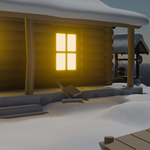
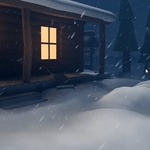
 ❄️ WinterFX
Complete Winter Effects Addon for Blender
🎬 WinterFX Overview
Transform your scenes into stunning cinematic winter environments instantly with a powerful all-in-one Blender add-on.
🚀 Four Powerful Systems. One Addon.
WinterFX combines everything needed to create snow, ice, frost and atmospheric winter effects in a fully procedural and non-destructive workflow.
No asset libraries. No setup headaches. Just install the add-on and start creating.
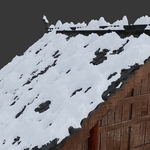
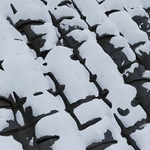
🌨️ Snow Cover Generator
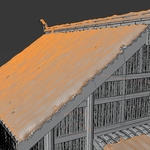
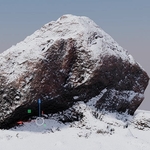
Generate realistic snow accumulation that automatically adapts to the shape of any object.
- Natural snow buildup
- Control thickness and coverage
- Physically believable accumulation
- Perfect for rocks, roofs, vegetation and props
🧊 IceFX Generator
Create stylized or realistic ice formations in seconds using fully procedural controls.
- Procedural ice growth
- Crystal and spike controls
- Advanced breakup noise
- Physically-inspired ice shading
❄️ SnowFX Environment System
Instantly transform entire scenes with falling snow, fog and atmospheric winter effects.
- Animated snowfall
- Atmospheric fog
- Wind controls
- Particle density adjustment
- Perfect for cinematic environments
🧪 Frozen Surface Shader
Turn any material into a frozen surface using a flexible procedural shader system.
- Frost and ice buildup
- Translucency controls
- Surface roughness controls
- Bump detail controls
- Mask support for art direction
✨ Why WinterFX?
- ✅ Complete winter toolkit
- ✅ One add-on instead of multiple assets
- ✅ Fully procedural workflow
- ✅ Works on any mesh
- ✅ Realistic and stylized results
- ✅ Non-destructive editing
- ✅ Massive time savings
🎬 Perfect For
- Environment Design
- Cinematic Rendering
- Animation Projects
- Game Asset Creation
- Architectural Visualization
- Visual Effects
- Fantasy Worlds
- Winter Landscapes
⚙️ Installation
- Download the add-on ZIP file.
- Open Blender.
- Go to Edit → Preferences → Add-ons.
- Click Install.
- Select the WinterFX ZIP file.
- Enable WinterFX.
- Access all tools directly from the WinterFX panel.
All four systems are immediately available and ready to use.
📋 Requirements
- Blender 4.5+
- Cycles Supported
- EEVEE Supported
- Windows
- macOS
- Linux
❄️ Bring Winter To Any Scene
From subtle frost to full cinematic snowstorms, WinterFX provides everything needed to create professional winter environments inside Blender.