What version of Blender do I need?
WinterFX requires Blender 4.5 or newer. It has been fully tested on the latest stable releases and works with both Cycles and Eevee render engines.
How do I install WinterFX?
Download the .zip file after purchase.
Open Blender, go to Edit → Preferences → Add‑ons.
Click Install…, select the downloaded .zip file, then click Install Add‑on.
Search for “WinterFX” in the add‑on list and enable the checkbox.
The tool panel will appear automatically in the 3D Viewport sidebar (press N if not visible).
Does it work on macOS and Linux?
Yes! WinterFX is 100% cross‑platform – it works perfectly on Windows, macOS, and Linux.
Can I use WinterFX together with other add‑ons?
Generally yes. WinterFX uses standard Blender systems (Geometry Nodes, Shader Nodes) and should not conflict with other tools. If you do find a conflict, please let me know and I’ll work on a fix.
I get an error after enabling the add‑on. What should I do?
Make sure you are running Blender 4.5 or newer.
Try removing and reinstalling the add‑on.
If the problem persists, contact me via Blender Market messages with a screenshot of the error – I’ll help you as fast as possible.
Can I use the Frozen Surface Shader with my own materials?
Yes! The shader includes a mix factor and mask input, so you can blend it with your existing materials. Use vertex paint, weight maps, or textures to control where frost and ice appear.
Will it work on large scenes?
Yes, but performance depends on your hardware. The Snow Cover Generator and IceFX Generator are optimized, but extremely dense geometry may slow things down. We recommend adjusting the “Resolution” parameter to balance detail and speed.
Is the workflow really non‑destructive?
Yes. WinterFX uses Geometry Nodes and shader nodes under the hood. You can always go back, change parameters, or remove the effect entirely – your original mesh remains untouched.
Does WinterFX require any external assets or textures?
No. Everything is generated procedurally inside Blender. No external textures, models, or libraries are needed. Just the add‑on itself.
Can I use WinterFX on my own models?
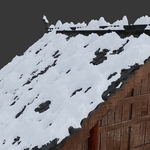
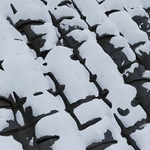
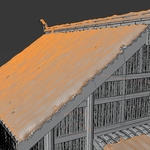
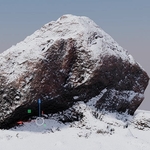
Absolutely. WinterFX works on any mesh – rocks, trees, buildings, characters, or entire scenes. The effects adapt to the geometry’s surface automatically.
Is WinterFX a one‑click solution?
Yes – simply select a mesh (or your whole scene, depending on the tool) and click the button for the effect you want. However, every effect stays fully procedural, so you can tweak all parameters at any time without baking or destroying anything.
Where do I find the tools after installation?
All four generators are located in the WinterFX panel inside the 3D Viewport sidebar. Select any mesh, expand the panel, and choose the tool you want to apply.
 Blender Easy





 Included