Wk FaceRig
 Wolfram Kampffmeyer


Can I create asymmetric facial expressions?
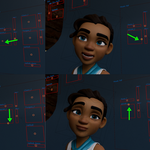
Yes. Asymmetry controls can be added to mappings, allowing you to vary or fade an effect between the left and right side of the face. You need to model only symmetrical shapes. wk_FaceRig will split your shapes to L_ and R_ with soft gradient!
Are facial expressions, phonemes or Shape Keys included?
No. WK FaceRig does not generate facial expressions or Shape Keys for your character. Every character is different, so phonemes, emotions, blinks and other facial shapes need to be created for your character beforehand. The add-on provides the controllers and tools to connect and control them.
Is it difficult to build a face rig with WK FaceRig?
The technical setup is greatly simplified. Instead of manually creating controllers and configuring many individual drivers, you define mapping rules and let the add-on build them. You still decide how your character should behave and which shapes, bones or objects should respond to each slider.
Made for Artists, by an Artist!
Do I need to understand Blender Drivers?
No. The add-on creates and configures the drivers for you. Some basic knowledge of Blender's animation and rigging concepts is helpful, but understanding driver expressions or setting up drivers manually is not required.
Do I need to know Python or programming?
wk_FaceRig is designed to create the necessary controllers, mappings and drivers through its UI. You don't need to write Python code or expressions yourself.
 Included
Includes 12 months of
- Support from Wolfram Kampffmeyer
- Product updates
Extend this product’s Support Period +12 months: 25% of product price
Have questions before purchasing?
Login to message
| Blender Extension Compatible | Yes |
| Sales | 20+ |
| Dev Fund Contributor | |
| Published | about 1 year ago |
| Blender Version | 4.2 - 5.1 |
| Extension Type | Add-on |
| Render Engine Used | Cycles, Eevee |
| License | GPL |
Discover more products like this
Face-shapes Animation Workflow Face Rigging sliders Workflow blendshapes animation