Wk FaceRig
 Wolfram Kampffmeyer


Installation
-
Download the ZIP file from Superhivemarket.
-
In Blender, open Edit > Preferences > Add-ons.
-
Click Install..., select the downloaded ZIP.
-
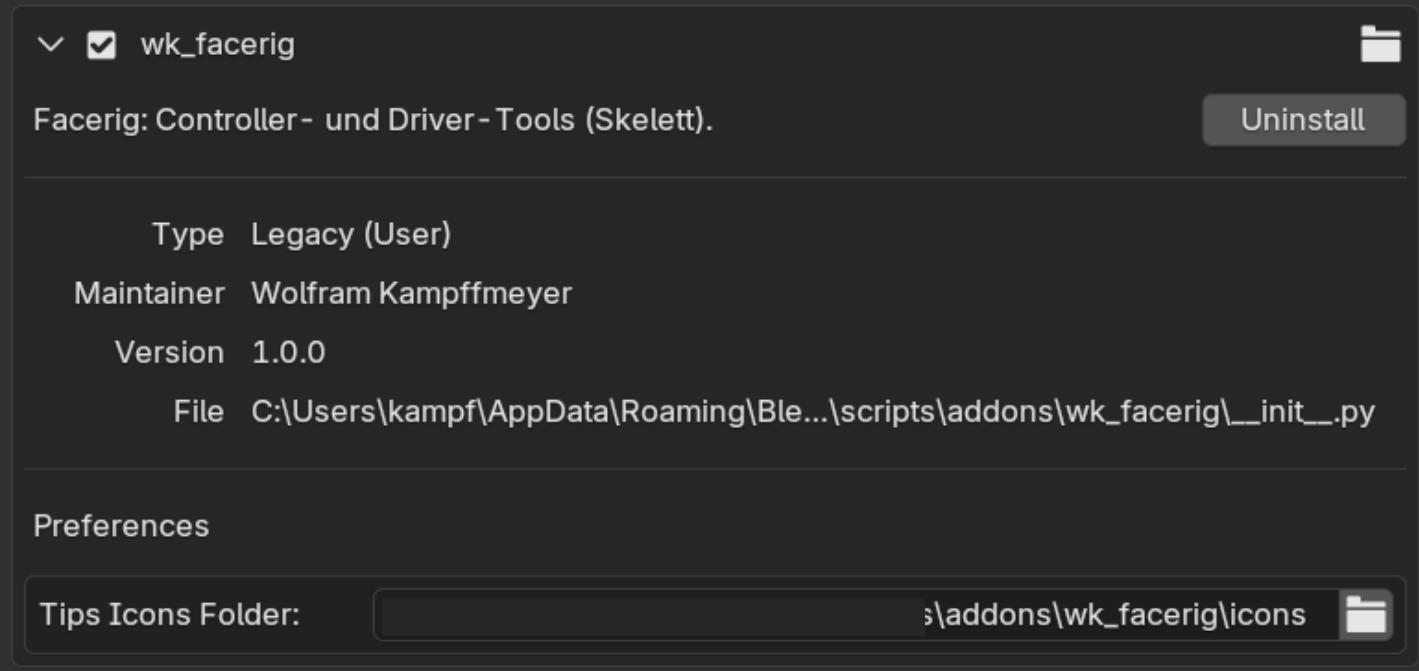
Activate the checkbox next to wk_FaceRig.
-
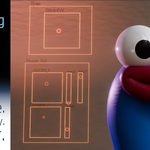
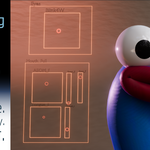
To open the Schematic Editor, change any Blender window to the "Schematic" editor type, found under the "General" section of the editor dropdown
Core Modules
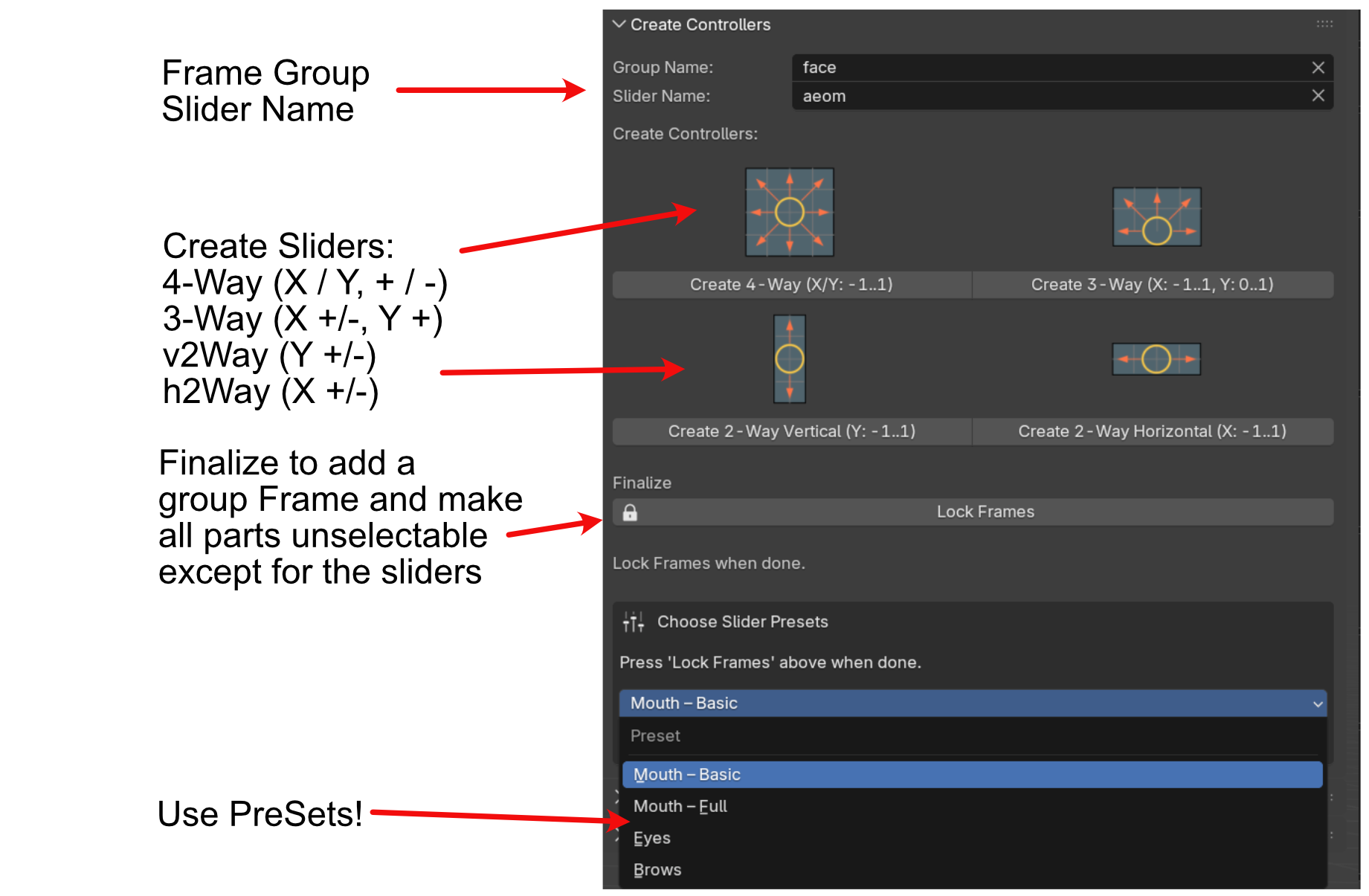
1) Create Controllers
Build your slider controllers directly in the viewport:
• Automatic naming and grouping
• Lockable controller groups (e.g. “Lock Frame” for finalized layouts)
• Extendable with custom controllers (2-way, 3-way, 4-way)
• Optionally, chose a Preset for mouth, eyes and brows
• Additional controllers can be added at any time. Just use the same GroupName, place your new controller and click „Lock Frames“ again.
2) Shape Linking
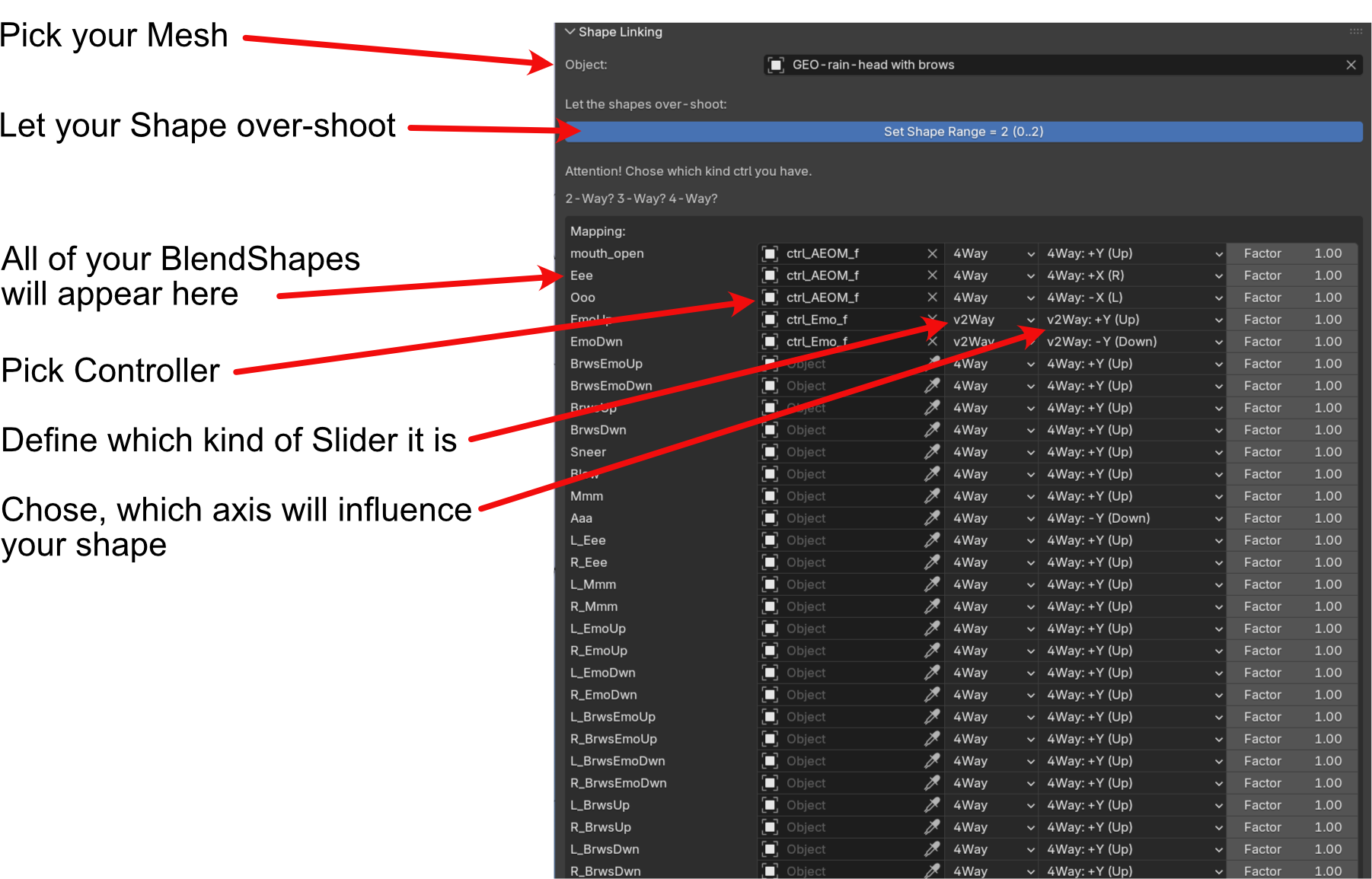
Connect existing shape keys to your sliders in a single pass:
• Choose your mesh or curve object
• Assign each shape to a specific axis and controller type (2W, 3W, 4W…)
• Optional bone-pick (e.g. for jaw influence on “Aaa”)
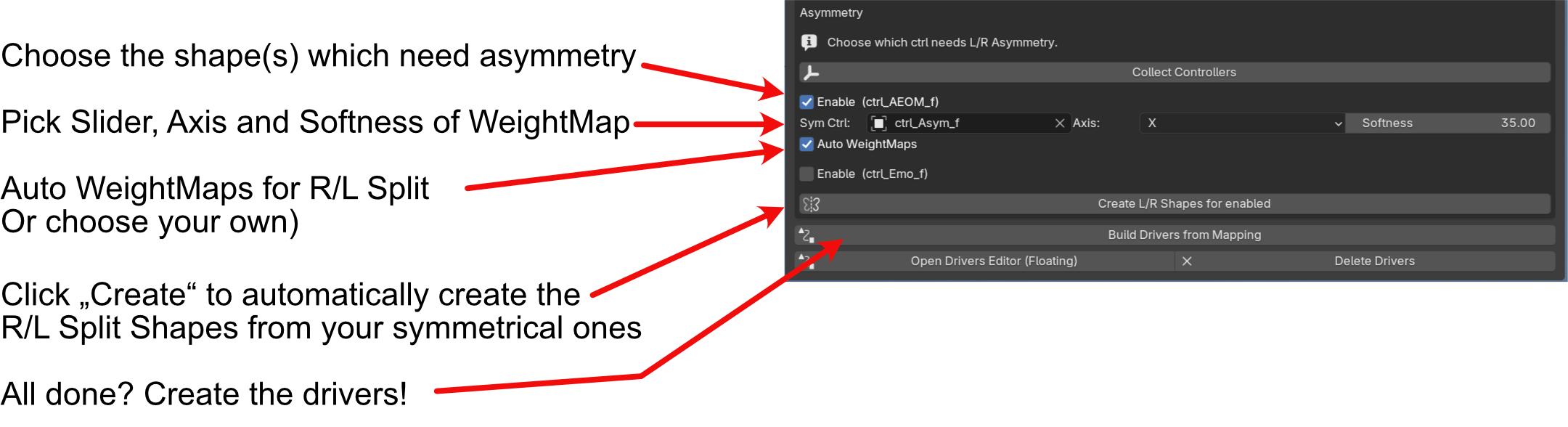
• Automatic left/right splitting for selected shapes
• Choose which slider controls the R/L fading (can be a dedicated h2W or the X-axis of a 4W controller)
• Common use cases: blinks, brows, sneers, lip asymmetry
• At the end, the add-on builds all required drivers based on your mapping rules.
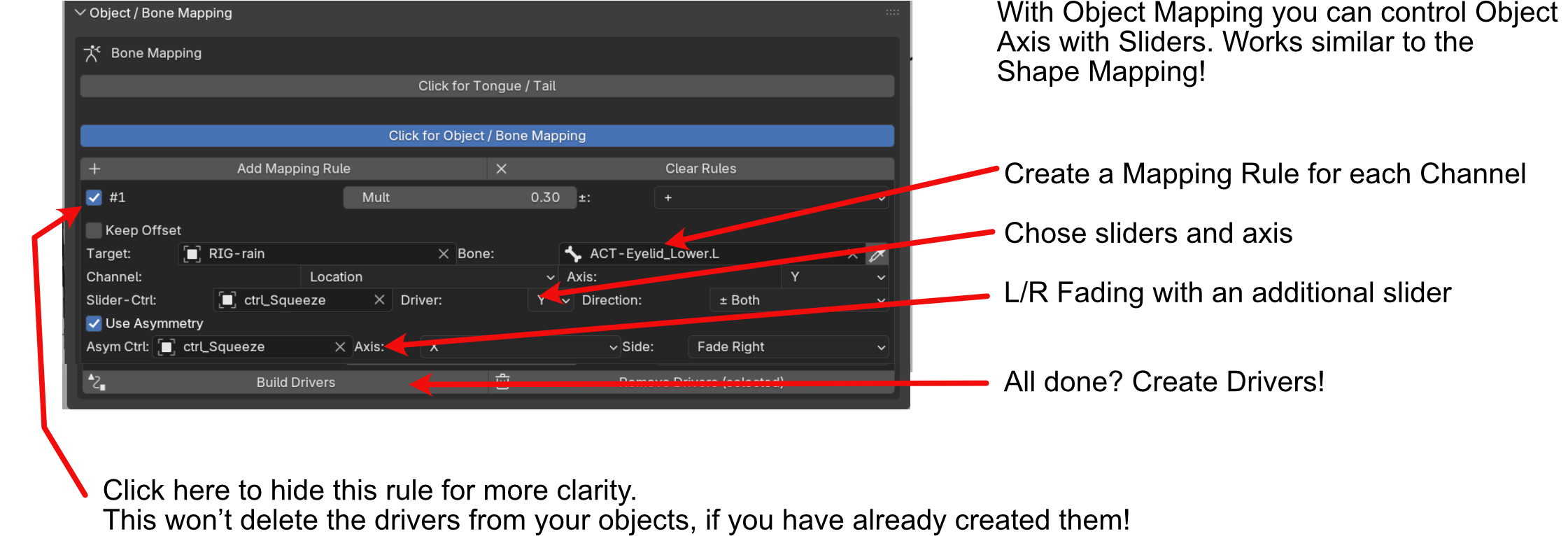
3) Object / Bone Mapping
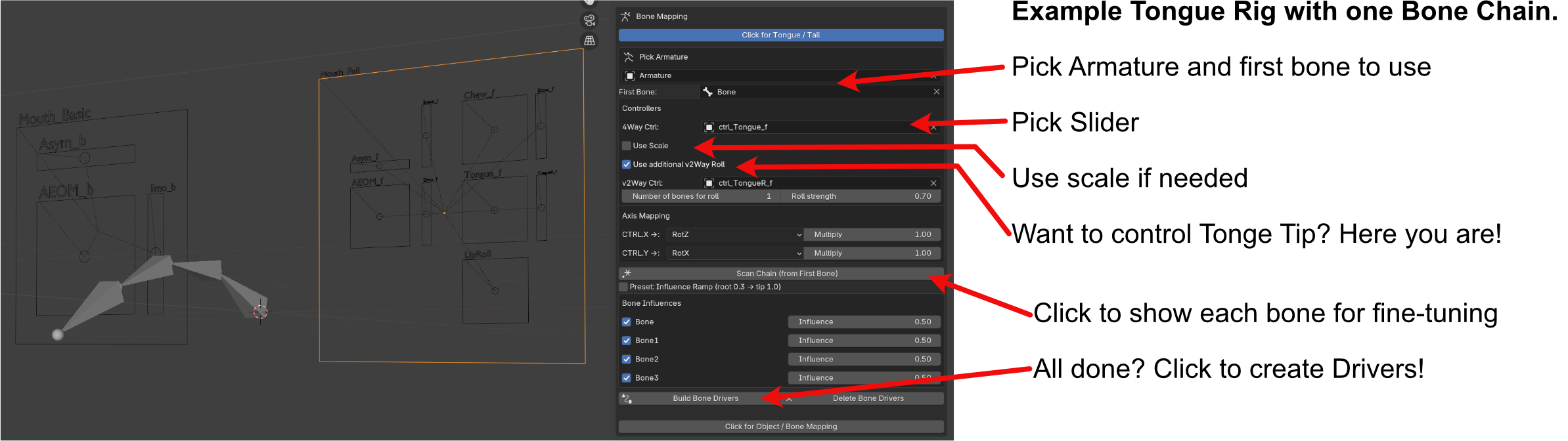
Ideal for tongue rigs, simple tail rigs, or any bone chain controlled by sliders:
• Select a bone chain and map it to a 4W controller
• Optional additional controller for counter-animation (e.g. tongue tip)
• Influence ramp and fine-tuning for gradual motion along the chain
• Map any object or bone SRT channel to any slider
• Full support for asymmetry
 Included
Includes 12 months of
- Support from Wolfram Kampffmeyer
- Product updates
Extend this product’s Support Period +12 months: 25% of product price
Have questions before purchasing?
Login to message
| Blender Extension Compatible | Yes |
| Sales | 10+ |
| Dev Fund Contributor | |
| Published | 11 months ago |
| Blender Version | 4.2 - 5.1 |
| Extension Type | Add-on |
| Render Engine Used | Cycles, Eevee |
| License | GPL |
Discover more products like this
Animation Workflow animation blendshapes Face-shapes Face Rigging Workflow sliders