Blender Easy




LIMITED TIME
25% OFF TODAY
A small launch discount — available for a short time
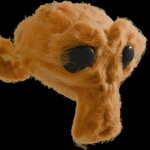
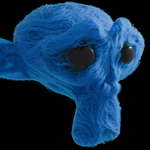
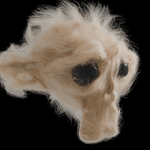
This tool generates hair curves inside your meshes, transforming your artworks into cotton, wool, fur, and felt-like materials.
It’s very easy to set up, while giving you full control over the final look.
Generate strands near the surface or fill the entire mesh, create clumps, and shape everything using noise.
Just add the modifier to an Empty Hair, select your mesh, and tweak settings.
Automatically transfers UVs and colors to the strands.
📦 Installation
Add WoolFelt to your assets library folder.
➕ Add to Scene
Open the Asset Browser and drag the WoolFelt asset into your viewport.
⚙️ How to Use
For best performance, use Hair Curves.
Add an Empty Hair curve, then go to Modifiers, add a Geometry Nodes modifier, and load WoolFelt.
🧶 Generate Wool
Load your mesh into the Static Object input.
Control density using the SHELL section.
🎨 Customize the Wool
Most shaping happens in the NOISE section.
Use Scale, Detail, and Roughness to shape your wool.
💡 Tips
SHELL – main thick wool layer
FILL – fills the mesh volume
SURFACE – adds frizz and realism
CLUMPS – dense, curly strands
🎓 Artwork Credits
Some artworks used in the previews are created by other artists and are licensed under Creative Commons Attribution (CC BY 4.0).
"Little Chestnut" by Dasha Klyusova
Source: Sketchfab
License: CC BY 4.0