 Tesselune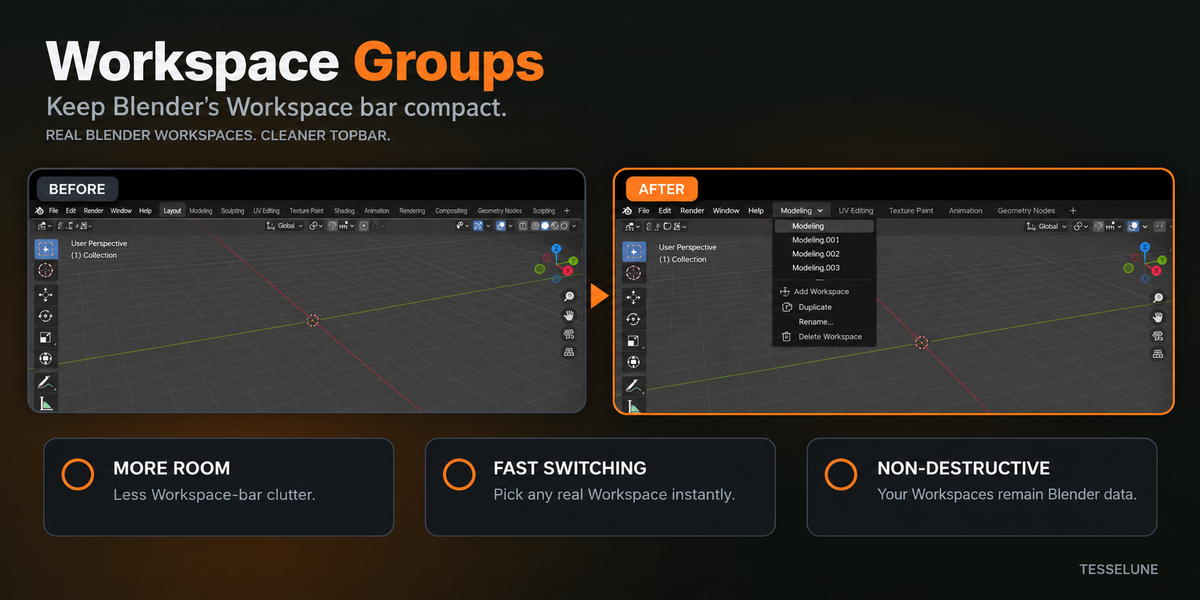
Workspace Groups — Product Page Description
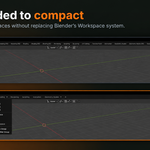
Keep Blender’s Workspace bar compact — without replacing Blender’s real Workspaces.
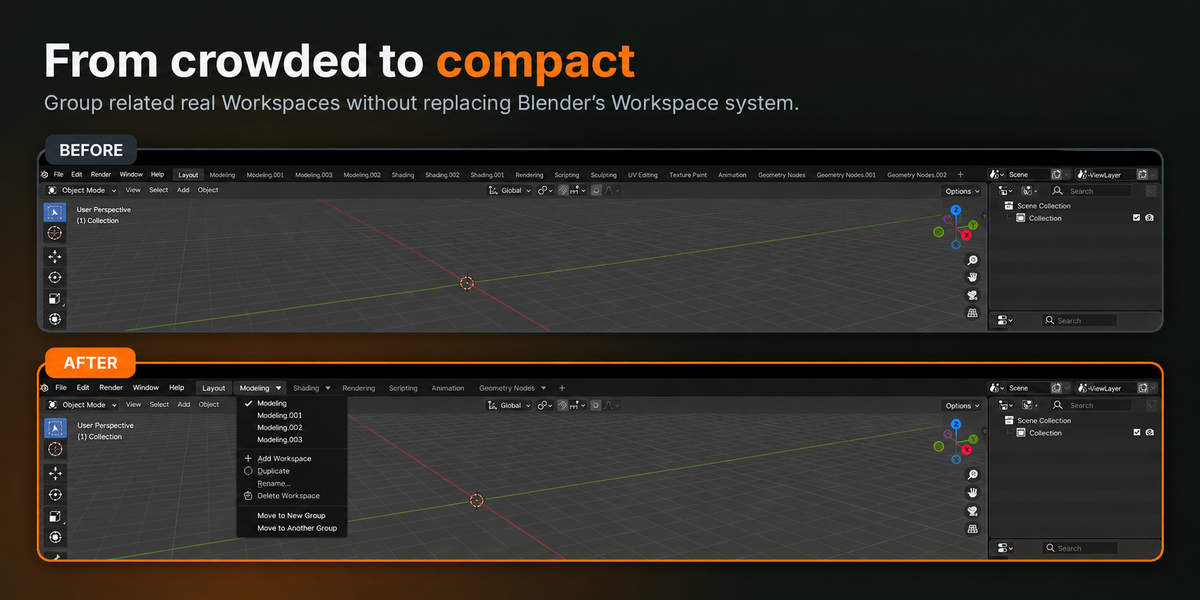
When a project grows, the Workspace bar can quickly fill with variants such as Modeling, Modeling.001, Modeling.002, Shading.001, and more.
Workspace Groups organizes related Workspaces under compact group headers while keeping every Workspace as normal Blender data.
No virtual Workspace system. No proprietary replacement. Just a cleaner way to work with the Workspaces you already use.
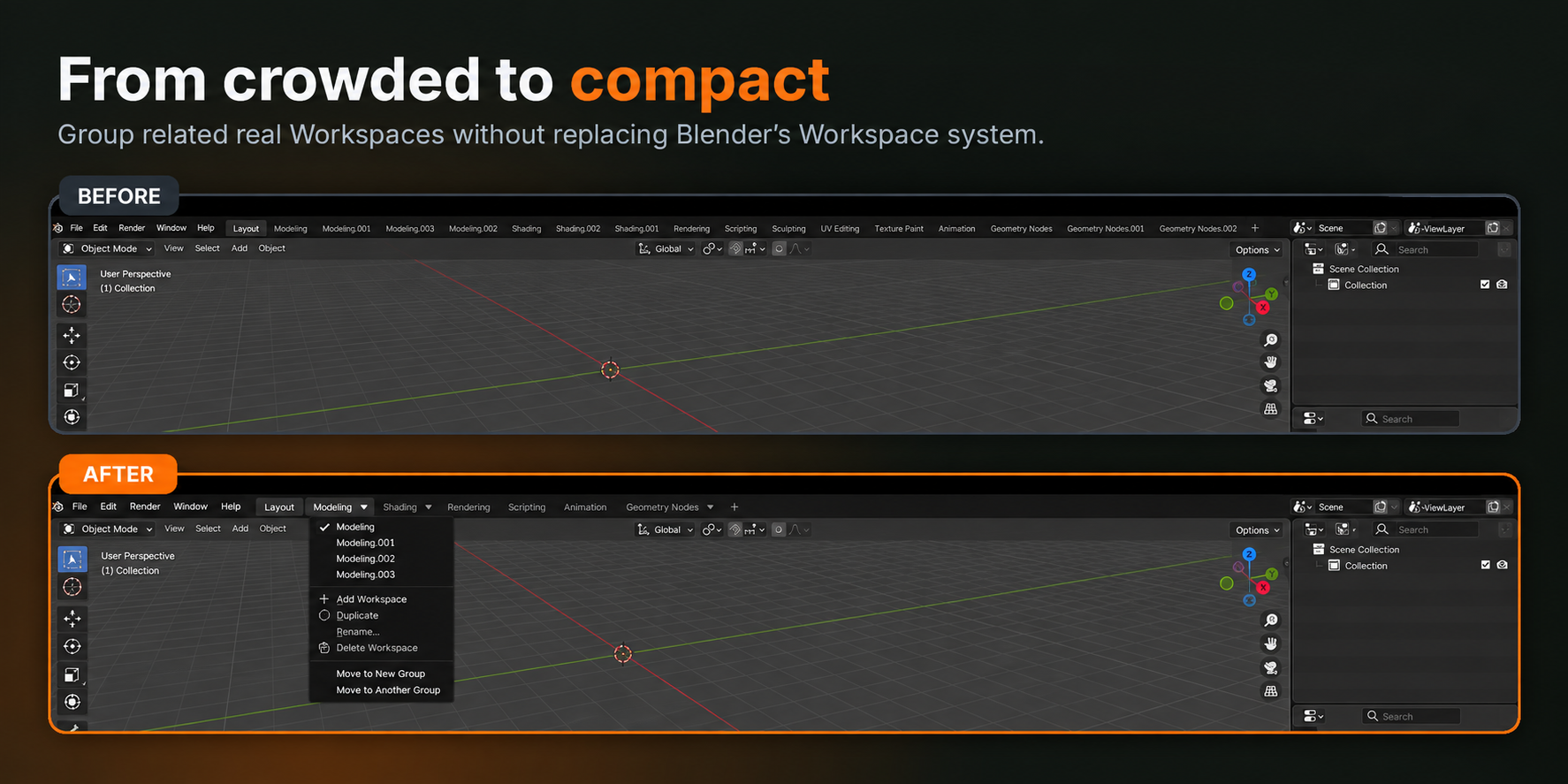
A cleaner Workspace bar
Instead of giving every Workspace variant its own permanent tab, related Workspaces can share a single compact header.
Before
Layout | Modeling | Modeling.001 | Modeling.002 | Modeling.003 | Shading | Shading.001 | ...
After
Layout | Modeling ▼ | Shading ▼ | Rendering | Animation | ...
The underlying Workspaces are unchanged. Workspace Groups only gives you a cleaner way to organize and access them.
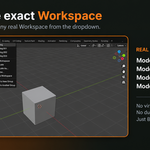
Choose the exact Workspace you need
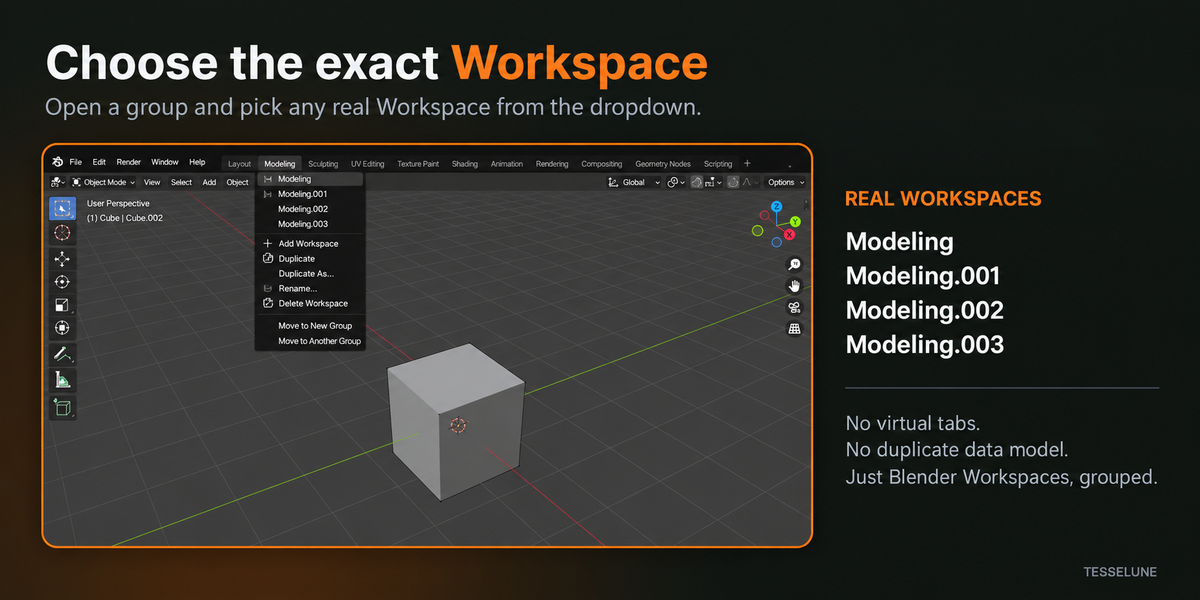
Open a Group and select any Workspace inside it directly from the dropdown.
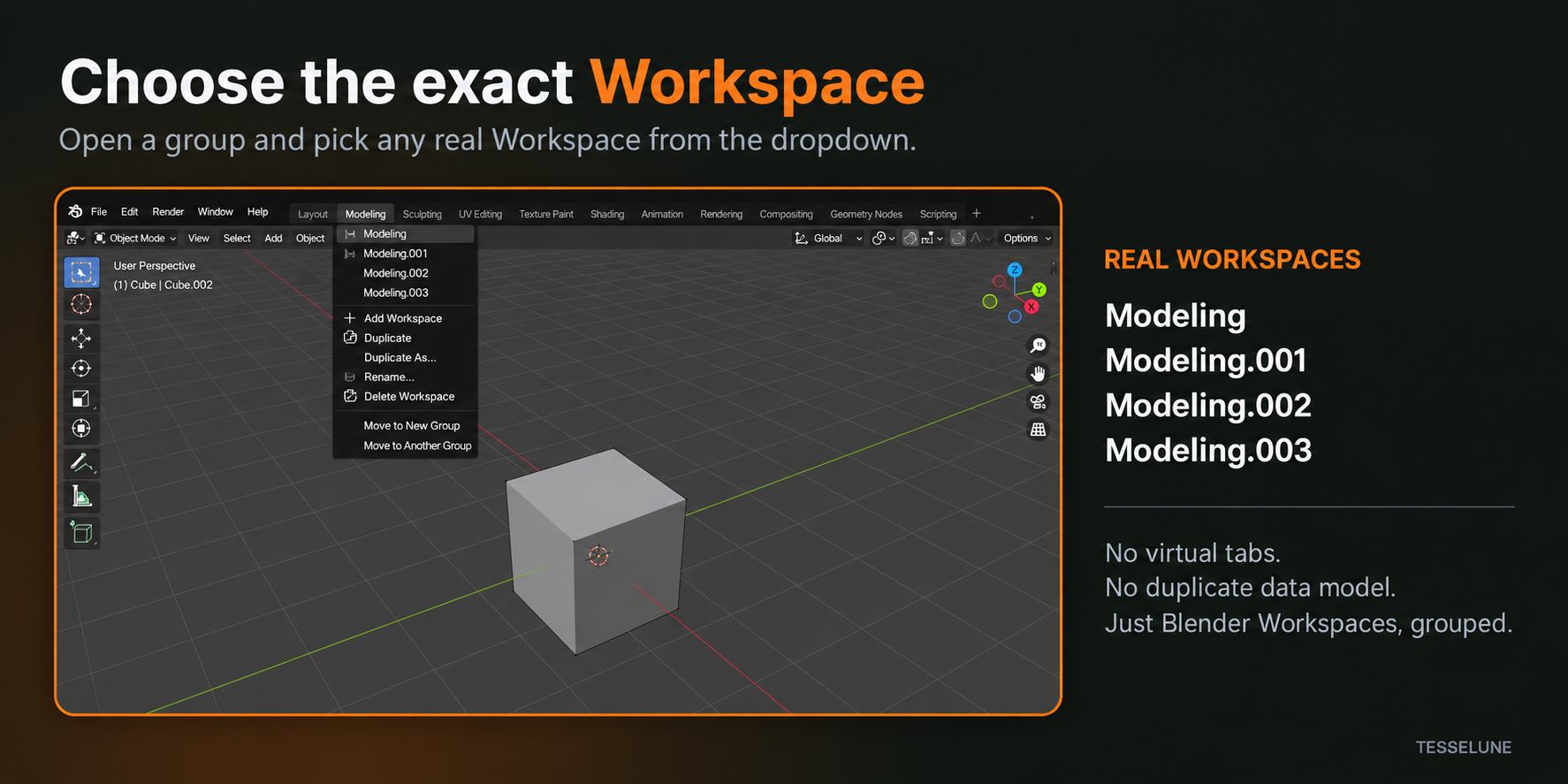
For example:
- Modeling
- Modeling.001
- Modeling.002
- Modeling.003
These are real Blender Workspaces.
Workspace Groups does not create virtual tabs or duplicate your Workspace data into a separate system.
Return to where you left off
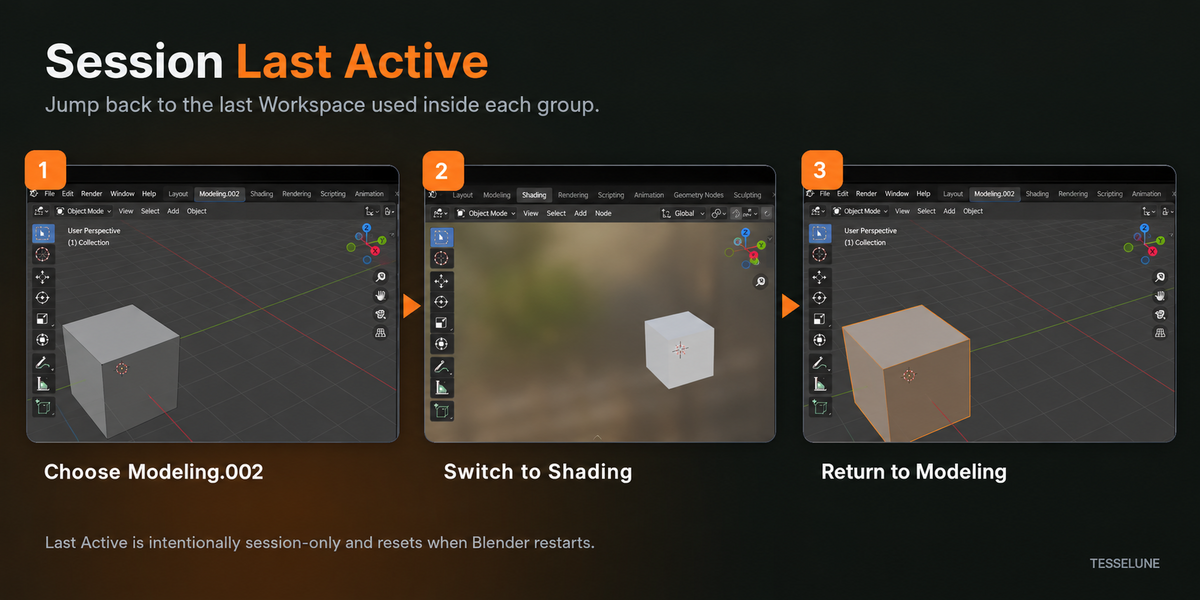
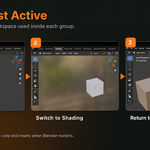
Workspace Groups remembers the last Workspace used inside each Group during the current Blender session.
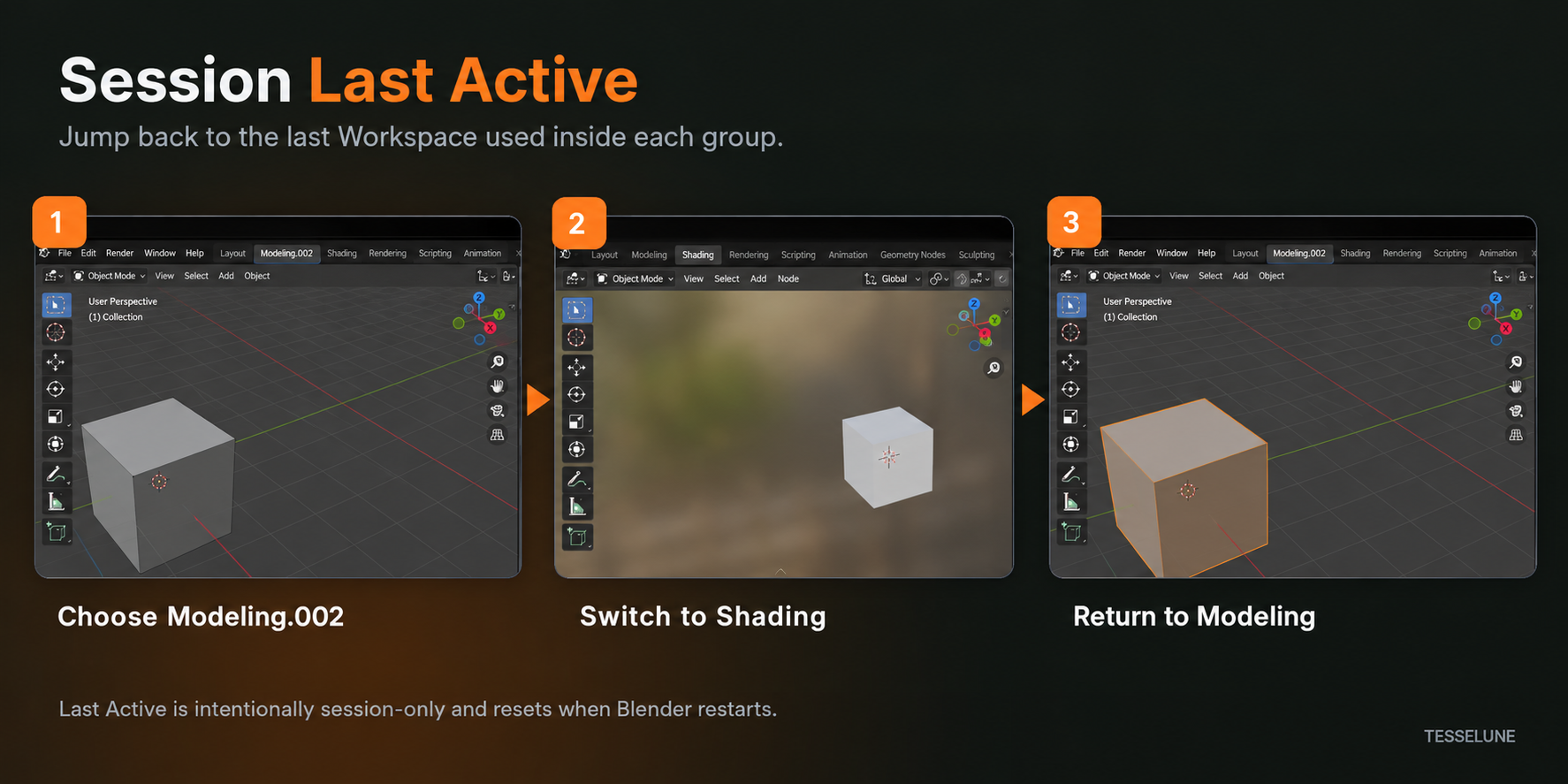
Example:
- Select
Modeling.002 - Switch to
Shading - Click the
ModelingGroup again - Return directly to
Modeling.002
This keeps switching fast when you use several Workspace layouts for the same type of work.
Last Active is intentionally session-only and resets when Blender restarts.
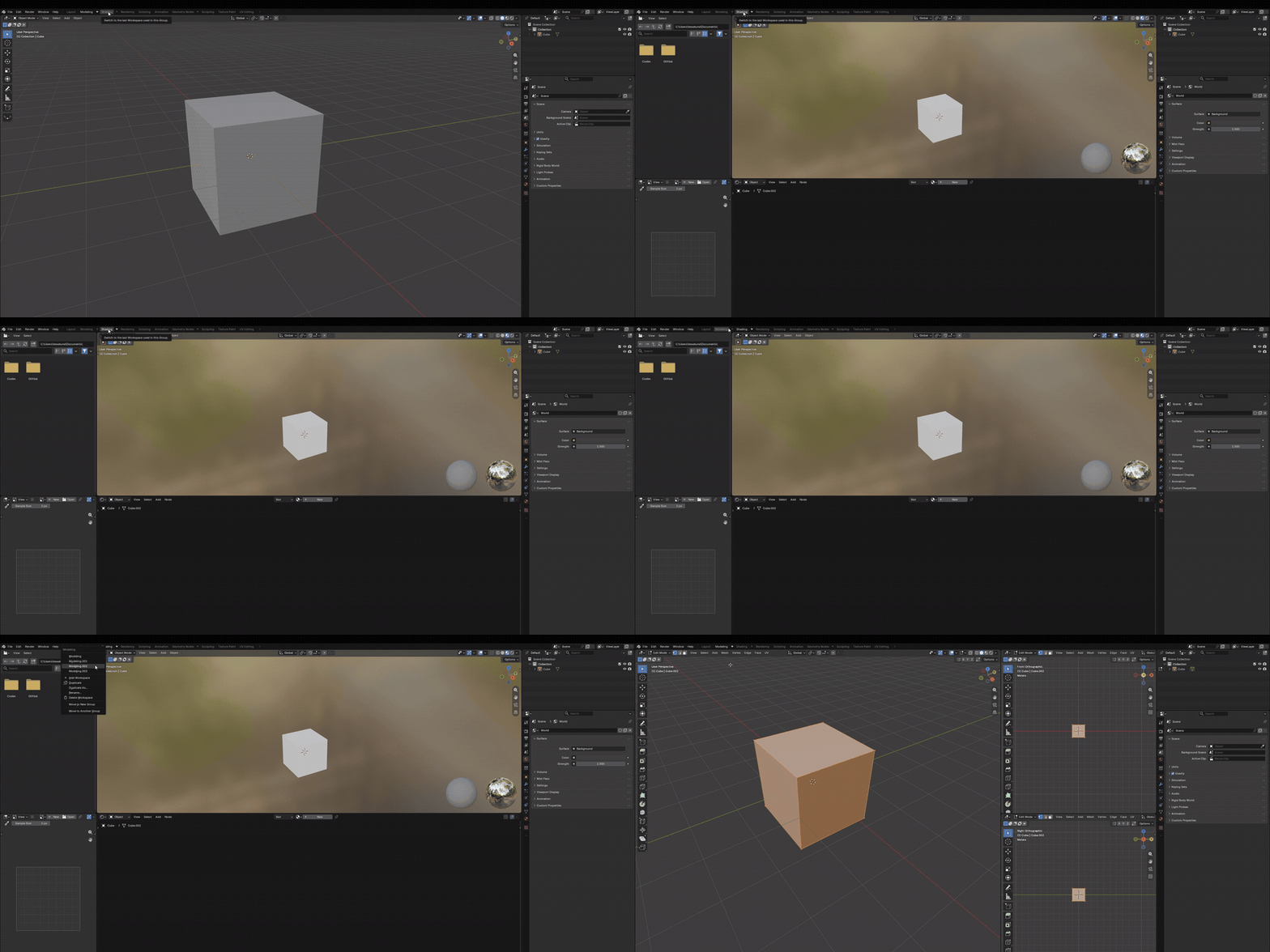
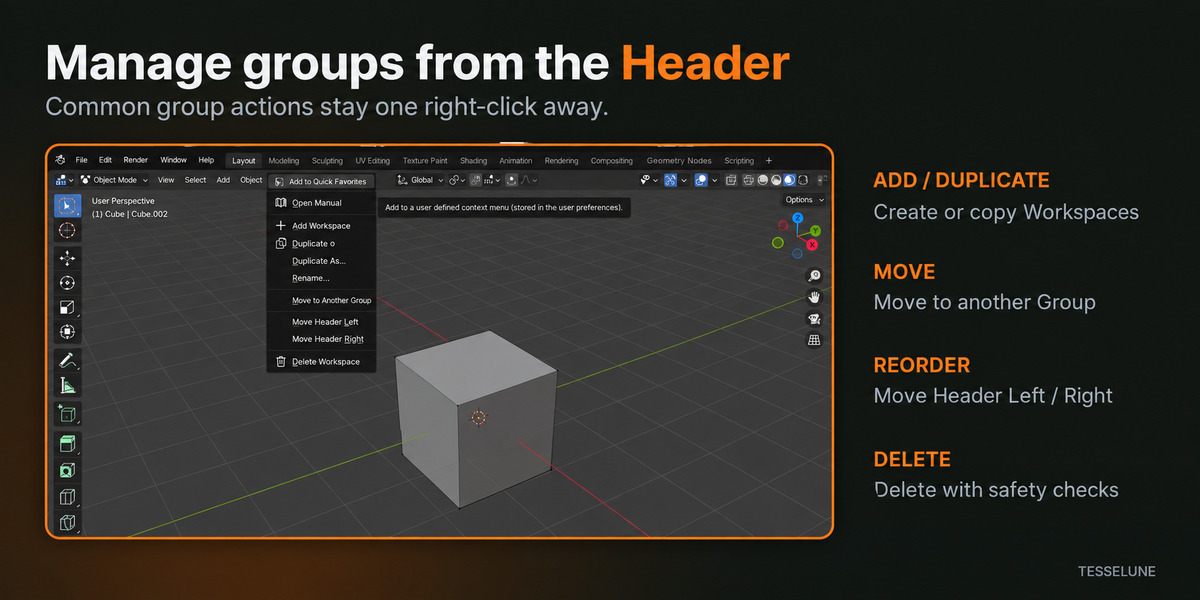
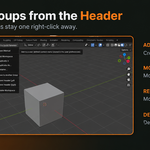
Manage Groups directly from the Header
Common Group operations stay close to Blender’s existing Workspace controls.
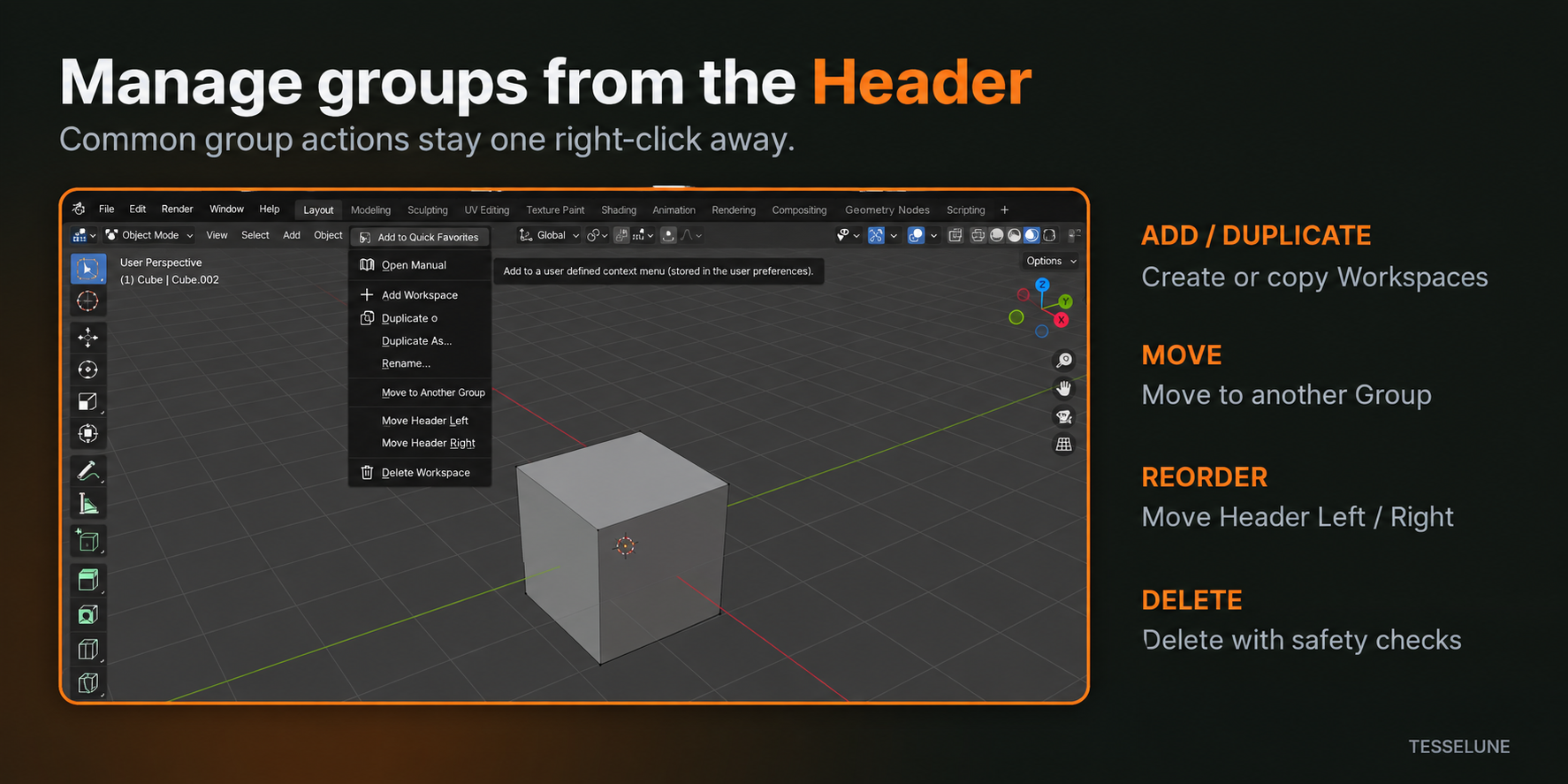
From the Header context menu you can:
- Add Workspace
- Duplicate
- Duplicate As...
- Rename
- Move to Another Group
- Move Header Left
- Move Header Right
- Delete Workspace
Workspace Groups does not require a separate management panel for everyday operations.
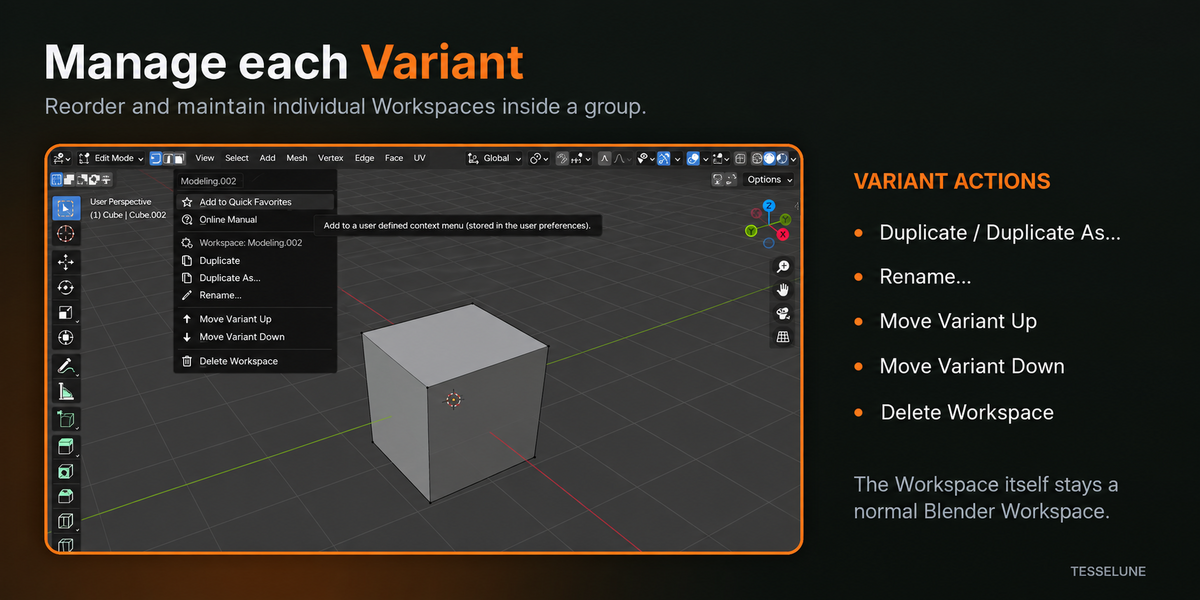
Manage individual Variants
Workspaces inside a Group can also be managed individually.
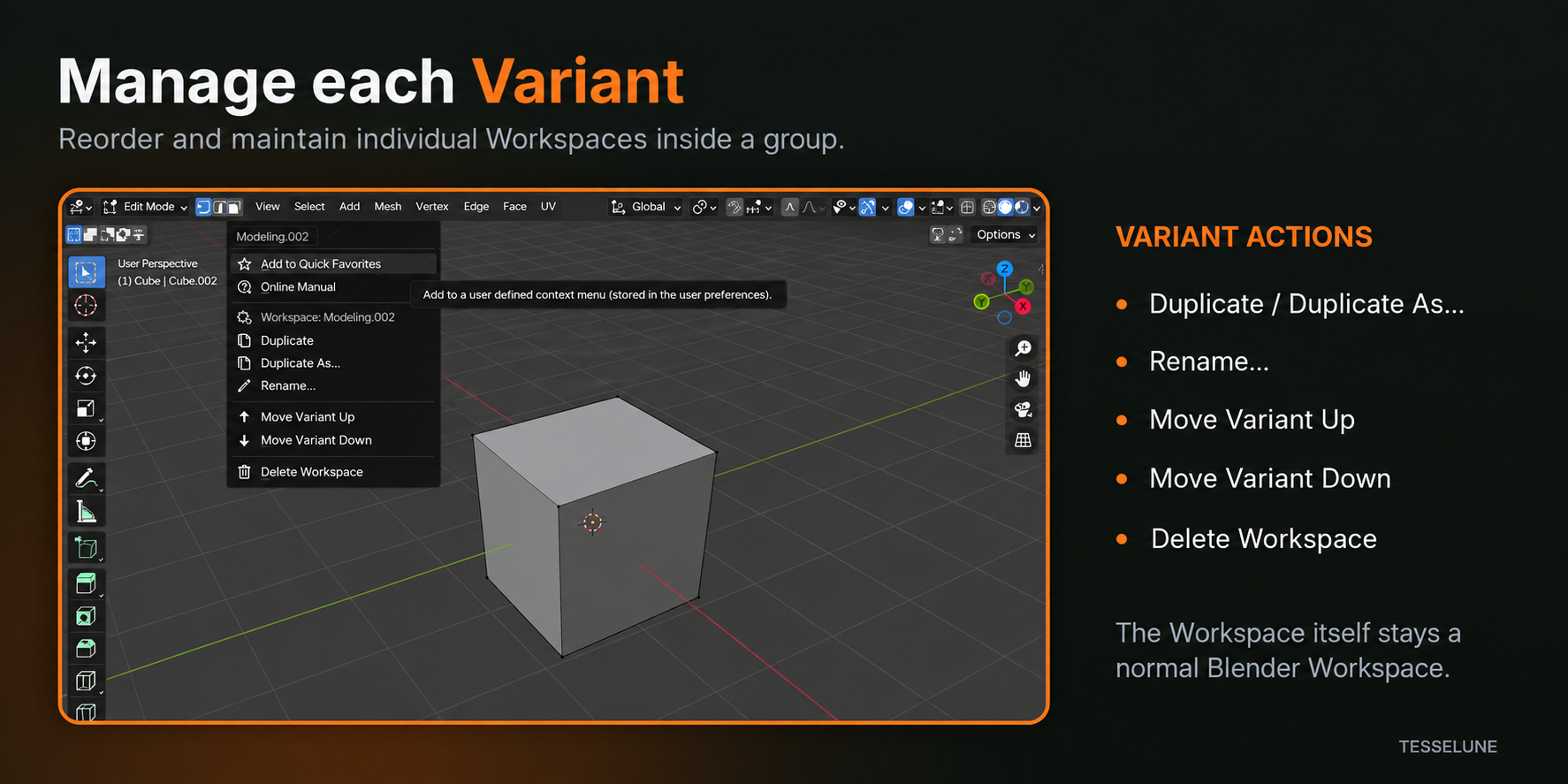
Variant actions include:
- Duplicate / Duplicate As...
- Rename...
- Move Variant Up
- Move Variant Down
- Delete Workspace
Reordering a Variant changes its position inside the Group while the Workspace itself remains a normal Blender Workspace.
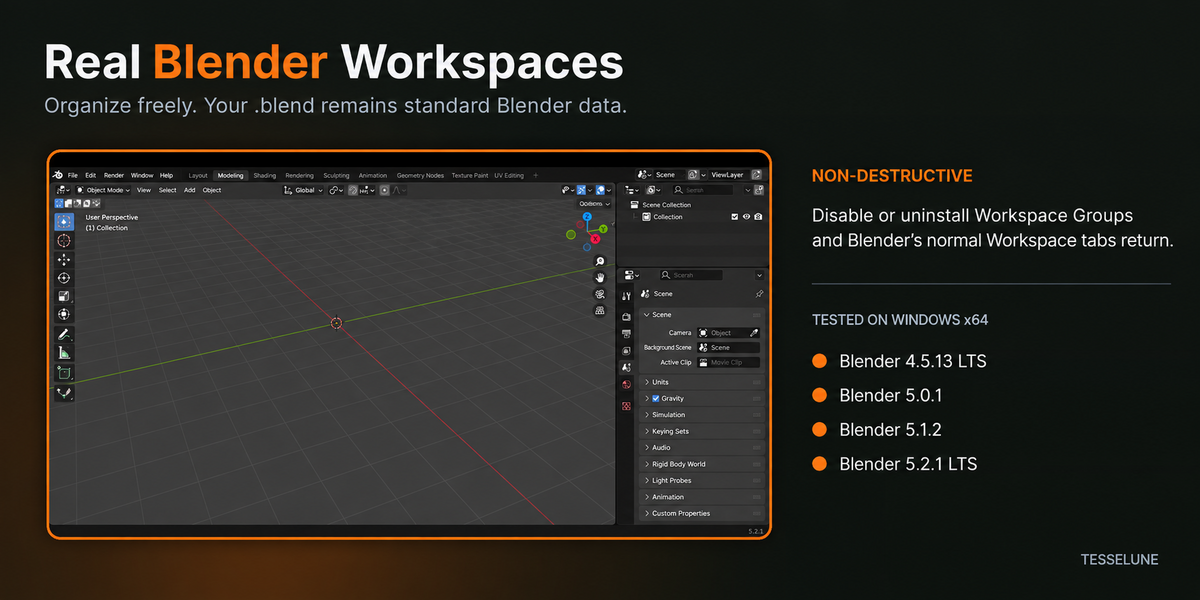
Real Blender Workspaces. No lock-in.
Workspace Groups is designed to stay close to Blender’s native Workspace system.
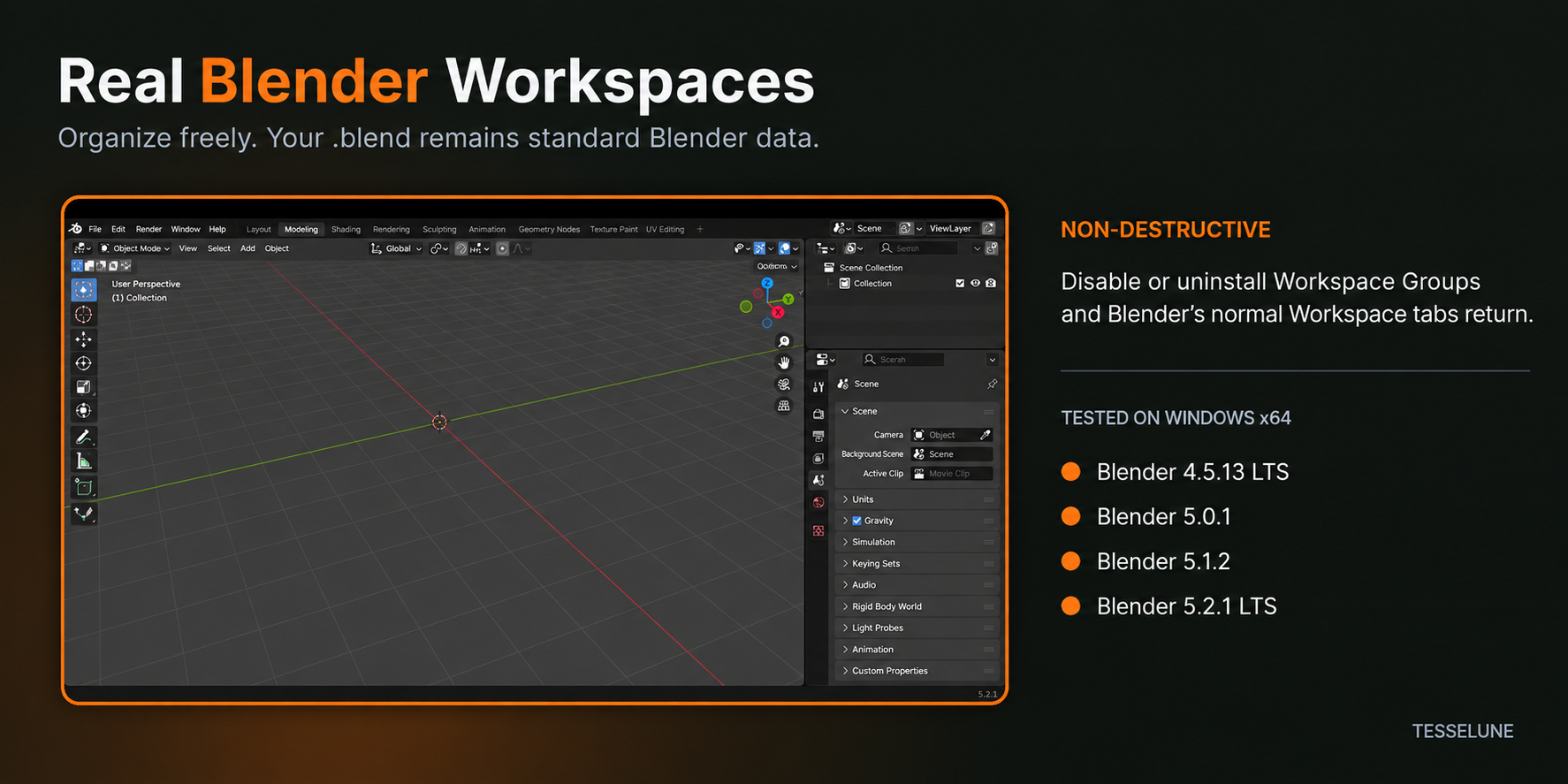
Your Workspaces remain Blender data.
If Workspace Groups is disabled or uninstalled:
- Your real Workspaces remain in the
.blend - Blender’s normal Workspace tabs return
- Workspace layouts remain intact
- Editor arrangements remain Blender-owned data
- Your file is not locked into a proprietary Workspace format
Key Features
Compact Workspace Groups
Group related Workspace variants under a single Header entry.
Real Workspace Dropdowns
Choose the exact Blender Workspace you want without creating virtual replacements.
Session Last Active
Return to the last Workspace used inside each Group during the current Blender session.
Header Management
Add, duplicate, rename, move, reorder, and delete Workspaces directly from familiar Workspace controls.
Variant Reordering
Control the order of Workspaces inside each Group.
Non-destructive
Your Workspaces remain standard Blender data.
Designed to stay out of the way
Workspace Groups is intentionally focused.
It does not replace Blender’s Workspace system with a large custom interface. Instead, it keeps Workspace organization where you already expect it: in Blender’s Topbar.
Blender’s standard + Workspace button remains available, and normal Blender functionality such as Quick Favorites is preserved.
Compatibility
Workspace Groups 1.0.0 has been tested on Windows x64 with:
- Blender 4.5.13 LTS
- Blender 5.0.1
- Blender 5.1.2
- Blender 5.2.1 LTS
The extension manifest requires Blender 4.5.0 or newer.
Workspace Groups is actively maintained. Compatibility will be reviewed as Blender evolves, but future Blender versions are not considered supported until they have been tested.
A few things to know
- Last Active is session-only and resets after restarting Blender.
- Header order is changed using Move Header Left / Right rather than drag-and-drop.
- Variant order is changed using Move Variant Up / Down.
- If a Variant dropdown is already open while its order is changed, close and reopen it to refresh the visible row order.
- Generic Blender context-menu items such as Quick Favorites remain available.
File access and privacy
Workspace Groups declares Blender’s files permission for Workspace-order preservation.
Depending on Blender version and file state, it may read saved Blender data and may use a short-lived local Workspace snapshot where required for safe order recovery.
Workspace Groups:
- Does not request network permission
- Contains no telemetry
- Contains no analytics
- Does not upload your
.blendfiles - Does not upload Workspace information
Support
Workspace Groups is maintained by Tesselune.
For support, please use the product-message function on Superhive.
For reproducible issues, including the following information helps:
- Workspace Groups version
- Blender version
- Operating system
- Steps to reproduce
- Expected result
- Actual result
- Screenshot or short recording when useful
Compatibility issues and reproducible bugs affecting listed supported versions will be reviewed and addressed when appropriate.
Development Note
Workspace Groups was developed by Tesselune using AI-assisted tools as part of the development workflow.
Product direction, implementation decisions, review, testing, release validation, support, and ongoing maintenance are handled by Tesselune.
License
Workspace Groups is distributed under the GNU GPL v3.0 or later.
Developed and maintained by Tesselune.