 TECA 3D


Important Note!
This add-on is currently only available for Windows; there is no Mac version yet. If you must use it on a Mac, please do not purchase it.
We will release a Mac version in the future, so please check our updates regularly.
Highlights
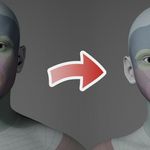

Adapting a base mesh with a standard topology to a target mesh, ensuring a perfect shape match and feature alignment, is a core challenge in 3D modeling and animation. This is precisely what this add-on does.
The Highlights of Our Tool
- Works with any model, including humans, animals, plants, equipment, buildings, terrain, etc.—any shape and topology you can imagine.
- Is 100% accurate and completely controllable.
- Requires very few landmarks; it automatically matches most features based on shape similarity.
- Is extremely fast, completing accurate retopology in tens of seconds or even seconds.
Features
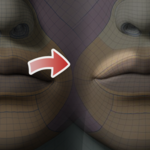
The Wrap for Blender add-on not only achieves perfect shape matching but also perfect feature alignment, such as the corners of the eyes, tear ducts, lip lines, and so on. Moreover, these are completely user-controllable and extremely easy to use and efficient.
Furthermore, unlike Faceform's Wrap, it doesn't require different templates for different types of base meshes—for example, a full-body template for the whole body, a head template for the head, and so on, resulting in a large number of templates. The reason for needing so many different templates is that their algorithms are not advanced enough to handle different models uniformly. Our add-on uses a completely different, advanced, and universal algorithm. Regardless of the base model you use, it can achieve perfect shape matching results, thus eliminating the need for templates.
We are currently releasing a basic version, implementing the core model deformation function, namely the Wrap function.
We will be rolling out other advanced modules in the future:
- Wrap Cloth – for items such as clothing, shoes, and hats
- Wrap Fur – for features such as hair, beards, and eyelashes
- Wrap Joint – for elements such as skeletons
Getting Started
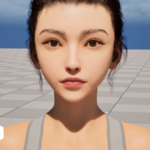
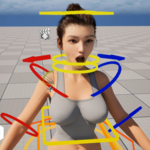
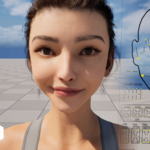
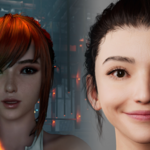
These are a selection of tutorial videos, representing just a small portion of the complete playlist on creating a Metahuman for the game character Eve. Note that we used the familiar Metahuman as an example here for convenience. Our tools can be used for any model, any shape, and any topology, not limited to the human body.
We have selected only the videos related to wrapping. For other topics, such as installing add-ons, merging the head and body before wrapping, splitting the head and body after wrapping, and importing the model into Unreal Engine to create a Metahuman character, please refer to the complete playlist below.
You can download the corresponding Blender file below and follow along with the video to practice. To achieve the same results shown in the video, please keep the wrap parameters in the file unchanged until you are familiar with the wrapping process.
1. Create point pairs
2. Wrapping
This video will show you how to
perform a wrap operation. Once the operation is complete, the source
model will perfectly match the shape of the target model.
3.
Fine-tune
This video will show you how to make some fine adjustments to ensure that the shapes of the source and target models align perfectly in every detail.
Advanced Mode
An advanced mode was added starting with version 2.0.0. To enable this feature, simply go to Settings > Advanced mode.
In advanced mode, you can add, delete, and edit multiple point pairs at once without having to click the "Select" button for each pair.
In addition, if you want to wrap the same base mesh over multiple targets, we've added two new operators—Reset and Set—to make it easier and save a lot of time. You can use the Reset operation to set the target location for all point pairs to (0, 0, 0). Then use the Set operation to select the target location for each of them on the target mesh.
The workflow for wrapping a base mesh around multiple targets is as follows:
- For the first target mesh, set all point pairs and complete the wrapping. Then save all point pairs to a JSON file.
- Set the second target mesh as the wrapping target. Load the saved point pairs from the JSON file.
- Use the Reset operation to clear the target location of all point pairs.
- Use the Set operation to batch set the target location of all point pairs.
- Perform the wrapping operation.
- Repeat steps 2-5 for the other target meshes.
Tutorials
User Account
The add-on includes a built-in account called [email protected], so you can use it without a private account, and there's no functional difference. The only difference is that the add-on will display a warning message suggesting you create a private account. If you find that annoying, simply join our Discord channel and send me your email address via private message, and I will register a private account for you.
Below is the demo account:
email: [email protected]
password: kjopP77husOjlZLm493p
Requirements
OS: Windows 11
Blender: 5.0.0 or later
We will be releasing a Mac version in the near future; please stay tuned.
Contact US
Our Website
Bug Fixes
If you encounter any software errors or bugs during use, please contact us and we will fix them promptly.
If you have any questions, you can also send an email to:
