 TECA 3D


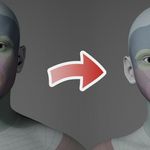
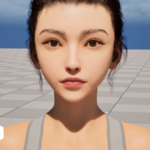
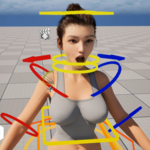
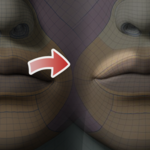

Setting vertices as free vertices prevents them from being affected by Attract and Stick operations; that is, they will not be wrapped around the target surface.
This feature is very useful when the target mesh is missing or the data in certain areas is inaccurate. You can avoid being wrapped around these areas.
To do this, click the Free button to display free vertices, then switch to Blender's edit mode, select the vertices you want to set as free vertices, and then click Add.
Setting vertices to fixed vertices allows them to remain stationary during the wrapping operation.
When you need to wrap around a portion of an object, it’s very useful to maintain consistency by setting the vertices on the boundary as fixed vertices.
To do this, click the “Fixed” button to display the fixed vertices, then switch to Blender's Edit Mode, select the vertices you want to set as fixed, and finally click Add.
We've set up an official Discord server for this add-on. Just click the Discord icon in the navigation bar at the top of this page to join.We also have a YouTube channel called TECA 3D, where all tutorial videos are posted. You can leave questions in the comments section below the videos, and we’ll respond as soon as possible.
 Included
Includes 12 months of
- Support from TECA 3D
- Product updates
Extend this product’s Support Period +12 months: 50% of product price
Have questions before purchasing?
Login to message
Discover more products like this
deformation automatic retopology shape matching shape fitting wrap MetaHuman retopology head retopology