 Yatima



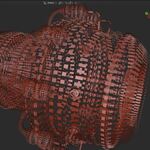
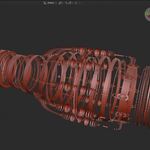
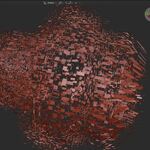
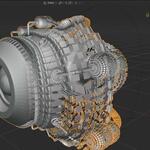
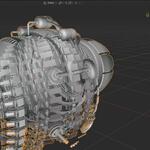
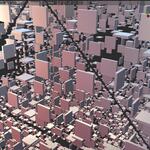
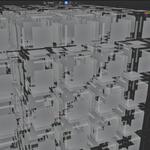
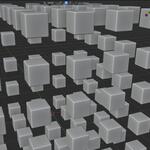
Xplod Documentation
The most updated documentation can be accessed at the following URL: https://docs.yatima.xyz/books/xplod/page/xplod-documentation
Note: The documentation can also be downloaded in PDF format from the Superhive files area.
Changelog
Version 1.7.2 (2026/06/25)
- Fixed Spin value not preserved across mode changes.
- Fixed By Islands not toggling Edge Split render visibility.
- Fixed Spin not affected by Influence Zone.
Version 1.7.0
- Added Spin to all explode modes.
Version 1.6.1
- Remove unused axis parameter from _arrange_axis.
Version 1.6.0
- Added Spin Parameter (per island rotation) to Spherical Mode. Thanks! to Marco Cortesi for the original concept.
Version 1.5.0
- Added Surface Normal explode mode.
Version 1.4.0
- Migrate Geometry Nodes socket access to support Blender 5.2 LTS.
Version 1.2.3 (2026/04/01)
- Fix influence zone toggle not updating viewport until slider interaction.
- Added a driver to control the Influence Zone Empty display size.
Version 1.2.1
- Fixed influence Empty not appearing in the correct collection (it now joins the same collection as its parent mesh).
- Fixed Influence Radius visual feedback: the Empty's display size now syncs to the Radius slider in real time via the depsgraph handler.
- Fixed influence Empty not properly parented to the mesh object after creation.
Version 1.2.0
- Added By Islands toggle to the panel. Disabling it activates the Edge Split modifier so each face becomes its own explosion island. Enabling it uses natural mesh islands.
Version 1.1.2
- Fixed depsgraph filter to include NodeTree updates, restoring Influence Radius → Empty display size sync that broke after slider changes.
- Fixed crash (ReferenceError) when removing Xplod if an Influence Empty was present: the Empty reference is now read from the socket before the modifier is removed.
- Panel now stays visible when a non-mesh object (such as the Influence Empty) is active, by pinning the last active mesh object via a depsgraph handler.
Version 1.1.1
- Replaced the separate "Create Influence Empty" button with a single Influence Zone toggle operator. Toggling on auto-creates the Empty at the mesh bounding box center.Toggling off removes it.
- Influence Empty is now parented to the mesh object so it follows all object transforms.
- Fixed influence zone coordinate space: the Empty's location is now read in the mesh's local space (transform_space = RELATIVE), so the zone works correctly regardless of where the object is in world space.
Version 1.1.0
- Added Influence Zone: a spherical area of effect that limits which islands explode. Includes Radius and Falloff controls. The Influence Empty syncs its display size to the Radius slider for real-time viewport feedback.
- Reordered the panel layout: Mode/Axis → Distance → Fragmentation → Influence Zone → Solidify → Remove.
- Added Position control for the Influence Empty directly in the panel.
Version 1.1.0
- Added Solidify section to the panel with a visibility toggle and Thickness slider.
- Fixed Solidify render flag: the toggle now syncs both viewport and render visibility simultaneously.
Version 1.0.0
- Added Axial Radial mode: islands explode radially around a chosen axis (X, Y, or Z), moving in the perpendicular plane.
- Added Single Axis mode: islands move along one global axis only.
- Added Inward mode: islands implode toward the object center.
- Added Random mode with Order (randomness–spherical blend) and Seed controls.
- Added tooltips to Distance, Order, Seed, Influence Radius, and Influence Falloff sliders.
Version 0.7.0
- Mode changes now automatically swap the node group while preserving shared socket values (Distance, Influence settings).
- Unused node groups are automatically removed when no longer needed.
Version 0.5.0
- Added Fragmentation control (Edge Split modifier) for per-face explosion.
Version 0.3.0
- Node groups are now created programmatically at runtime. No .blend library required.
Version 0.1.0
- Initial release.
- Spherical explosion mode: islands move radially outward from the object center.
- Distance slider, Apply Xplod and Remove Xplod operators.
Contact and Support
For bug reports, feature requests, or general support:
When reporting a bug, please include:
- Your Blender version.
- Your operating system.
- Which explosion mode you were using.
- What you were trying to do and what happened instead.
- Steps to reproduce the issue.
$12
Have questions about this product?
Login to message
Discover more products like this
product-visualization motion graphics procedural Geonodes non-destructive modifier exploded view technical explode assembly exploded animation