Yab - Yet Another Baker
 MozzarellaARC



YAB — User Guide
Tips Troubleshoot Contact
-
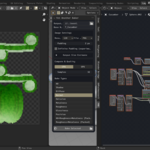
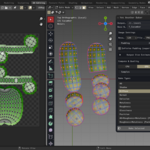
Select your meshes:
In the 3D Viewport, select all mesh objects you want to bake. Make sure to read the info popups on the status bar, it will help you greatly to get to know what the baker needs. -
Set up your bake:
- Output Directory: Where baked textures will be saved.
- Base Name: Used as the prefix for all output files.
- Resolution: Choose the texture size from the dropdown
- File Format: Pick PNG, EXR, etc.
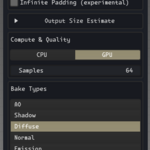
- Padding: Set pixel padding between UV islands. Enable Infinite Padding is currently on experimental.
- Bake Types: Select which maps to bake (Diffuse, Normal, AO, etc.).
- Device: Choose CPU or GPU for baking.
- Samples: Set the number of samples for quality.
-
Baking Position?
If baking a Position map, choose World or Object space. -
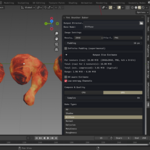
Bake!
Click Bake Selected. When finished, open your output folder to view the results.
Tip: Select multiple baking types similar like what you would do in outliner with: Shift +Left-click. , also go to preferences settings to overrides naming convention. Good Luck!
Troubleshooting: Infinite padding only works for a single object!
Contact me: Send me a dm or if you have seen me in Discord just contact me there, or if you're not in a hurry you can give me feedback through reviews and ratings. Wish you the best on your Blender journey!
$5
Have questions about this product?
Login to message
| Blender Extension Compatible | Yes |
| Published | about 1 year ago |
| Blender Version | 4.2 - 4.5 |
| Extension Type | Add-on |
| Render Engine Used | Cycles |
| License | GPL |