Yastg - Yet Another Stylized Tree Generator Assets
 Schirmer Labs
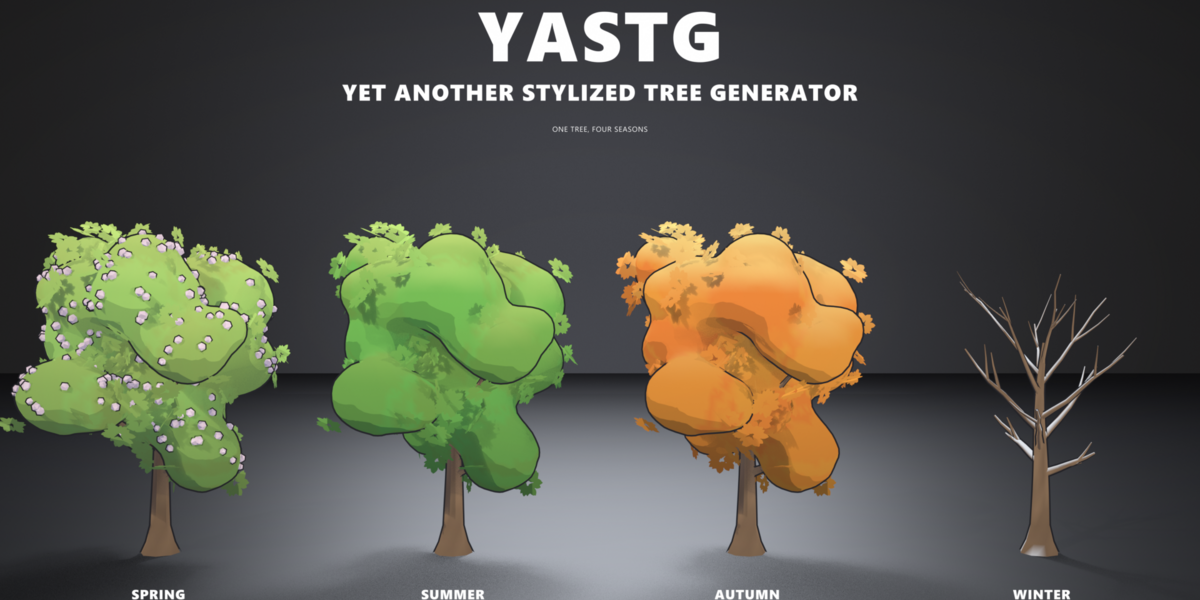
# YASTG Documentation
**YASTG – Yet Another Stylized Tree Generator** by SchirmerLabs
Version 1.0.0 · Blender 4.5 LTS to 5.3
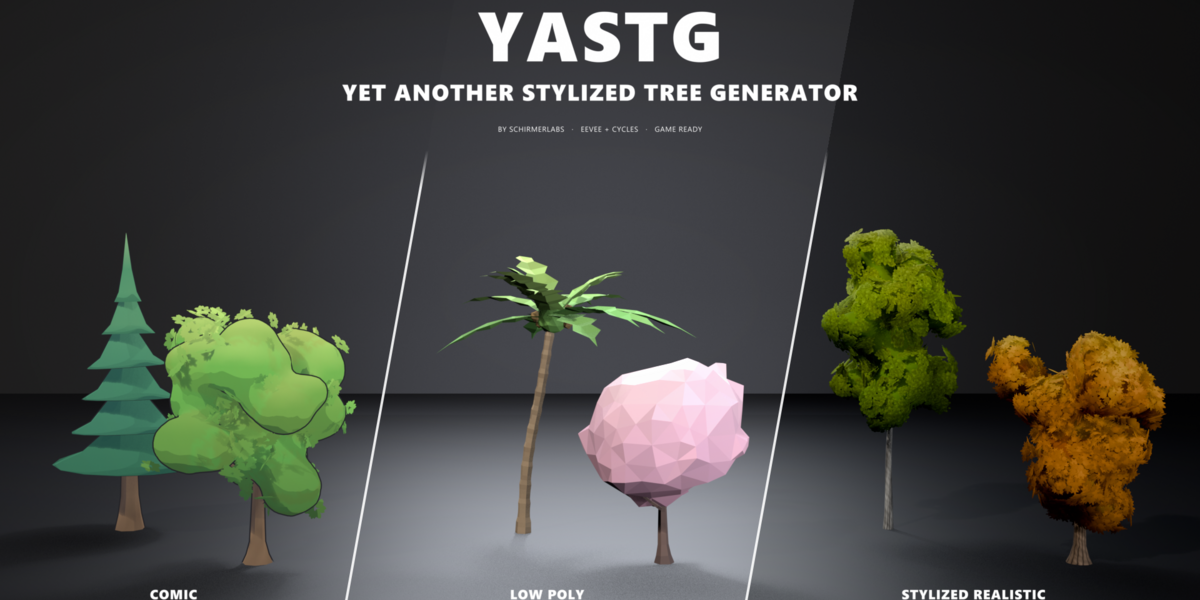
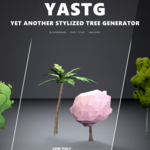
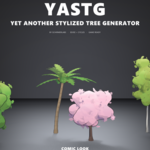
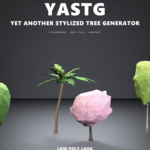
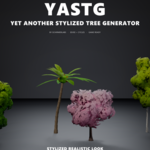
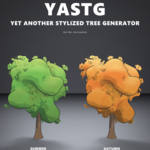
YASTG makes procedural trees in three looks: Comic, Low Poly and Stylized Realistic. Every tree is a
Geometry Nodes modifier, so you can change it at any time. Turn it through the seasons, scatter a whole
forest with it, or export it for Unity, Unreal or Godot.
---
## 1. Installation
1. Download `yastg-1.0.0.zip`. Don't unzip it.
2. In Blender open **Edit > Preferences > Get Extensions**.
3. Open the drop-down menu in the top right corner and choose **Install from Disk…**, then pick the zip.
4. In the 3D viewport press **N** and open the **YASTG** tab.
To update, install the new zip the same way. To remove YASTG, uninstall it under **Get Extensions**.
Trees you already made keep working, because the node groups, materials and textures are saved in your
.blend.
**Requirements:** Blender 4.5 LTS or newer (tested with 4.5, 5.0, 5.1, 5.2 and 5.3). There's nothing
else to install.
---
## 2. Your first tree
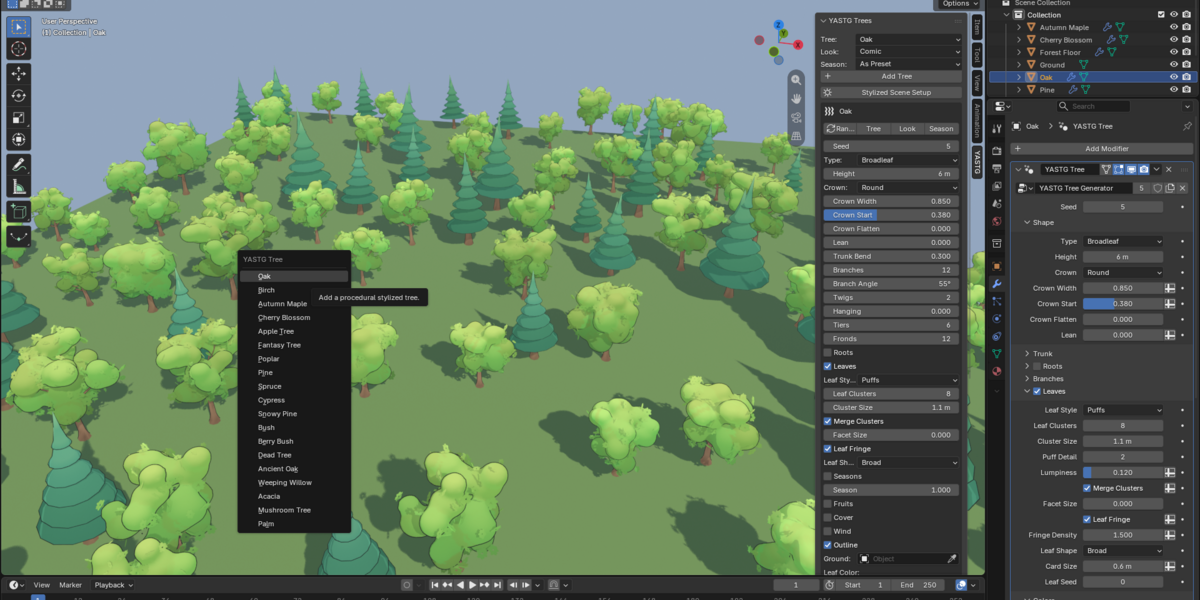
1. Choose a preset under **Tree** and a look under **Look** in the YASTG tab.
2. Press **Add Tree**. The tree appears at the 3D cursor. You can also use **Add > Mesh > YASTG Tree**.
3. Press **Stylized Scene Setup** once per scene. It sets the render engine, color management, a sun
and a sky color that suit the look.
4. Press **Randomize** until you like the tree, then adjust the settings in the sidebar or in the
modifier panel.
**Height** is the real height of the tree in metres: whatever you change, the tree is scaled so its top
stays at that height.
---
## 3. The sidebar
**YASTG Trees**
| Control | What it does |
|---|---|
| Tree | Preset for new trees |
| Look | Look for new trees: Comic, Low Poly or Stylized Realistic |
| Season | Season for new trees and variants: As Preset, Spring, Summer, Autumn or Winter |
| Add Tree | Adds a tree with the chosen preset, look and season |
| Stylized Scene Setup | EEVEE, a sun, a sky colored world and the right color management for the current look |
With a tree selected, a box with its most used settings appears:
| Control | What it does |
|---|---|
| Randomize | New random seed for every selected tree |
| Tree | Applies the preset chosen above to the selected trees; seeds are kept |
| Look | Switches the selected trees to the look chosen above; shape and colors stay |
| Season | Turns the selected trees to the season chosen above; As Preset switches seasons off |
**Variants:** generate a collection of variants and pick one from the gallery (see section 8).
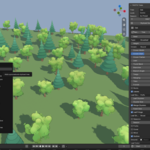
**Scatter:** spread trees over a surface (see section 9).
**Game:** triangle count of the active object and **Export Game Ready** (see section 10).
All settings live on the **YASTG Tree** modifier in the Properties editor. The sidebar only shows the
ones you use most.
---
## 4. Looks
| Look | Leaves | Bark | Render engine |
|---|---|---|---|
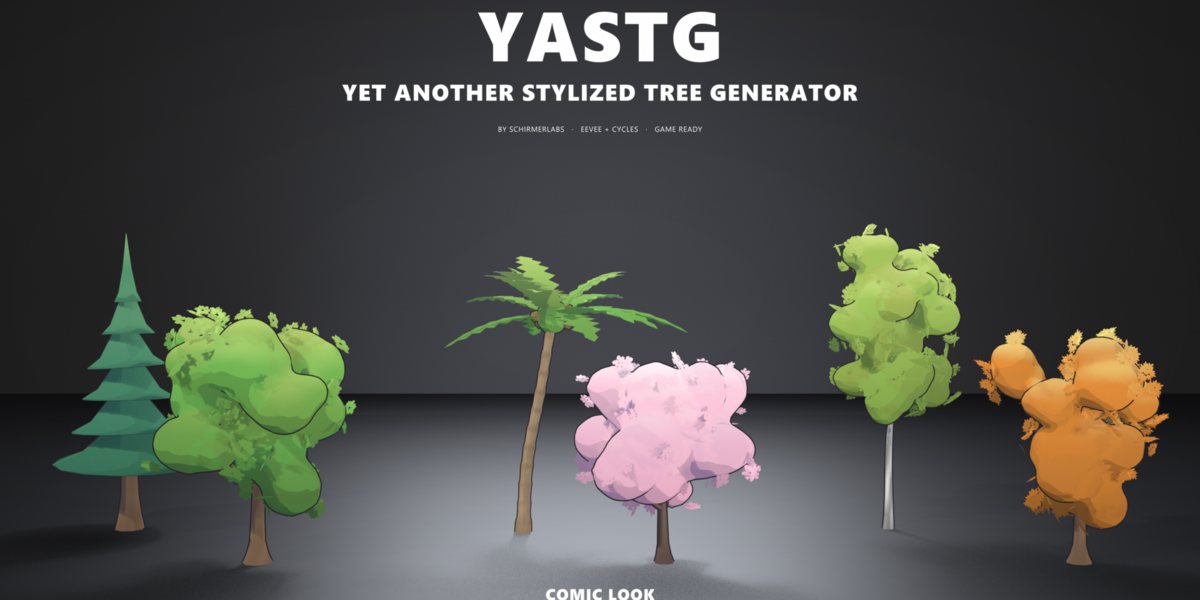
| Comic | Smooth clusters melted into one soft crown, a fringe of leaf shapes in the silhouette, cel shading in bands with cool shadows, inverted hull outline | Cel shaded | EEVEE (Cycles shows the same tree as PBR) |
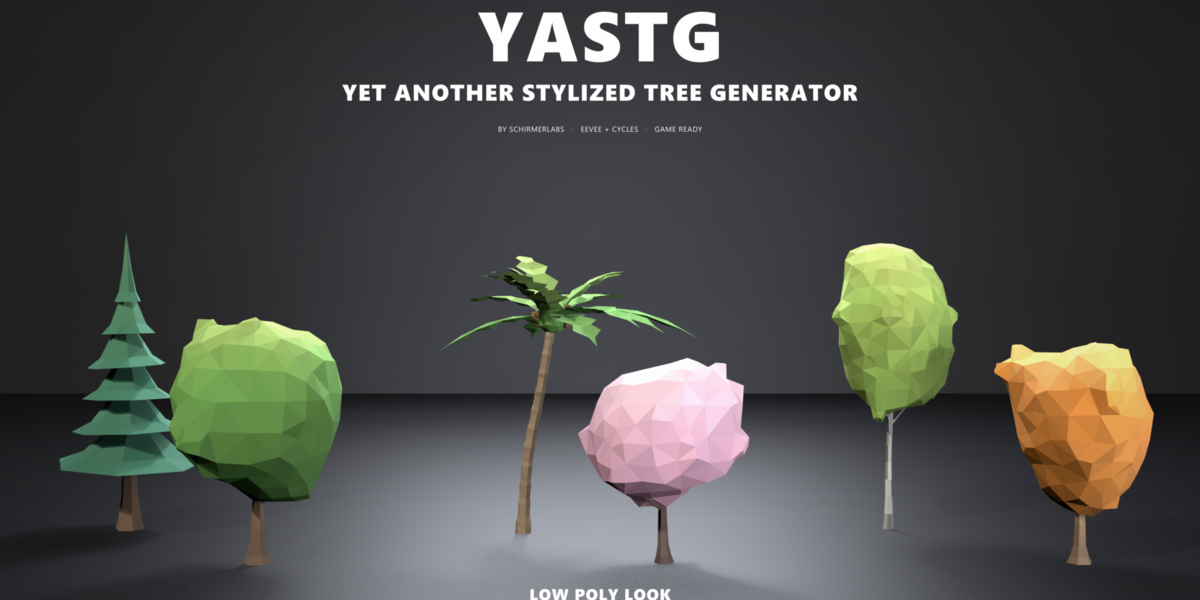
| Low Poly | The clusters remeshed into one crown hull of big flat triangles, one tone per face, physically lit | Flat shaded | EEVEE and Cycles |
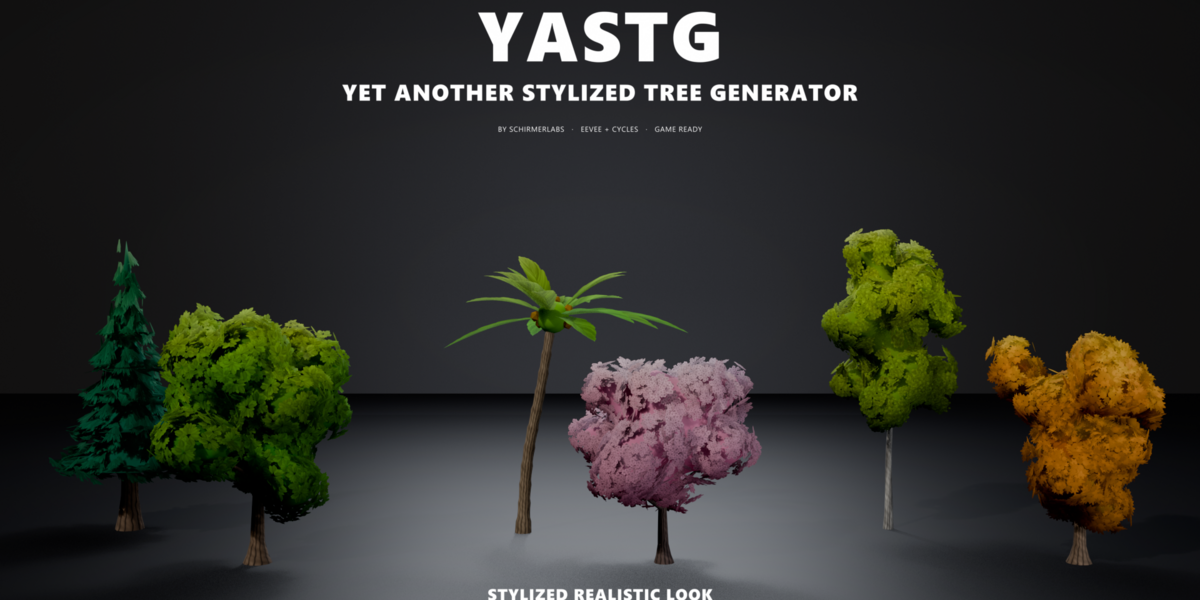
| Stylized Realistic | Painterly alpha leaf cards over a soft crown, shaded with the crown's smooth normals | Tiling bark texture | EEVEE and Cycles, best with AgX |
A look only changes shading settings (leaf style, outline, flat shading, cluster detail, lumpiness,
facet variation, trunk and tier sides, leaf fringe, merged clusters, facet size) and the materials. Shape and colors
stay the same, so you can switch freely.
---
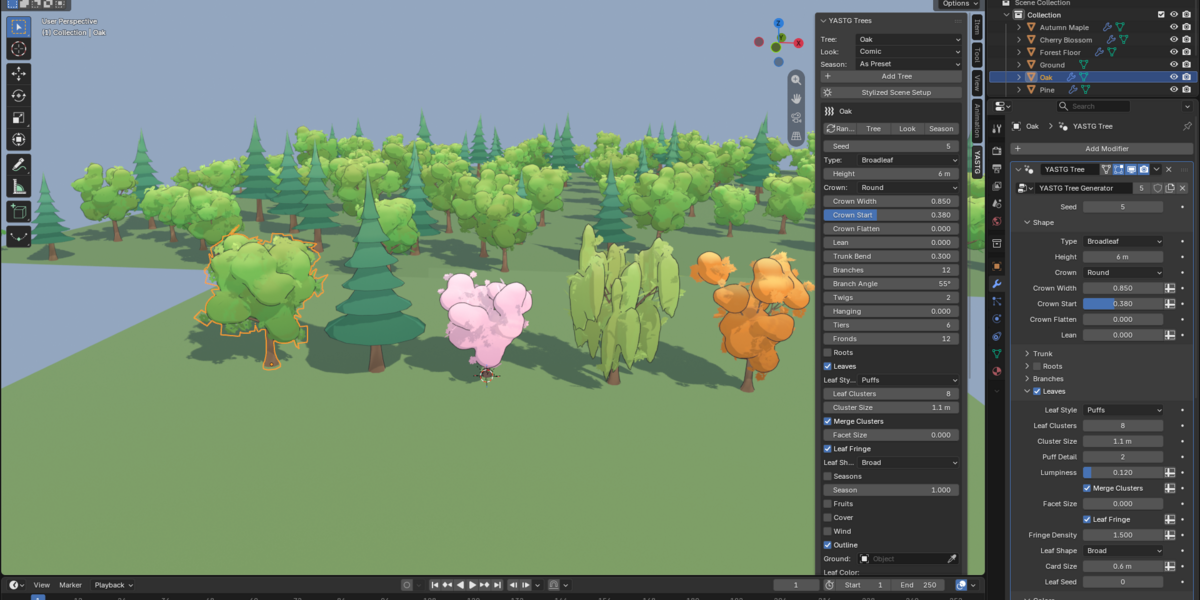
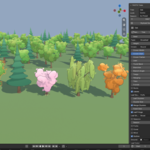
## 5. Presets
| Preset | Description |
|---|---|
| Oak | All-round broadleaf tree with a round crown |
| Birch | Slim tree with white, streaked bark and small light leaves |
| Autumn Maple | Wide maple with maple leaves, seasons on and set to autumn |
| Cherry Blossom | Small, bent tree full of pink blossoms |
| Apple Tree | Small round tree with red apples |
| Fantasy Tree | Bent, leaning tree with violet leaves and cyan highlights |
| Poplar | Tall, narrow column |
| Pine | Conifer with six sagging tiers |
| Spruce | Taller, darker conifer with nine jagged tiers |
| Cypress | Very slim conifer with many tight tiers |
| Snowy Pine | Pine with snow on every tier |
| Bush | Low, wide shrub |
| Berry Bush | Bush with dark blue berries |
| Dead Tree | Bare, twisted branches without leaves |
| Ancient Oak | Big, thick oak with visible roots |
| Weeping Willow | Leaf curtains hanging from the branch tips |
| Acacia | Umbrella crown with flat leaf pads on a bent trunk |
| Mushroom Tree | Red cap with white dots on a pale stem |
| Palm | Leaning, ringed trunk with a crown of fronds and coconuts |
Applying a preset resets every setting to its default first, then applies the preset and the look.
---
## 6. Generator settings
All settings are on the **YASTG Tree** modifier, grouped in panels. Panels with a checkbox in their
header (Roots, Leaves, Seasons, Cover, Fruits, Wind, Outline) can be switched on and off.
### Shape
| Setting | What it does |
|---|---|
| Seed | Master seed, every part of the tree varies with it |
| Type | Broadleaf (branches with leaf clusters), Conifer (stacked cone tiers) or Palm (curved trunk with fronds) |
| Height | Height of the tree in metres |
| Crown | Silhouette of a broadleaf crown: Round, Oval, Cone, Wide or Umbrella |
| Crown Width | Crown diameter relative to the height |
| Crown Start | Where the crown starts on the trunk |
| Crown Flatten | Gathers the leaf clusters into a flat cap, like acacia pads or a mushroom cap |
| Lean | Lean of the whole tree |
### Trunk
| Setting | What it does |
|---|---|
| Trunk Radius | Radius at the base, above the flare |
| Base Flare | Extra width where the roots start |
| Taper | How much thinner the trunk gets towards the top |
| Trunk Bend | Wobble of the trunk |
| Trunk Sides, Trunk Segments | Resolution around and along the trunk; branches get fewer sides |
### Roots
| Setting | What it does |
|---|---|
| Root Count | Number of roots |
| Root Length | Length relative to the trunk radius |
| Root Thickness | Root radius relative to the trunk base |
### Branches
| Setting | What it does |
|---|---|
| Branches | Main branches (Broadleaf only) |
| Branch Angle | Angle from the trunk; lower branches spread wider |
| Branch Curl | Positive bends the tips up, negative lets them droop |
| Branch Thickness | Branch radius relative to the trunk where it starts |
| Twigs | Twigs per branch |
| Hanging | Leaf curtains hanging from the branch tips, like a weeping willow |
| Branch Seed | Different branch layout with the same master seed |
### Leaves
| Setting | What it does |
|---|---|
| Leaf Style | Puffs: solid leaf clusters (Comic, Low Poly). Cards: alpha leaf cards (Stylized Realistic) |
| Leaf Clusters | Extra clusters along the branches; every branch and twig tip gets one anyway |
| Cluster Size | Radius of a leaf cluster |
| Puff Detail | Subdivisions of each cluster; 1 gives the low poly look |
| Lumpiness | Bumps on the clusters |
| Merge Clusters | Melts the clusters into one soft crown with a single outline (Broadleaf; slower) |
| Facet Size | With Merge Clusters on: remeshes the crown into one hull of big flat triangles, the low poly look. Higher values give fewer, bigger facets; 0 keeps the crown smooth |
| Leaf Fringe | Leaf shapes around the clusters that break up the round silhouette (Broadleaf with Puffs) |
| Fringe Density | Fringe shapes per square metre of cluster surface |
| Leaf Shape | Leaf texture on the cards and the fringe: Broad, Round, Needles, Small, Maple, Frond or Blossom |
| Card Size, Card Density | Size of a leaf card and cards per square metre of canopy |
| Inner Fill | Dark shell inside the cards, so the crown never looks see-through |
| Leaf Seed | Different leaf layout with the same master seed |
### Conifer and Palm
| Setting | What it does |
|---|---|
| Tiers | Number of cone tiers |
| Tier Overlap | Tier height relative to the spacing between tiers |
| Skirt Jag | Jagged lower edge of each tier |
| Tier Sag | Concave, drooping tier sides like a pagoda roof |
| Tier Sides | Resolution around each tier |
| Fronds | Number of palm fronds |
| Frond Length, Frond Width | Size of a frond |
| Frond Droop | How far the frond tips hang down |
### Colors
| Setting | What it does |
|---|---|
| Leaf Color, Leaf Dark, Leaf Highlight | Main leaf color, lower and inner leaves, sunlit tops of the crown |
| Leaf Variation | Hue and brightness shift per cluster |
| Bark Color, Bark Dark | Bark color, and the streaks and the base |
| Bark Pattern | Strength of the bark streaks |
| Color Variation | Hue and brightness shift per tree, based on the seed |
| Height Gradient | Darker leaves at the bottom of the crown |
| Facet Variation | Brightness jitter per face, the low poly look |
| Flat Shading | Faceted shading with one color per face |
### Seasons, Cover, Fruits
| Panel | Settings |
|---|---|
| Seasons | Season (see section 7), Autumn Color, Autumn Color 2, Blossom Color |
| Cover (snow) | Cover Color, Cover Amount: snow on upward facing leaves and branches |
| Fruits | Fruit Color, Fruit Size, Fruit Density (fruits per square metre of canopy) |
### Ground
| Setting | What it does |
|---|---|
| Ground | Terrain object the tree stands on |
| Ground Blend | Height above the base that follows the terrain |
| Ground Sink | Pushes the base into the terrain so no gap shows |
The trunk base and the roots bend onto the terrain; the rest of the tree stays upright.
### Wind, Outline and Output
| Setting | What it does |
|---|---|
| Wind Strength, Wind Speed, Wind Direction | Animated sway in Blender; exported trees are static |
| Outline Width, Outline Color | Thickness and color of the comic outline (inverted hull) |
| Detail | Level of detail; the game export lowers it for LODs |
| Bark Scale | Size of one bark texture tile along the trunk |
| Bark Material, Leaf Material, Outline Material | Materials, set by the look |
---
## 7. Seasons
Turn on the **Seasons** panel and move the **Season** slider:
| Value | Season | What happens |
|---|---|---|
| 0 | Spring | Blossoms in the crown |
| 1 | Summer | The preset's own colors |
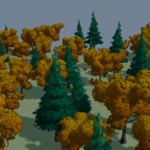
| 2 | Autumn | Leaves turn to the two autumn colors |
| 3 | Winter | Leaf clusters fall one by one, snow settles on the branches |
Values in between blend, so you can animate the slider through a year. Blossoms, autumn colors and
falling leaves only affect broadleaf trees; conifers and palms keep their leaves and only get the snow.
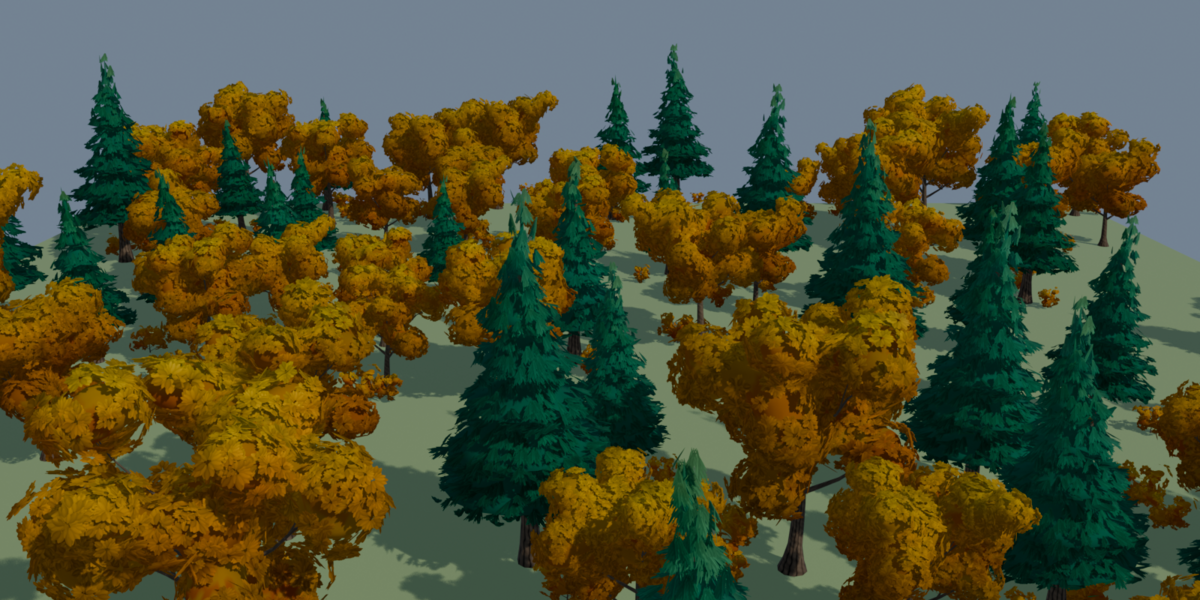
To make a whole forest in one season, pick the season in the sidebar before **Add Tree**, **Generate
Variants** or **Scatter on Selected**. The **Season** button applies it to trees you already have.
---
## 8. Variants and gallery
**Generate** (in the Variants panel) creates a collection of trees with different seeds and heights.
| Option | What it does |
|---|---|
| Count | Number of variants |
| Height Jitter | Random variation of the height |
| Bake to Mesh | Turns the variants into plain meshes: fast, but no longer editable |
| Mark as Assets | Adds them to the Asset Browser for drag and drop |
The collection appears in the panel together with a thumbnail gallery. Click a thumbnail to copy that
variant's settings onto the active tree. If no YASTG tree is active, or the variants are baked, the click
adds a copy of the variant at the 3D cursor.
---
## 9. Scatter
1. Select one or more ground meshes.
2. Press **Scatter on Selected**. Without a variant collection, YASTG first generates six baked variants
of the current preset.
3. With the ground selected, the scatter settings appear in the sidebar.
| Setting | What it does |
|---|---|
| Trees | Collection of trees to scatter |
| Trees B, Mix B | Second collection mixed in, e.g. conifers among broadleaf trees, and its share |
| Seed | Different random layout |
| Density | Maximum trees per square metre |
| Spacing | Minimum distance between trees |
| Scale Min / Max | Random scale range |
| Align to Surface | 0 keeps trees upright, 1 follows the ground |
| Random Tilt | Random tilt angle |
| Sink | Pushes trees into the ground by this fraction of their height |
| Max Slope | No trees on faces steeper than this |
| Mask | Name of a vertex group or float attribute that controls the density |
| Path, Path Width | Curve or mesh object: nothing grows within this distance of it |
| Undergrowth, Undergrowth Count, Undergrowth Radius | Bushes placed around each tree |
| Extras, Extras Density | Anything else to scatter, e.g. YASRG rocks |
| Tint Variation | Random brightness per tree |
| Include Surface | Keeps the ground mesh visible |
**Tip:** to scatter your own trees, put them in a collection, exclude that collection from the view layer
and choose it as **Trees**. Trees in an excluded collection must be baked to meshes (Generate Variants
with **Bake to Mesh**), because Blender does not evaluate modifiers there.
---
## 10. Game ready export
Select your trees and press **Export Game Ready (GLB/FBX)**.
| Option | Default | What it does |
|---|---|---|
| Format | GLB | glTF Binary (.glb) or FBX |
| Engine | Unity | Naming and axis conventions (see below) |
| One File per Tree | on | One file per tree, or all trees in one file |
| Center at Origin | on | Each tree is exported at the origin |
| LODs | 2 | Extra levels with less detail (_LOD1, _LOD2, …) |
| LOD Ratio | 0.5 | Detail of each level relative to the previous one |
| Max Triangles | 0 | Triangle budget for the main mesh; 0 means no limit |
| Collision Mesh | on | Convex hull of the trunk, named for the engine |
| Include Outline | off | Keeps the comic outline shell |
**Procedural LODs:** each level rebuilds the tree with a lower **Detail** (fewer sides, segments,
cluster subdivisions and leaf cards), so the leaf cards stay whole instead of being torn by a decimator.
**Max Triangles** lowers the detail step by step until the main mesh fits. Plain meshes without a YASTG
modifier are decimated instead.
**Engine naming**
| Engine | Levels of detail | Collision |
|---|---|---|
| Unity | `Oak_LOD0` to `Oak_LODn` under a parent `Oak` (Unity creates a LOD Group) | `Oak_Collider` |
| Unreal | `Oak`, `Oak_LOD1` to `Oak_LODn` | `UCX_Oak_00` |
| Godot | `Oak` only, because Godot builds its own levels | `Oak-convcolonly` |
| Generic | `Oak_LOD0` to `Oak_LODn` | `Oak_Collision` |
**Materials and textures:** every export uses up to three materials:
| Material | Used on | Textures |
|---|---|---|
| `YASTG_Solid` | Bark, leaf clusters, fruits | None, vertex colors (`Col`) only |
| `YASTG_Leaves` | Leaf cards, the comic fringe and textured palm fronds | Leaf atlas × vertex colors, alpha clip |
| `YASTG_Bark` | Wood of Stylized Realistic trees | Tiling bark texture × vertex colors |
GLB files embed the textures. FBX files embed them as well when a tree uses the leaf atlas or the bark
texture. All colors live in the vertex colors, so comic and low poly trees need no textures at all.
---
## 11. Troubleshooting
**The comic look has no cel bands.** Cel shading needs EEVEE. In Cycles the same material renders as
PBR. Switch the render engine or press **Stylized Scene Setup**.
**Trees look grey or flat in Solid mode.** Solid mode also draws the outline shell, and the real colors
live in the vertex colors. Use Material Preview or Rendered to see the real look.
**Scattered trees don't show up.** The scatter collection is probably excluded and its trees are still
live generators. Bake them (Generate Variants with Bake to Mesh), or let **Scatter on Selected** create
the variants for you.
**The viewport gets slow with many trees.** Every live tree is evaluated on its own, and merged crowns
(Comic and Stylized Realistic) take longer. For forests, generate baked variants and scatter instances of
them, or turn off **Merge Clusters** while you work.
**Leaf cards are black or square in the engine.** The leaves material needs alpha clip (glTF: alpha mode
MASK, which YASTG sets) and the vertex colors multiplied in. In Unity, use a shader that reads vertex
colors and alpha clipping; in Unreal, set the material's blend mode to Masked.
**A winter tree still has leaves.** Turn on the **Seasons** panel. The sidebar **Season** button does that
for you. Conifers and palms keep their leaves by design.
**The tree changes size when I change settings.** Height always wins: the finished tree is scaled so its
top sits at **Height**. Use **Crown Width** and **Trunk Radius** for proportions.
---
## 12. License and support
The YASTG code is licensed under GPL-3.0-or-later. The leaf atlas and the bark texture are painted by
YASTG itself. Trees you generate and export belong to you.
Made by SchirmerLabs. Made with AI.
Have questions about this product?
Login to message
| Published | about 1 hour ago |
| Blender Version | 4.5 - 5.3 |
| License | GPL |
Discover more products like this
tree-generator vegetation stylized-trees geometry nodes game ready LOD unreal unity forest toon procedural low poly